DxGrid.TextWrapEnabled Property
Specifies whether the Grid wraps words or trims extra words and displays an ellipsis.
Namespace: DevExpress.Blazor
Assembly: DevExpress.Blazor.v25.2.dll
NuGet Package: DevExpress.Blazor
Declaration
[DefaultValue(true)]
[Parameter]
public bool TextWrapEnabled { get; set; }
Property Value
| Type | Default | Description |
|---|---|---|
| Boolean | true |
|
Remarks
If a value does not fit into a cell as a single line, the cell displays multiple lines of text. Set the TextWrapEnabled property to false to disable word wrap and trim extra words in the following Grid elements (in other Grid elements, word wrap is always enabled):
- Data column cells and headers
- Footers and group footers
- Group rows
- Detail rows
Instead of trimmed characters, the Grid component displays an ellipsis. Users can hover over the cell to display all the text in a tooltip.
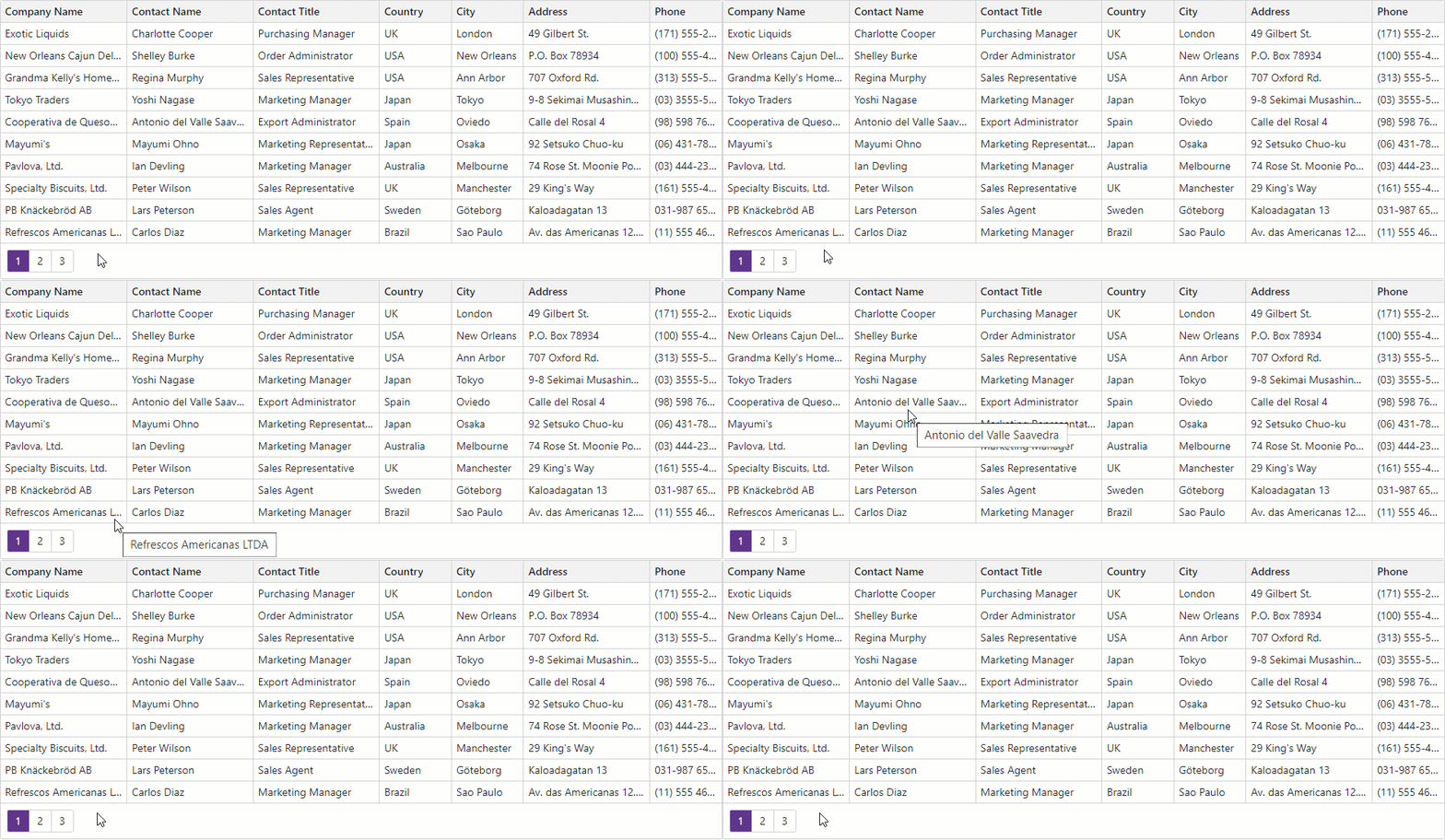
Example
The following code snippet disables text wrapping:
<DxGrid Data="@Data"
        TextWrapEnabled="false">
    <Columns>
        <DxGridDataColumn FieldName="CompanyName" />
        <DxGridDataColumn FieldName="ContactName" />
        <DxGridDataColumn FieldName="ContactTitle" />
        <DxGridDataColumn FieldName="Country" Width="10%" />
        <DxGridDataColumn FieldName="City" Width="10%" />
        <DxGridDataColumn FieldName="Address" />
        <DxGridDataColumn FieldName="Phone" Width="10%" />
    </Columns>
</DxGrid>

@code {
    object Data { get; set; }

    protected override async Task OnInitializedAsync() {
        var suppliers = await NwindDataService.GetSuppliersAsync();
        Data = suppliers.Select(s => {
            return new {
                CompanyName = s.CompanyName,
                ContactName = s.ContactName,
                ContactTitle = s.ContactTitle,
                Country = s.Country,
                City = s.City,
                Address = s.Address,
                Phone = s.Phone
            };
        });
    }
}
Limitations
- The Grid does not display ellipsis characters or tooltips for cells with content defined by a template and the template’s markup includes block-level elements.
The Grid cannot wrap cell content that consists of a single word (without spaces). You can activate word wrapping for such cells as follows:
<DxGrid Data="@Data" CustomizeElement="Grid_CustomizeElement">
    <Columns>
        <!-- ... -->
    </Columns>
</DxGrid>

@code {
    object Data { get; set; }

    void Grid_CustomizeElement(GridCustomizeElementEventArgs e) {
        if (e.ElementType == GridElementType.DataCell) {
            var column = (IGridDataColumn ) e.Column;
            if (column.FieldName == "YourColumnFieldName")
                e.CssClass = "my-text-wrap-rule";
        }
    }
}