DxSchedulerTimelineView.ResourceCaptionOrientation Property
Arranges resource captions horizontally or vertically when appointments are grouped.
Namespace: DevExpress.Blazor
Assembly: DevExpress.Blazor.v26.1.dll
NuGet Package: DevExpress.Blazor
Declaration
[DefaultValue(Orientation.Vertical)]
[Parameter]
public Orientation ResourceCaptionOrientation { get; set; }
Property Value
| Type | Default | Description |
|---|---|---|
| Orientation | Vertical | An enumeration value. |
Available values:
| Name | Description |
|---|---|
| Horizontal | Sets horizontal orientation. |
| Vertical | Sets vertical orientation. |
Remarks
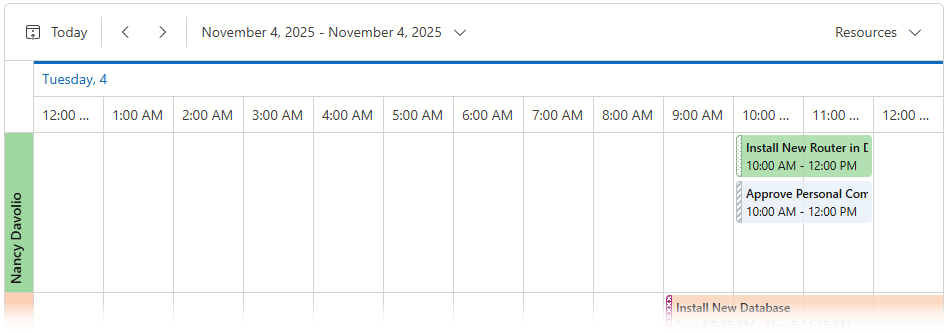
The Scheduler component displays resources in vertical cells when appointments are grouped:
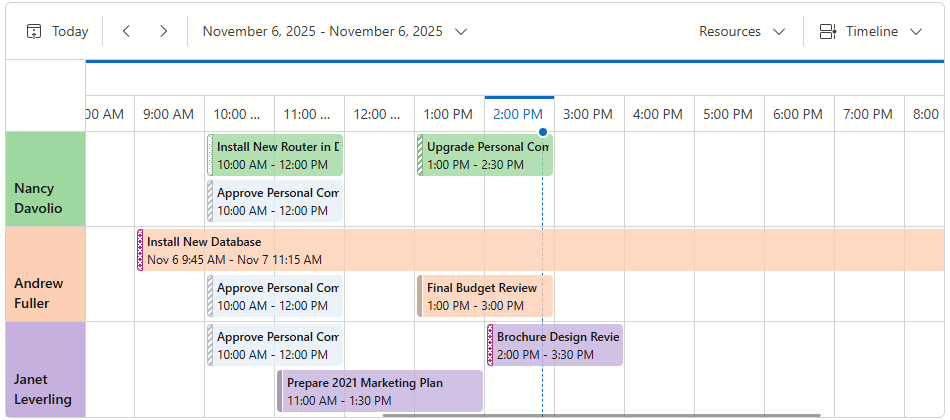
Use the ResourceCaptionOrientation property to rotate resource captions:
<DxScheduler @bind-StartDate="@StartDate"
             DataStorage="@DataStorage"
             GroupType="SchedulerGroupType.Date">
    <DxSchedulerTimelineView CellMinWidth="70"
                             CellMinHeight="50"
                             LastAppointmentIndent="3"
                             ResourceCaptionOrientation="Orientation.Horizontal"
                             VerticalResourceCellWidth="80" />
</DxScheduler>
You can use the following properties to adjust cell size in the timeline view:
- VerticalResourceCellWidth
- Specifies the resource cell width when appointments are grouped and captions are aligned horizontally.
- CellMinWidth
- Specifies the base width of a single division of the timescale, in pixels.
- CellMinHeight
- Specifies the minimum cell height in the timeline view.
See Also