DxChartAnnotationBase<T>.TooltipEnabled Property
Specifies whether the annotation tooltip is enabled.
Namespace: DevExpress.Blazor
Assembly: DevExpress.Blazor.v26.1.dll
NuGet Package: DevExpress.Blazor
Declaration
[DefaultValue(true)]
[Parameter]
public bool TooltipEnabled { get; set; }
Property Value
| Type | Default | Description |
|---|---|---|
| Boolean | true |
|
Remarks
The Chart component displays tooltips when a user hovers a mouse pointer over chart annotations. Use the TooltipText property to specify tooltip text content. To disable tooltip functionality for an annotation, set the TooltipEnabled property to false.
Important
Annotation tooltips are incompatible with chart tooltips. If you enable both tooltips, only chart tooltips appear. To display annotation tooltips only, set the DxChartTooltip.Enabled property to false or remove the entire DxChartTooltip object from chart markup.
<DxChart Data="@DataSource">
    @* ... *@
    <DxChartLineSeries ValueField="@((ApplePrice i) => i.Close)"
                       ArgumentField="@((ApplePrice i) => i.Date)"
                       Name="AAPL" />
    <DxChartAnnotation Argument="new DateTime(2019, 9, 10)"
                       Series="AAPL"
                       Text="Watch Series 5"
                       TooltipText="Apple Watch Series 5 was announced
                                    on September 10, 2019."
                       TooltipEnabled="false"
                       VerticalOffset="-50" />
    <DxChartAnnotation Argument="new DateTime(2020, 12, 15)"
                       Series="AAPL"
                       Text="AirPods Max"
                       TooltipText="AirPods Max - wireless Bluetooth over-ear
                                    headphones - were released on December 15, 2020."
                       VerticalOffset="-50" />
</DxChart>
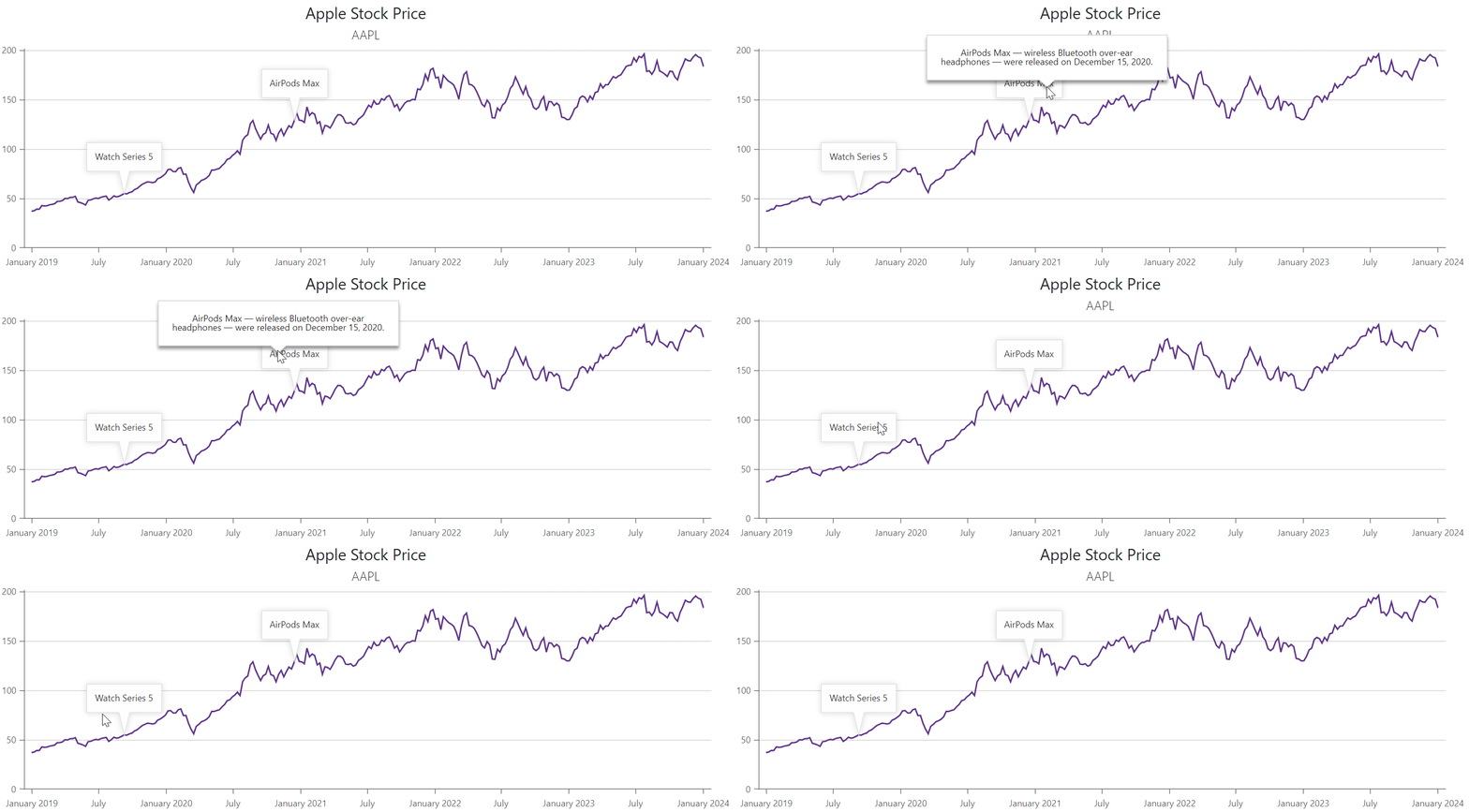
Refer to the following section for additional information about annotations: Annotations in Blazor Charts.