DxRibbon.ApplicationTabClick Event
Fires when a user clicks the application tab.
Namespace: DevExpress.Blazor
Assembly: DevExpress.Blazor.v26.1.dll
NuGet Package: DevExpress.Blazor
Declaration
[DefaultValue(null)]
[Parameter]
public EventCallback<RibbonApplicationTabClickEventArgs> ApplicationTabClick { get; set; }
Event Data
The ApplicationTabClick event's data class is RibbonApplicationTabClickEventArgs. The following properties provide information specific to this event:
| Property | Description |
|---|---|
| Element | Returns information about a clicked Ribbon element. Inherited from RibbonElementClickEventArgs. |
| MouseEventArgs | The Blazor’s built-in MouseEventArgs event arguments. Inherited from RibbonElementClickEventArgs. |
| Tab | Returns information about the clicked application tab. |
Remarks
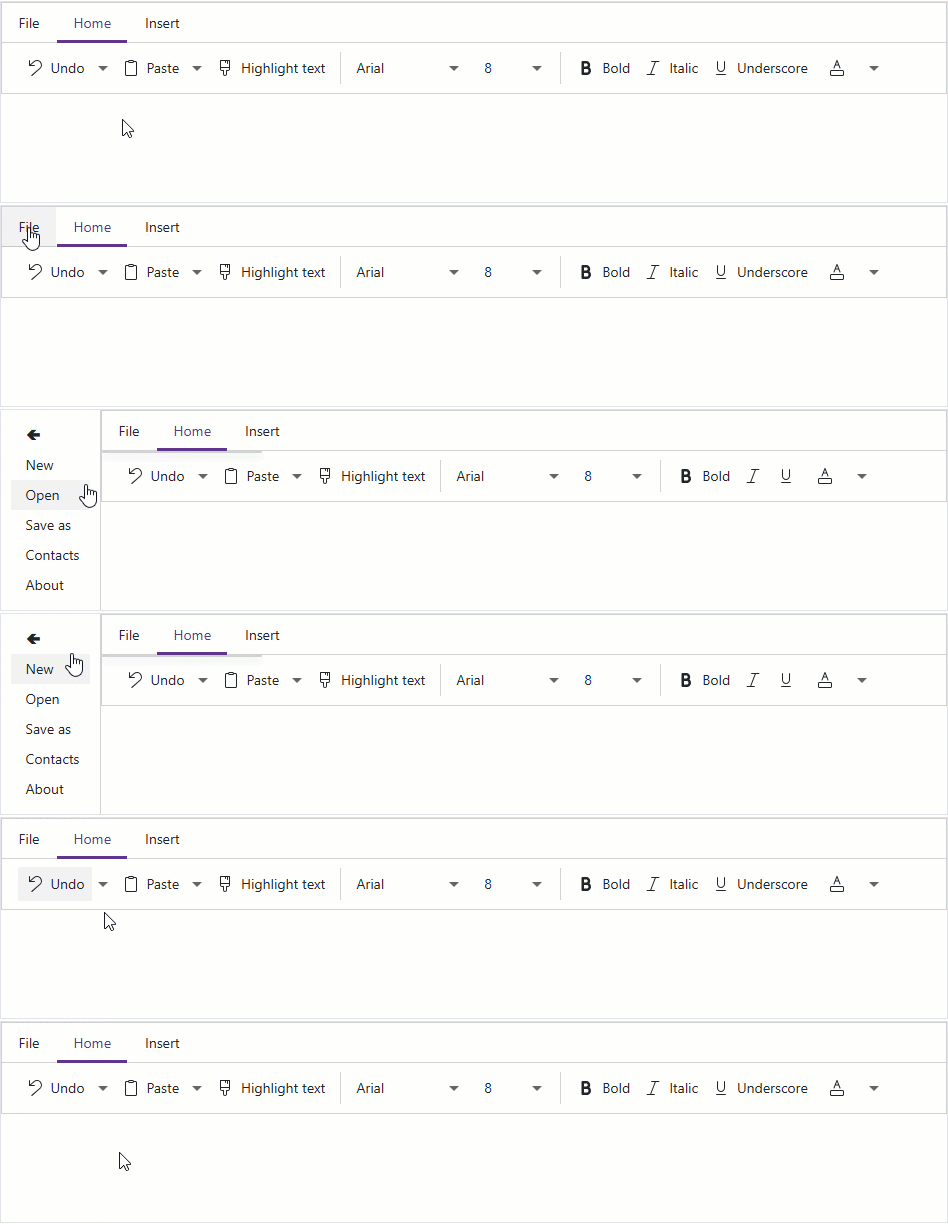
Handle the ApplicationTabClick event to perform custom actions when a user clicks the application tab. The following code sample opens a side panel on click.
<DxDrawer @bind-IsOpen="IsFileMenuOpen" PanelWidth="100px">
    <BodyTemplate>
        <DxMenu Orientation="Orientation.Vertical">
            <Items>
                <DxMenuItem Text="🢀" Click="@(() => IsFileMenuOpen = false)" />
                <DxMenuItem Text="New" />
                <DxMenuItem Text="Open" />
                <DxMenuItem Text="Save as" />
                <DxMenuItem Text="Contacts" />
                <DxMenuItem Text="About" />
            </Items>
        </DxMenu>
    </BodyTemplate>
    <TargetContent>
        <DxRibbon ApplicationTabClick="@OnApplicationTabClick">
            <DxRibbonApplicationTab Text="File" />
            <DxRibbonTab Text="Home"><!-- ... --></DxRibbonTab>
            <DxRibbonTab Text="Insert"><!-- ... --></DxRibbonTab>
        </DxRibbon>
    </TargetContent>
</DxDrawer>

@code {
    bool IsFileMenuOpen { get; set; } = false;

    void OnApplicationTabClick(DevExpress.Blazor.RibbonApplicationTabClickEventArgs args) {
        IsFileMenuOpen = true;
    }
}
If you prefer to attach a listener directly to the application tab, use the Click event.
Implements
See Also