DxChartAxisMinorTick.Opacity Property
Specifies the transparency of minor ticks.
Namespace: DevExpress.Blazor
Assembly: DevExpress.Blazor.v26.1.dll
NuGet Package: DevExpress.Blazor
Declaration
[Parameter]
public double Opacity { get; set; }
Property Value
| Type | Default | Description |
|---|---|---|
| Double | 0.3 | The opacity value. |
Remarks
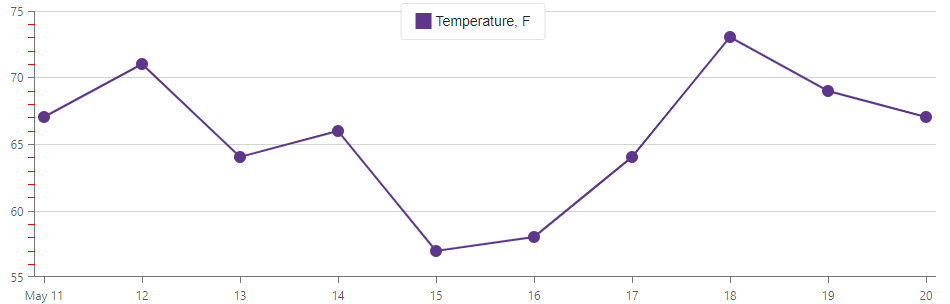
Use the Opacity property to specify how transparent minor ticks should be. The property accepts a value from 0 to 1, where 0 makes minor ticks transparent and 1 makes them opaque. You can also change the color of minor ticks.
The following code snippet specifies the color and transparency of minor ticks:
@using Chart.Data
@using System.Drawing;

<DxChart Data="@forecasts">
    <DxChartLineSeries ArgumentField="@((WeatherForecast i) => i.Date)"
                       ValueField="@((WeatherForecast i) => i.TemperatureF)"
                       Name="Temperature, F" />
    <DxChartValueAxis>
        <DxChartAxisMinorTick Visible="true"
                              Color="Color.Red"
                              Opacity="1" />
    </DxChartValueAxis>
</DxChart>
See Also