DateEdit.SelectedRanges Property
Gets or sets selected date ranges.
Namespace: DevExpress.XtraEditors
Assembly: DevExpress.XtraEditors.v26.1.dll
NuGet Package: DevExpress.Win.Navigation
Declaration
Property Value
| Type | Description |
|---|---|
| DevExpress.XtraEditors.Controls.DateRangeCollection | A collection of selected date ranges. |
Remarks
Use the SelectedRanges property to select date ranges. Date range selection is enabled if the SelectionMode property is set to CalendarSelectionMode.Multiple.
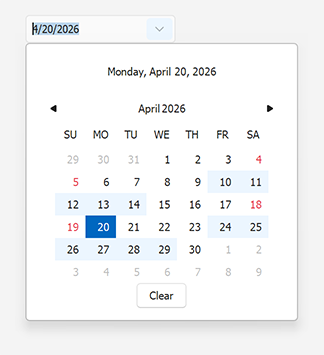
The DateRangeCollection contains DateRange objects. A DateRange includes all dates that are greater than or equal to DateRange.StartDate and less than DateRange.EndDate.
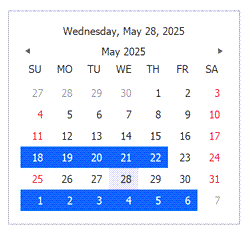
The following code snippet enables range selection and selects two date ranges:
using DevExpress.XtraEditors.Controls;
using DevExpress.XtraEditors.Repository;

dateEdit.Properties.SelectionMode = CalendarSelectionMode.Multiple;

dateEdit.SelectedRanges.AddRange(new DateRange[] {
    new DateRange(DateTime.Today.AddDays(-10), DateTime.Today.AddDays(-5)),
    new DateRange(DateTime.Today.AddDays(4), DateTime.Today.AddDays(10))
});
The following screenshot illustrates the result:
Use the DateRangeCollection.IsDateSelected method to check whether a specific date is selected: