DataViewBase.FilterPopupGlyphTemplate Property
Gets or sets the template used to display filter popup glyphs in all column headers. This is a dependency property.
Namespace: DevExpress.Xpf.Grid
Assembly: DevExpress.Xpf.Grid.v26.1.Core.dll
NuGet Package: DevExpress.Wpf.Grid.Core
Declaration
Property Value
| Type | Description |
|---|---|
| ControlTemplate | A ControlTemplate that displays filter popup glyphs in all column headers. |
Remarks
Assign a ControlTemplate to the FilterPopupGlyphTemplate property to replace predefined icons displayed in all column headers when the filter popup is hidden. To override the template for an individual column header, specify the FilterPopupGlyphTemplate. The column-level template has higher priority.
Example: Set Custom Filter Popup Glyphs for All Columns
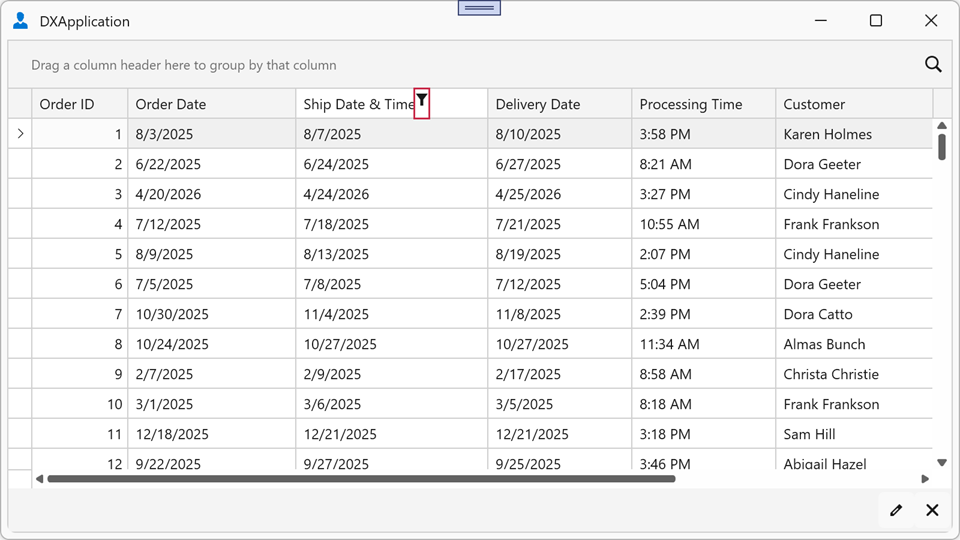
The following example assigns custom icons as filter popup glyphs for all column headers in the TableView:
<dx:ThemedWindow xmlns="http://schemas.microsoft.com/winfx/2006/xaml/presentation"
                 xmlns:x="http://schemas.microsoft.com/winfx/2006/xaml"
                 xmlns:dx="http://schemas.devexpress.com/winfx/2008/xaml/core"
                 xmlns:dxg="http://schemas.devexpress.com/winfx/2008/xaml/grid">
    <dx:ThemedWindow.Resources>
        <ControlTemplate x:Key="CustomFilterGlyph">
            <Path Data="M 0,0 L 8,0 L 5,4 L 5,8 L 3,8 L 3,4 Z"
                  Fill="{Binding Path=(TextBlock.Foreground),
                                 RelativeSource={RelativeSource AncestorType=ContentPresenter}}"
                  HorizontalAlignment="Center"
                  VerticalAlignment="Center"
                  Stretch="Uniform"
                  Width="10" Height="10"/>
        </ControlTemplate>
    </dx:ThemedWindow.Resources>
    <dxg:GridControl ItemsSource="{Binding Orders}">
        <dxg:GridControl.View>
            <dxg:TableView FilterPopupGlyphTemplate="{StaticResource CustomFilterGlyph}"/>
        </dxg:GridControl.View>
    </dxg:GridControl>
</dx:ThemedWindow>