TdxSplashFormBase.Progress(string) Method
Provides access to a Progress Bar widget on the form.
Declaration
function Progress(const AName: string = ''): TProgress;Parameters
| Name | Type | Description |
|---|---|---|
| AName | string | Optional. Specifies the target Progress Bar widget name. If you omit the |
Returns
| Type | Description |
|---|---|
| TdxSplashFormBase.TProgress | Returns the Progress Bar widget with the name passed as the If no widget is found, an exception occurs. |
Remarks
TdxSplashFormBase.TProgress is an animated progress bar, similar to the TcxProgressBar editor.

Call the Progress function to access a Progress Bar widget and modify its settings.
Note
The target widget must be defined within the current form. Otherwise, a Progress function call raises an exception.
Design Splash Forms & Manage Widgets
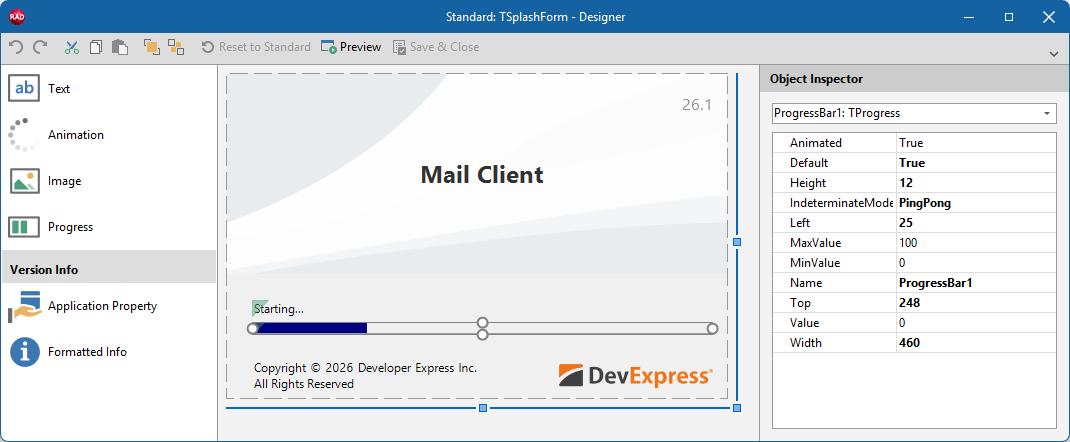
To add/remove individual widgets to/from a Splash or Wait form, select the target form in the Application Settings dialog and click Customize… to display the Splash From Designer dialog.
Other Widget Access Methods
- Animation
- Provides access to an Animation/Activity Indicator widget on the form.
- GetItem
- Provides access to any widget on the form by type and name. Use the template parameter (
T) to specify the target widget type. - Image
- Provides access to an Image widget on the form.
- Text
- Provides access to a Text/Label widget on the form.