TdxSplashFormBase.TAnimation Class
An Animation/Activity Indicator Splash Form widget.
Declaration
TAnimation = class(
    TCustomImage
)
Remarks
The Animation widget displays looped animation while the parent Splash or Wait Form is displayed. The predefined Wait Form layout includes an Animation widget:
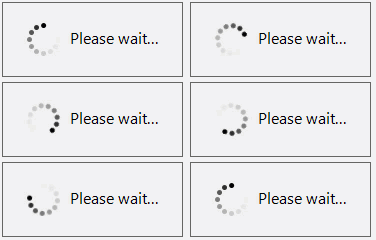
Predefined and Custom Animations
The Animation widget displays a predefined looped animation when the Image property is unspecified. The predefined animation shape and color depend on global skin and palette settings defined using the Application Settings dialog or a TdxSkinController component.

Supported Image Formats
The Animation widget supports the same image formats available for use in all DevExpress UI controls:
- BMP | EMF | GIF | JPEG | PNG | TIFF | WMF
- Support for these image formats relies on corresponding native encoders from the Windows Imaging Component (WIC).
- SVG
- DevExpress controls use our own SVG engine implementation. Refer to the following topic for detailed information on supported SVG elements and their attributes: SVG Image Support.
Design Splash Forms & Manage Widgets
To add/remove individual widgets to/from a Splash or Wait Form, select the target form in the Application Settings dialog and click Customize… to display the Splash Form Designer dialog.
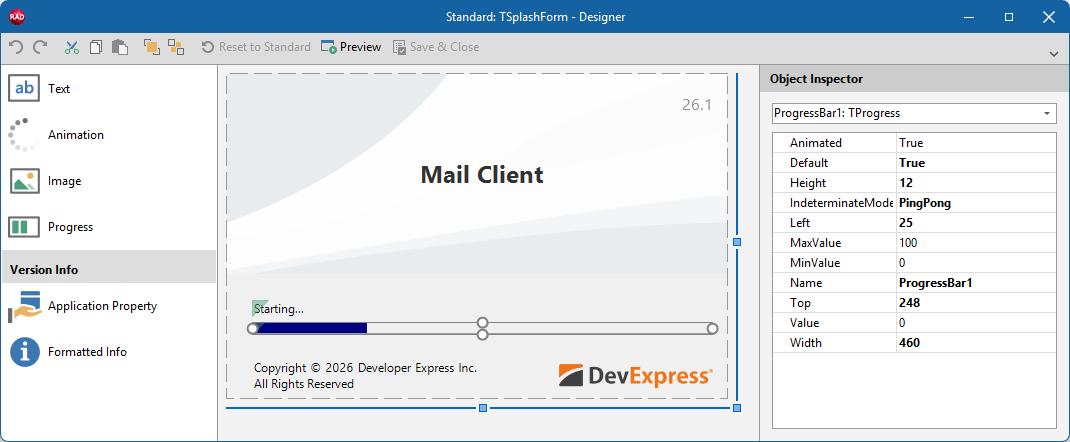
Main API Members
The list below outlines key members of the TdxSplashFormBase.TAnimation class. These members allow you to configure image-related and general Splash Form widget options.
Appearance Settings
- Bounds
- Specifies widget dimensions and position within the parent Splash or Wait Form.
- Image
- Provides access to the widget’s image container and allows you to configure its settings.
- Opacity
- Specifies image opacity (as a percentage).
- SizeMode
- Allows you to switch between available image display modes.
General-Purpose API Members
- Default
- Specifies if the current widget instance is used as default in the parent Splash or Wait Form. This setting is applicable only if the parent form includes other widgets of the same type.
- Kind
- Returns the widget’s type.
- Name
- Specifies the widget name (used to identify the widget in the parent form).
Direct TdxSplashFormBase.TAnimation Class References
The following functions reference a TdxSplashFormBase.TAnimation object:
- TdxSplashFormBase.GetItem
- Provides access to any widget on the form by type and name. Use the template parameter (
T) to specify the target widget type. - TdxSplashFormBase.Animation
- Provides access to an Animation/Activity Indicator widget on the form.
Other Splash Form Widgets
- TdxSplashFormBase.TApplicationProperty
- A static multi-line label widget designed to display an application property in a Splash or Wait Form.
- TdxSplashFormBase.TFormattedApplicationInfo
- A static multi-line label designed to display multiple application properties in a Splash or Wait Form.
- TdxSplashFormBase.TImage
- An image Splash Form Widget.
- TdxSplashFormBase.TProgress
- A progress bar Splash Form Widget.
- TdxSplashFormBase.TText
- A text/label Splash Form widget.