VCL Navigation Bars and Accordion Control
- 3 minutes to read
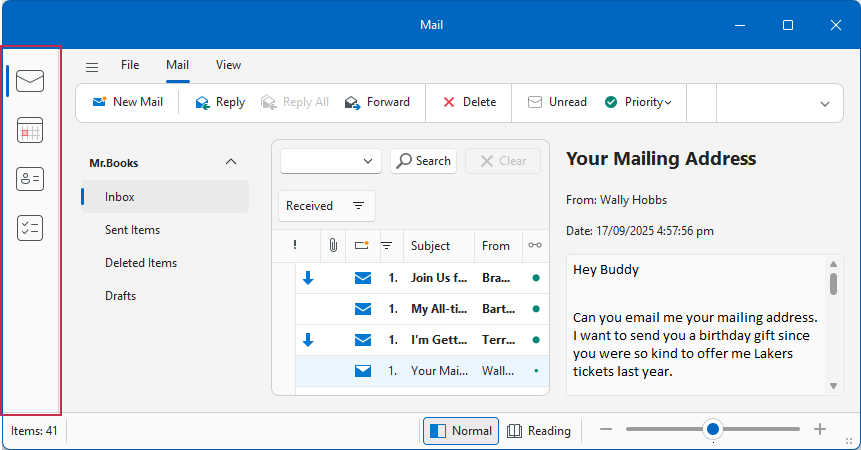
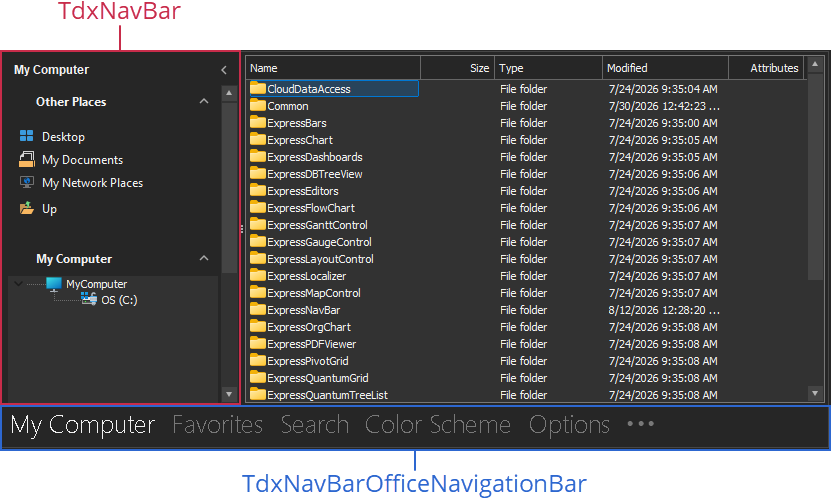
VCL Navigation Bar (TdxNavBar) and Office Navigation Bar (TdxNavBarOfficeNavigationBar) components allow you to create navigation panels (sidebars similar to Accordion and Hamburger navigation menus) and toolboxes in your application. Both components support integration with a Ribbon Form.
Navigation Bar
The Navigation Bar (TdxNavBar) control is a universal side bar navigation panel with multiple appearance customization options.
Accordion Navigation
Accordion Navigation is a dedicated View for the TdxNavBar control that allows you to create a multi-level navigation menu and arrange navigation elements in groups where users can expand or collapse each group independently.
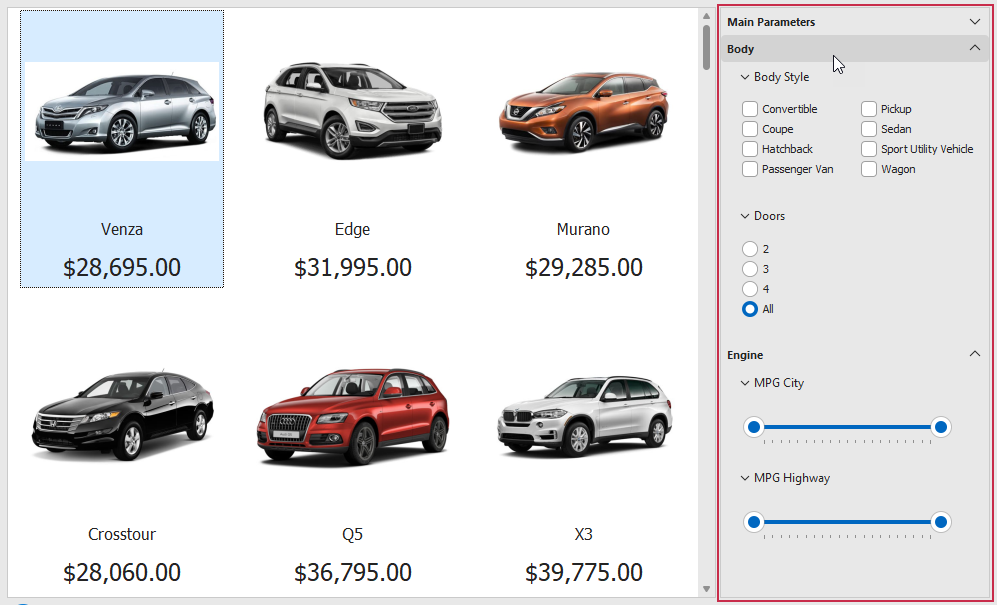
Use Accordion Navigation
To select the Accordion Navigation View, use the View or ViewStyle property:
uses
  dxNavBar,                              // Declares the TdxNavBar component
  dxSkinsdxNavBarAccordionViewPainter;   // Declares the "Accordion Navigation" View
// ...

  dxNavBar1.ViewStyle := TdxNavBarAccordionViewPainter;
  (dxNavBar1.ViewStyle as TdxNavBarAccordionViewPainter).SkinName := 'WXI Compact';
Hamburger Menu
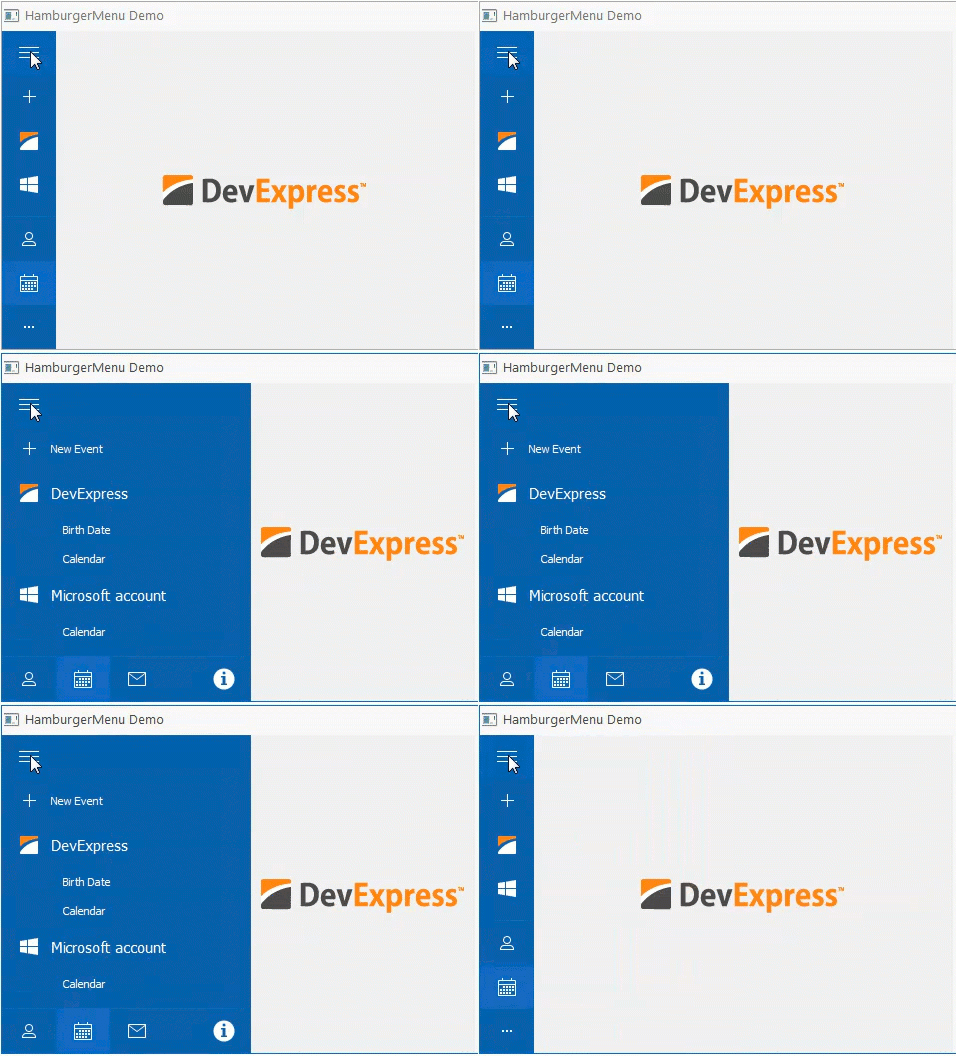
Hamburger Menu is a separate TdxNavBar View with support for three display modes:
- Inline
The Hamburger Menu is displayed as a side bar when collapsed, and in-line with form content when expanded.
- Overlay
The Hamburger Menu is displayed as a side bar when collapsed, and as an overlay above the content area when expanded.

- OverlayMinimal
The Hamburger Menu is displayed as a small Hamburger button when collapsed or as a top-aligned bar with the Hamburger button. The expanded menu is displayed as an overlay above the content area.

Use Hamburger Menu
To select the Hamburger Menu View, use the View or ViewStyle property:
uses
  dxNavBar,                              // Declares the TdxNavBar component
  dxSkinsdxNavBarHamburgerMenuPainter;   // Declares the "Hamburger Menu" View
// ...

  dxNavBar1.ViewStyle := TdxNavBarHamburgerMenuPainter;
  (dxNavBar1.ViewStyle as TdxNavBarHamburgerMenuPainter).SkinName := 'WXI Compact';
Office Navigation Bar
The Office Navigation Bar (TdxNavBarOfficeNavigationBar) control is a navigation panel inspired by Microsoft Outlook®. The Office Navigation Bar and the Navigation Bar component (used as an Accordion Navigation or Hamburger Menu) can complement each other. Use the ItemProvider property to associate the Office Navigation Bar with a TdxNavBar control.
You can arrange the Office Navigation Bar horizontally or vertically. If you use the TdxNavBarOfficeNavigationBar component as a vertical side bar for a Ribbon Form, you can set the OptionsView.UseRibbonArea property to True to extend the side bar to the Ribbon UI area.