Splash Forms
- 4 minutes to read
A Splash Form is a dedicated form type displayed during the app initialization phase (TdxSplashForm) or time-consuming operations (TdxWaitForm).
Note
Our Splash Form Manager (TdxSplashFormManager) is available as a Community Technology Preview (CTP). Please review our pre-release software notes if you plan on using Splash and Wait Forms in your application.
Splash Form
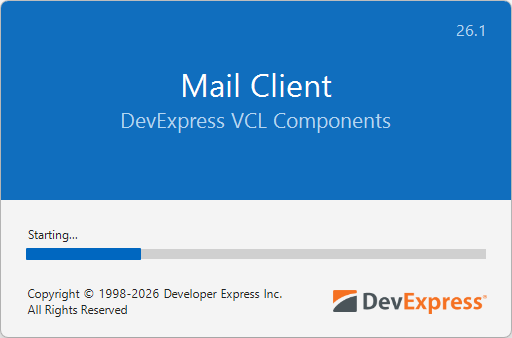
A Splash Form is a dedicated form type displayed during the app initialization phase. You can also add and display custom splash forms for different purposes (“About” screens, context help, etc.).
Splash Form Management
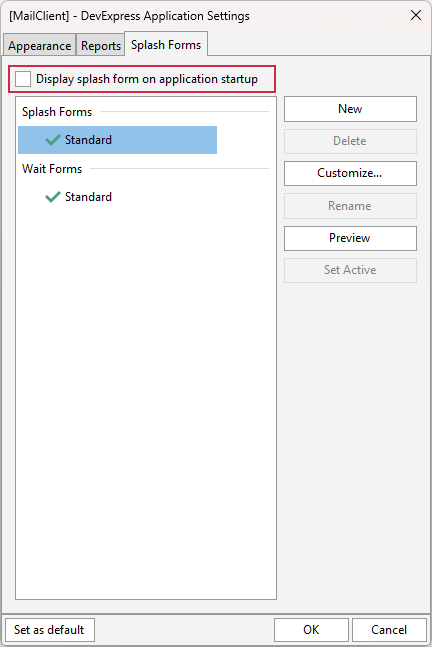
Use the design-time Application Settings dialog to manage Splash Forms in your project (the Splash Forms tab). A DevExpress project always has at least one (predefined) Splash Form accessible using the TdxSplashFormManager.SplashForm class function.
Enable a Splash Form at Startup
Check the Display splash form on application startup option in the Application Settings dialog to display the active/default Splash Form at startup:
Tip
You can also call Preview, Show, and Hide procedures to manually manage Splash Form visibility in your application. For example, you can design and display a Splash Form as a custom information form.
Hide a Splash Form
The active/default Splash Form is hidden automatically once the app initialization phase is complete when the following conditions are met:
- The main application form is derived from the TdxForm class (for example, when using the VCL Template Kit).
- DevExpress skins are enabled at the application level (using the Application Settings dialog or a TdxSkinController component).
Otherwise, you need to call the Hide procedure manually to hide the active Splash Form when required.
Wait Form
A Wait Form is designed to indicate that a time-consuming process (such as data import, export, etc.) is currently underway. A Wait Form is particularly useful if a lengthy process is running in the main thread and locks the application UI.

Note
A Wait Form is not displayed automatically during time-consuming operations. You need to hide or display a Wait Form manually in code as demonstrated in the following code example: Display a Wait Form During Report Export.
Code Example: Display a Wait Form During Report Export
The following code example exports content of a configured TdxReportControl component to a file in the Portable Document (PDF) format using an intermediary TMemoryStream object:
uses
  dxReport.Control,  // Declares the TdxReportControl component
  dxSplashForms,     // Declares the TdxSplashFormManager class and related types
  dxShellDialogs;    // Declares the TdxSaveFileDialog component
// ...

procedure TMyForm.cxButtonExportToPDFClick(Sender: TObject);
var
  AStream: TMemoryStream;
begin
  if not dxSaveFileDialog1.Execute(Handle) then Exit;  // Displays the "Save File" dialog
  AStream := TMemoryStream.Create;       // Creates a stream as an intermediary container
  // Displays a Wait Form before the export operation
  TdxSplashFormManager.WaitForm.Show(dxReportControl1.Parent);
  try
    dxReportControl1.ExportToPDF(AStream);   // Exports content to a stream in the PDF format
    AStream.SaveToFile(dxSaveFileDialog1.FileName);    // Saves PDF stream content to a file
  finally
    AStream.Free;                        // Releases the intermediary memory stream
    TdxSplashFormManager.WaitForm.Hide;  // Hides the Wait Form once the operation is complete
  end;
end;
Splash Form Designer
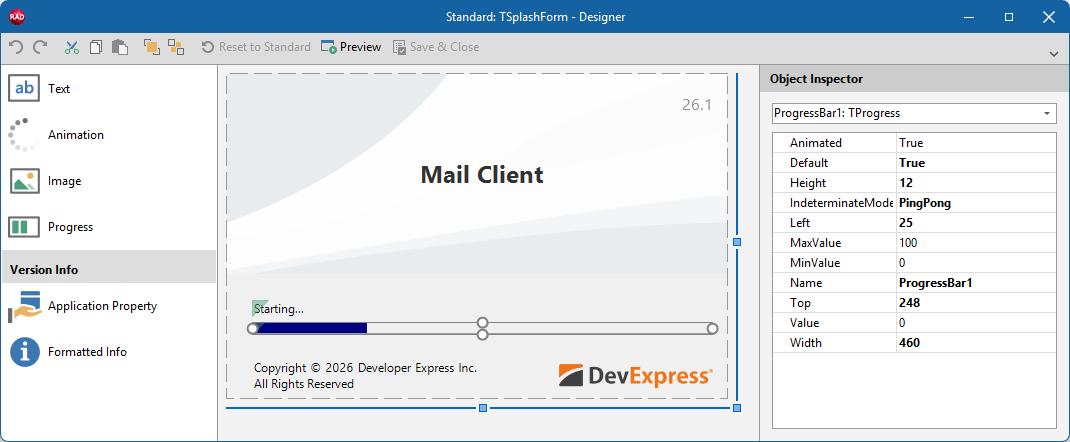
The Splash Form Designer dialog allows you to configure the layout of a predefined or custom Splash/Wait Form. Select a Splash or Wait Form in the Application Settings dialog and click Customize… to display the Splash Form Designer dialog.