VCL Reports (Report Designer & Viewer) for Delphi/C++Builder
- 8 minutes to read
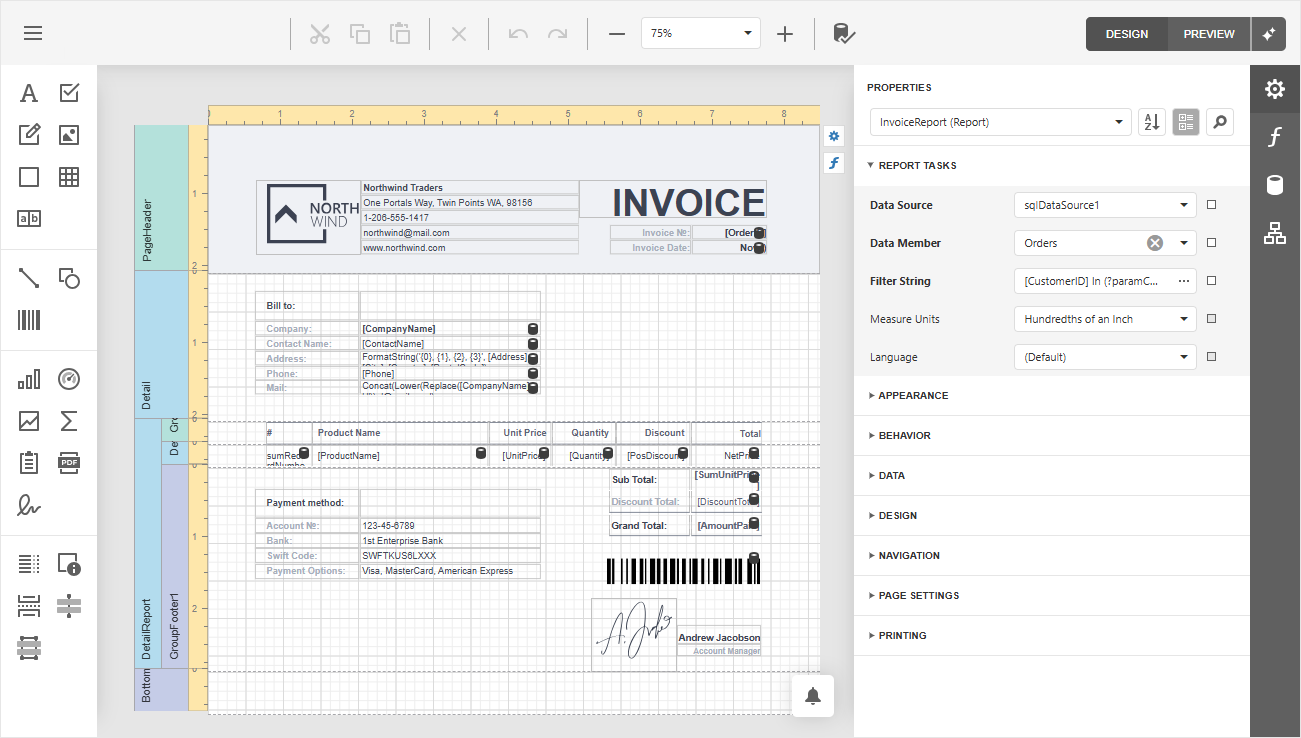
DevExpress VCL Reports (ExpressReports or Report Generator for Delphi & C++Builder) is an AI-powered Report Platform solution designed to generate customizable reports. You can design report templates using the fully-functional Report Designer tool at design time and runtime, as well as generate documents based on data from a relational database, a memory-based dataset, or a VCL-compatible dataset (TDataSet descendant).
- Prerequisites & Deployment
- Getting Started
- Report Generator Component
- Report Viewer Control
- DevExpress VCL Backend Components
- Report Designer Dialog
- AI-powered Extensions for Report Layout Generation, Localization & Other Smart Features
- Report Print and Export
- Localization
- Subreports
- Calculated Fields
- Expressions
- Parameters
Prerequisites & Deployment
Note
- ExpressReports will require the purchase of our VCL Subscription + OR an active VCL Subscription (regular) with any active .NET subscription that includes DevExpress Reports for ASP.NET/JavaScript (these subscriptions include: Reporting, ASP.NET & Blazor (includes DevExtreme), DXperience, or Universal).
- ExpressDashboards will also require the purchase of our VCL Subscription + OR an active VCL Subscription (regular) with an active Universal Subscription that includes DevExpress Business Intelligence (BI) Dashboard.
Ensure that your development environment meets ExpressDashboards and ExpressReports prerequisites:
- Microsoft Windows 10 or newer.
- Embarcadero RAD Studio IDE 12.3 or newer (Community Edition IDEs are not supported).
- DevExpress VCL v26.1.x.
- The EdgeView2 SDK package installed from the GetIt package manager.
Tip
Refer to the following topic for detailed information: VCL Reports/Dashboards App Deployment.
Getting Started
Review the following sections to get started with the TdxReport component:
Report Viewer Project and Form Templates
The VCL Template Kit ships with automatically installed Project and Form templates for the ExpressReports Suite. These templates are designed to reduce time spent on repetitive project and form setup, as well as improve onboarding for new VCL developers and boost productivity in experienced teams.

Tip
Refer to the following help topic for detailed information: Use Report Viewer Project and Form Templates.
Tutorials
Basic Tutorials introduce the report creation tools and functionality available for the TdxReport and TdxReportControl components.
Both tutorials create VCL applications that display a table report. The applications have the same UI/UX but use different data sources and data connection components.
Master-Detail Tutorials demonstrate how to define a master-detail relationship between two tables in a relational SQL database and display hierarchical data in a table report.
Both tutorials create sample applications with the same UI/UX and similar performance but use different tools and techniques.
Parametrized Report Tutorials demonstrate how to create a Tabbed MDI (multi-document interface) Report Viewer application. Each tab displays the same parametrized report layout/template populated with different data loaded from a relational SQL database.
Both tutorials create sample applications that implement the same UI/UX with similar performance but rely on different data shaping/connection techniques/components.
Tip
Refer to the following topic for a complete list of TdxReport/TdxReportControl tutorials: VCL Reports: Getting Started.
Sample GitHub Projects
Refer to the following topic for a complete list of public GitHub repositories that demonstrate VCL Report Generator usage scenarios: Sample GitHub Projects for VCL Reports.
Related Compiled Demo
To see TdxReport/TdxReportControl components in action, run the Report Designer/Viewer demo in the VCL Demo Center:
Compiled DevExpress demos ship with source code installed in the Public Documents folder (%PUBLIC%) for all users (default). You can find all project and source code files for the Report Designer/Viewer demo in the following folder:
%PUBLIC%\Documents\DevExpress VCL Demos\MegaDemos\Product Demos\ExpressReports\
Tip
Project and source code files for all compiled DevExpress VCL Demos are maintained in a public repository hosted on GitHub:
Report Generator Component
The ExpressReports Suite ships with the AI-powered TdxReport component (Report Generator). It includes fully-functional Report Designer and Report Viewer dialogs available at design time and runtime.
Report Viewer Control
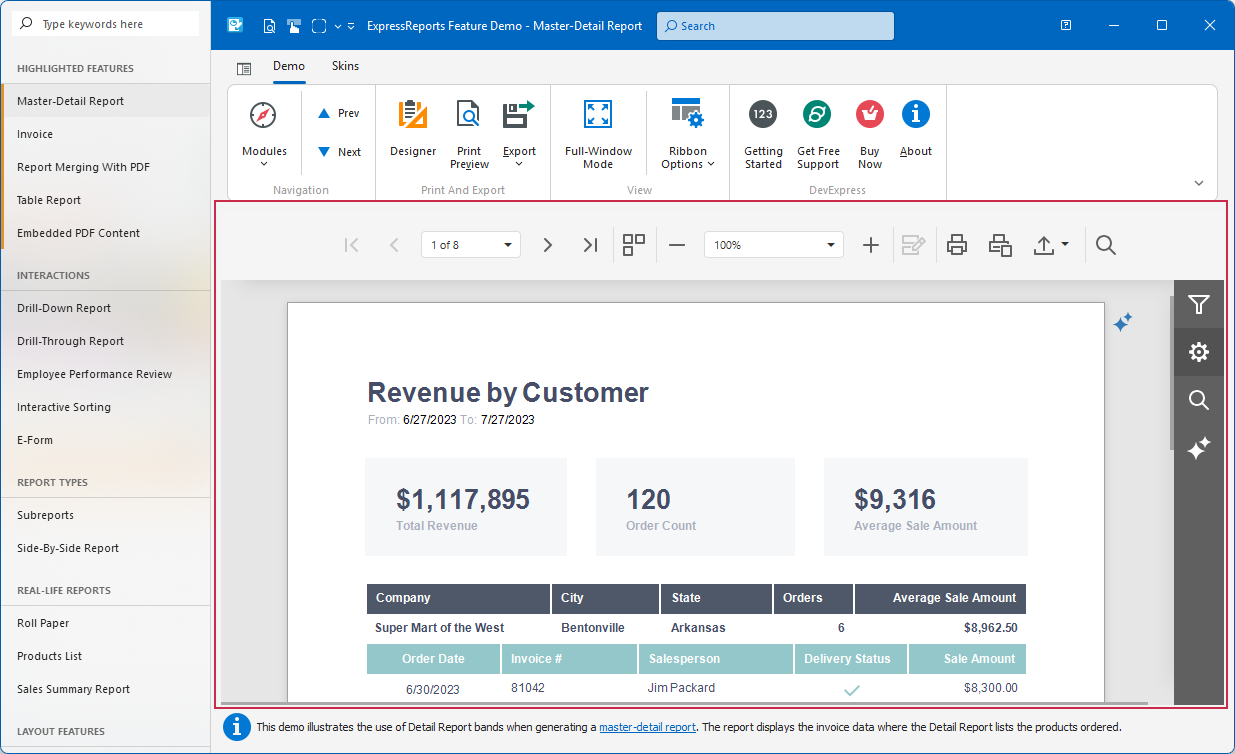
The VCL Report Viewer UI control (TdxReportControl) complements the non-visual Report Generator component. You can place this control on a form, tab, page, or other container to allow users to preview generated content, similar to the Report Designer/Viewer compiled demo:
Tip
The TdxReportControl API functionality is identical to TdxReport.
DevExpress VCL Backend Components
- TdxBackendDataConnectionManager
- An auxiliary component designed to manage data connection components available as sources for TdxDashboard/TdxDashboardControl and TdxReport components.
Data Connection Components
- TdxBackendDataSetJSONConnection
A component designed to work with data in one or multiple VCL-compatible datasets (TDataSet descendants).
Use the TdxBackendDataSetJSONConnection component if you need to use TdxDashboardControl/TdxDashboard and TdxReport/TdxReportControl components together with VCL-compatible data sources.
Refer to the following help topic for step-by-step instructions on using the TdxBackendDataSetJSONConnection component in your project:
VCL Reports/Dashboards: How to Use Data Source and Data Set Components
- TdxBackendInMemoryJSONConnection
A component designed for interaction with local (in-memory) or remote JSON data accessible through a Web API service endpoint.
Refer to the following help topic for step-by-step instructions on using the TdxBackendInMemoryJSONConnection component as a data source for TdxDashboard/TdxDashboardControl and TdxReport/TdxReportControl:
VCL Reports/Dashboards: How to Use Memory-Based or Remote API Data Sources
- TdxBackendDatabaseSQLConnection
A DevExpress XPO-based component designed to fetch data from the following relational databases:
SQLite | Microsoft SQL Server/Azure SQL | PostgreSQL | Oracle Database | MySQL | Firebird
Tip
This component is based on the DevExpress XPO ORM engine (powered by ADO.NET).
TdxBackendDatabaseSQLConnection has built-in support for Microsoft SQL/Azure SQL and SQLite engines (you can use them without additional dependencies and extra configuration).
Refer to the following topic for a complete list of supported database engines and corresponding connection string examples:
Report Designer Dialog
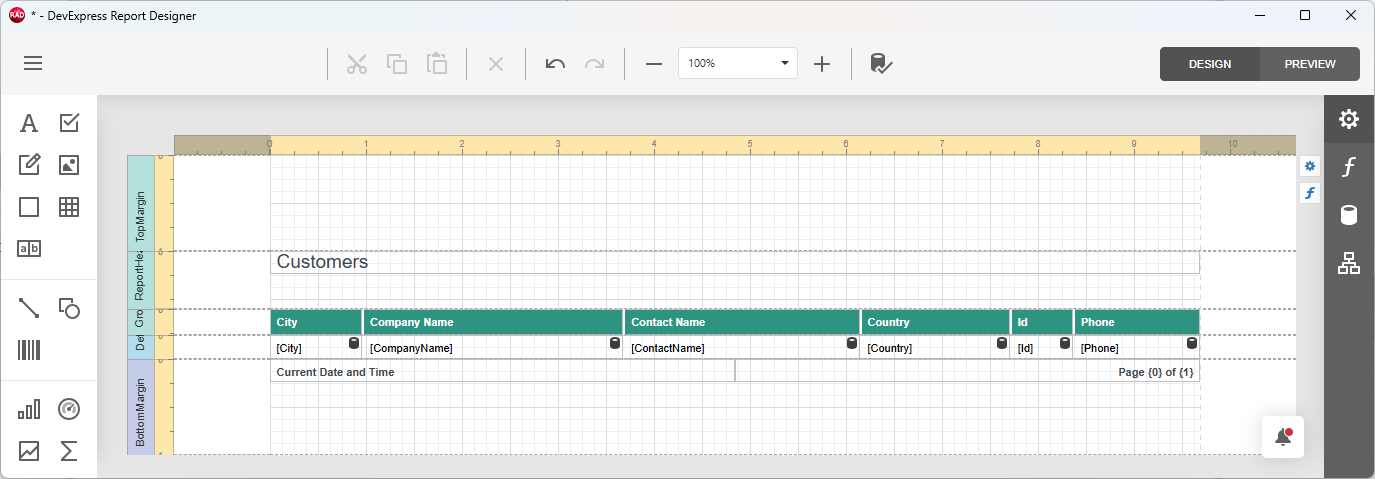
The Report Designer dialog allows users to design and configure the current report template, including placeholder positions, source dataset fields, appearance settings, etc.
Tip
Refer to the following topic for detailed information on report layout customization options: Reports for Web — Report Designer.
AI-powered Extensions for Report Layout Generation, Localization & Other Smart Features
TdxReport/TdxReportControl components support the same AI-powered extensions available for DevExpress Web Reports – Summarize, Translate, Preview Generation, etc.
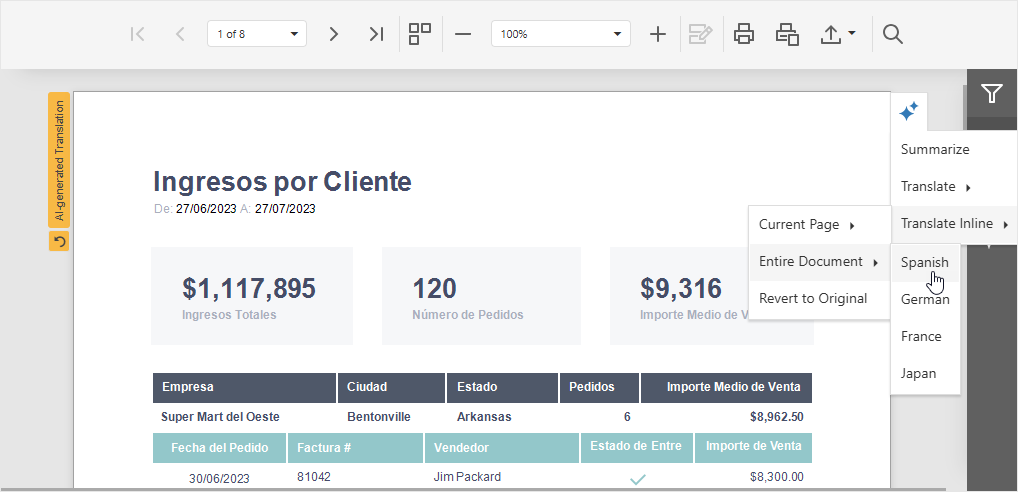
Refer to the following topic for detailed information: AI-powered Extensions for DevExpress Reporting.
Enable DevExpress AI-powered Extensions for Report Generator & Report Designer
You can enable DevExpress AI-powered Extensions in your ExpressReports-based application in the Application Settings dialog (the Reports tab).
Note
DevExpress AI-powered Extensions follow the bring your own key principle. DevExpress does not offer a REST API and does not ship any built-in LLMs/SLMs. You need an active Azure/OpenAI subscription to obtain the REST API endpoint, key, and model deployment name.
Report Print and Export
The Report Generator and Report Viewer components for Delphi and C++Builder (TdxReport/TdxReportControl) allow you to print and export generated documents to a format of your choice: DOCX, PDF, XLSX, CSV, RTF, etc.
The following help topics include information on content export and print functionality available for TdxReport/TdxReportControl components:
- Report Export
- The TdxReport component allows you to export generated reports to/from a file or stream. This help topic provides an overview of all content export methods and supported content formats.
- Print Functionality
- The TdxReport component has built-in print functionality (using the Report Viewer dialog). This topic contains detailed information regarding print functionality support in the VCL Report Writer/Generator.
- TdxReport
- A non-visual Report Generator component.
- TdxReportControl
- A Report Viewer control.
Localization
You can localize both UI and report templates using AI-powered extensions and the DevExpress Localization Service.
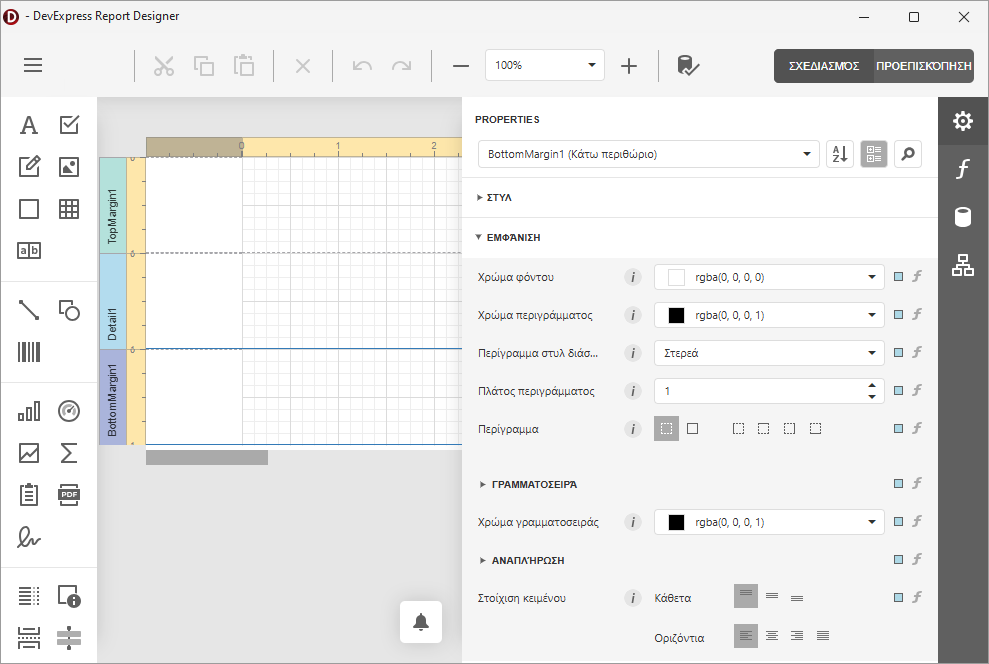
Refer to the following topics for detailed information:
Subreports
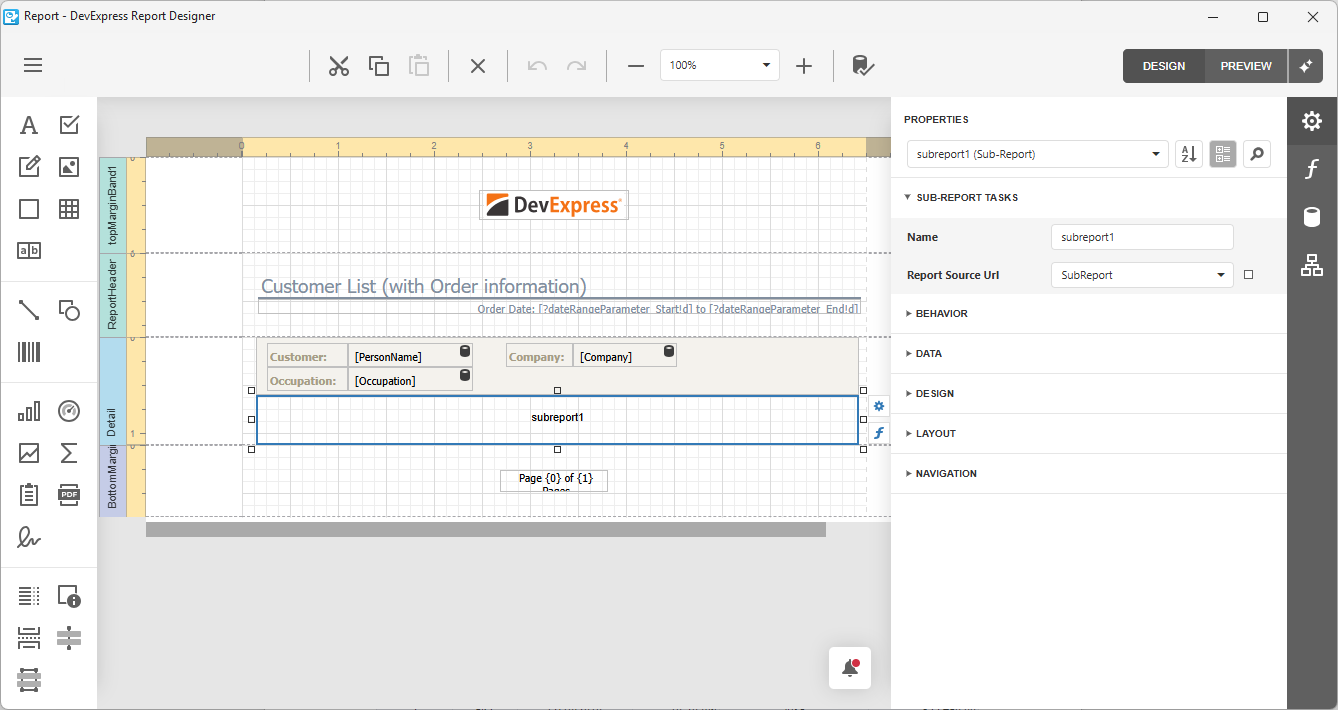
Subreports allow you to embed a report into a parent report (to enhance modularity and flexibility of your report design). Each subreport is an independent/reusable report template layout you can use to design recurring document sections, such as headers, footers, and cover pages. Subreports are particularly useful for building master-detail structures, merged reports, side-by-side reports, etc.
Parameters
Report parameters are dynamic values that replace constants in report queries, filters, expressions, and calculated fields. Parameters allow users to filter or transform data in the same report without changes to its template.
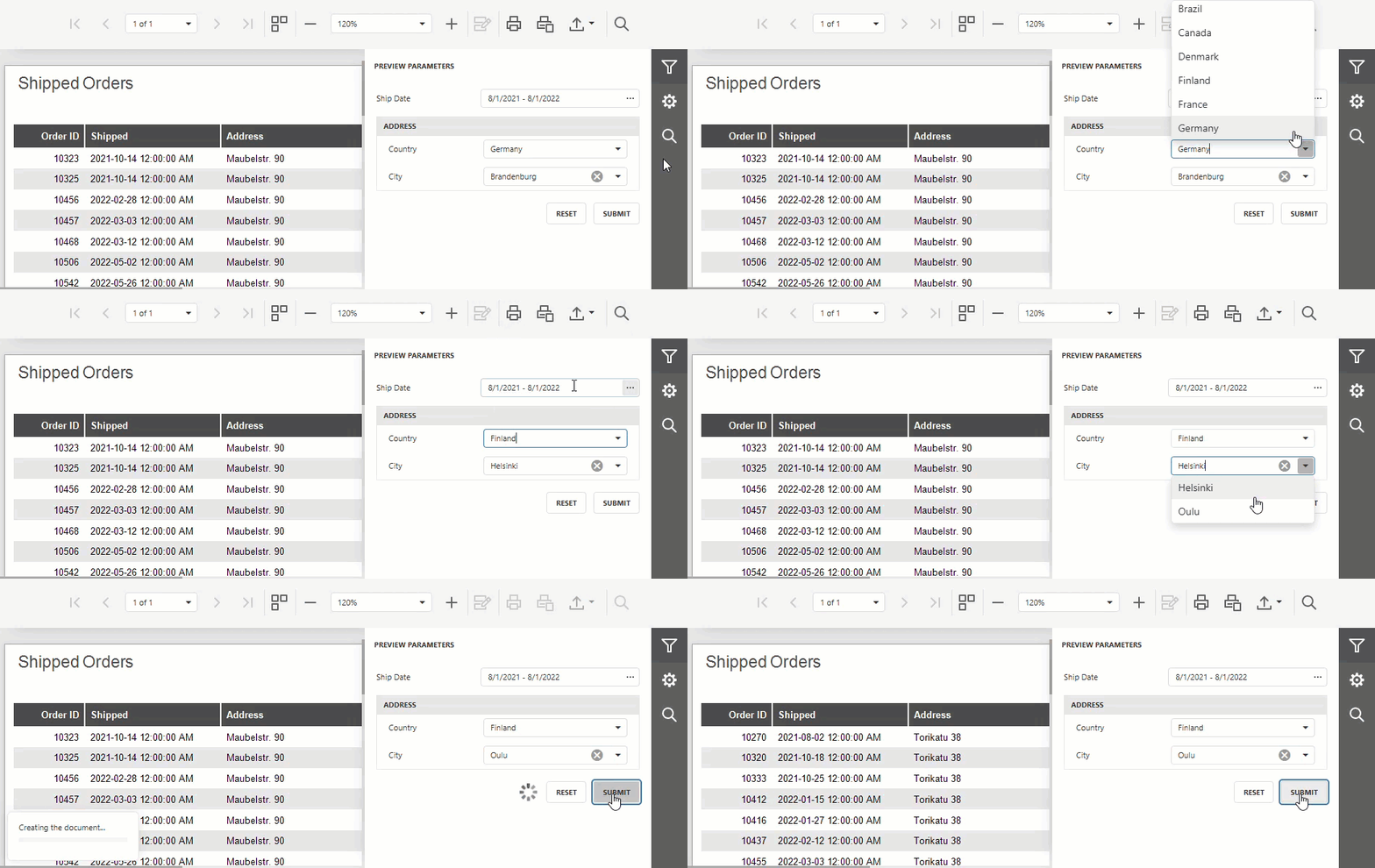
Refer to the following help topic for detailed instructions on how to create, configure, and use report parameters: Report Parameters.
Calculated Fields
Calculated fields add values to report data without changing the underlying data source. Each field uses an expression to calculate a value for an individual record, such as a line total or discounted price, or a summary across records.
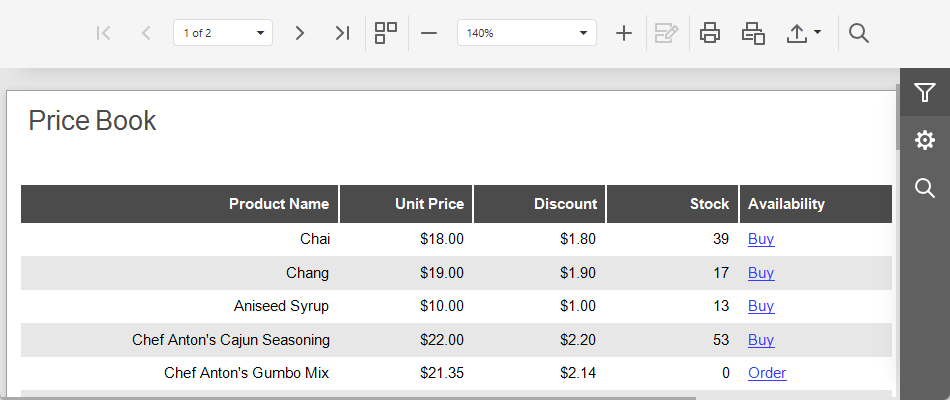
Since calculated fields are stored directly in the report, you can modify, recreate, or replace the data source without breaking report-level business logic.
Refer to the following help topic for instructions on how to create, configure, and use calculated fields: Calculated Report Fields.
Expressions
The DevExpress VCL Reports components supports a dedicated expression language designed to calculate values, filter data, and change report element content and appearance. You can construct formulas using the built-in Expression Editor dialog or input them directly, and reference created expressions in report properties, calculated fields, or parameters.
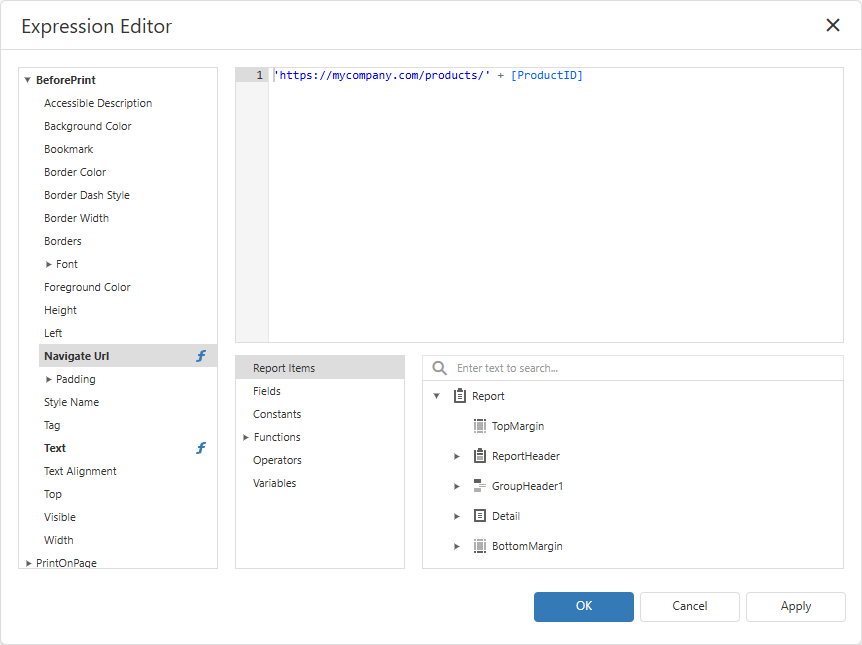
Refer to the following help topic for detailed instructions on how to create, configure, and use expressions in reports: Report Expressions.