GridViewBase.GroupPanelLeftContentTemplate Property
Gets or sets the template that displays content in the left part of the Group Panel. This is a dependency property.
Namespace: DevExpress.Xpf.Grid
Assembly: DevExpress.Xpf.Grid.v26.1.dll
NuGet Package: DevExpress.Wpf.Grid.Core
Declaration
Property Value
| Type | Default | Description |
|---|---|---|
| DataTemplate | null | A |
Remarks
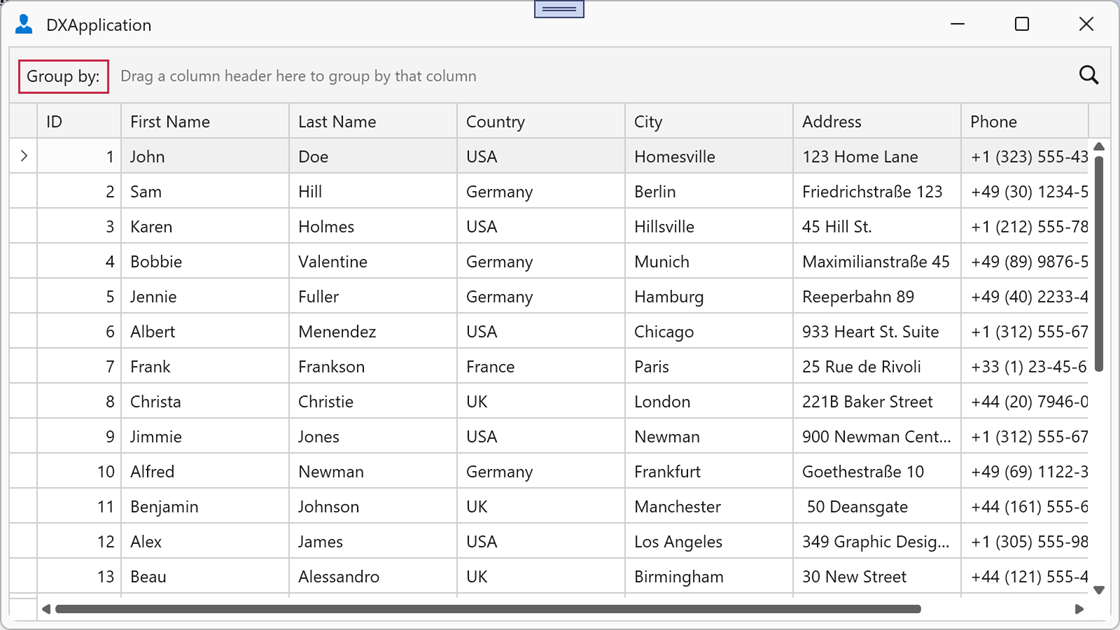
The GroupPanelLeftContentTemplate property allows you to display content (for example, a label or icon) in the left part of the Group Panel.
The template’s DataContext returns the current view, so you can bind template elements directly to view properties.
Example
The following example adds the “Group by:” label to the left part of the Group Panel:
<dx:ThemedWindow x:Class="GroupPanelExample.MainWindow"
                 xmlns="http://schemas.microsoft.com/winfx/2006/xaml/presentation"
                 xmlns:x="http://schemas.microsoft.com/winfx/2006/xaml"
                 xmlns:dx="http://schemas.devexpress.com/winfx/2008/xaml/core"
                 xmlns:dxg="http://schemas.devexpress.com/winfx/2008/xaml/grid"
                 ... >
    <Window.Resources>
        <DataTemplate x:Key="GroupPanelLeftTemplate">
            <TextBlock Text="Group by:" VerticalAlignment="Center" Margin="4,0,4,0"/>
        </DataTemplate>
    </Window.Resources>

    <dxg:GridControl ItemsSource="{Binding Items}">
        <dxg:GridControl.View>
            <dxg:TableView
                ShowGroupPanel="True"
                GroupPanelLeftContentTemplate="{StaticResource GroupPanelLeftTemplate}"/>
        </dxg:GridControl.View>
    </dxg:GridControl>
</dx:ThemedWindow>
The GroupPanelLeftContentTemplate property is supported in master-detail scenarios. You can specify separate templates for each view in the hierarchy:
<dxg:GridControl x:Name="masterGridControl" ItemsSource="{Binding Items}">
    <dxg:GridControl.View>
        <dxg:TableView GroupPanelLeftContentTemplate="{StaticResource MasterLeftTemplate}"/>
    </dxg:GridControl.View>
    <dxg:GridControl.DetailDescriptor>
        <dxg:DataControlDetailDescriptor ItemsSourceBinding="{Binding Children}">
            <dxg:GridControl AutoGenerateColumns="AddNew">
                <dxg:GridControl.View>
                    <dxg:TableView ShowGroupPanel="True"
                                   GroupPanelLeftContentTemplate="{StaticResource DetailLeftTemplate}"/>
                </dxg:GridControl.View>
            </dxg:GridControl>
        </dxg:DataControlDetailDescriptor>
    </dxg:GridControl.DetailDescriptor>
</dxg:GridControl>