VCL Reports: Getting Started
- 7 minutes to read
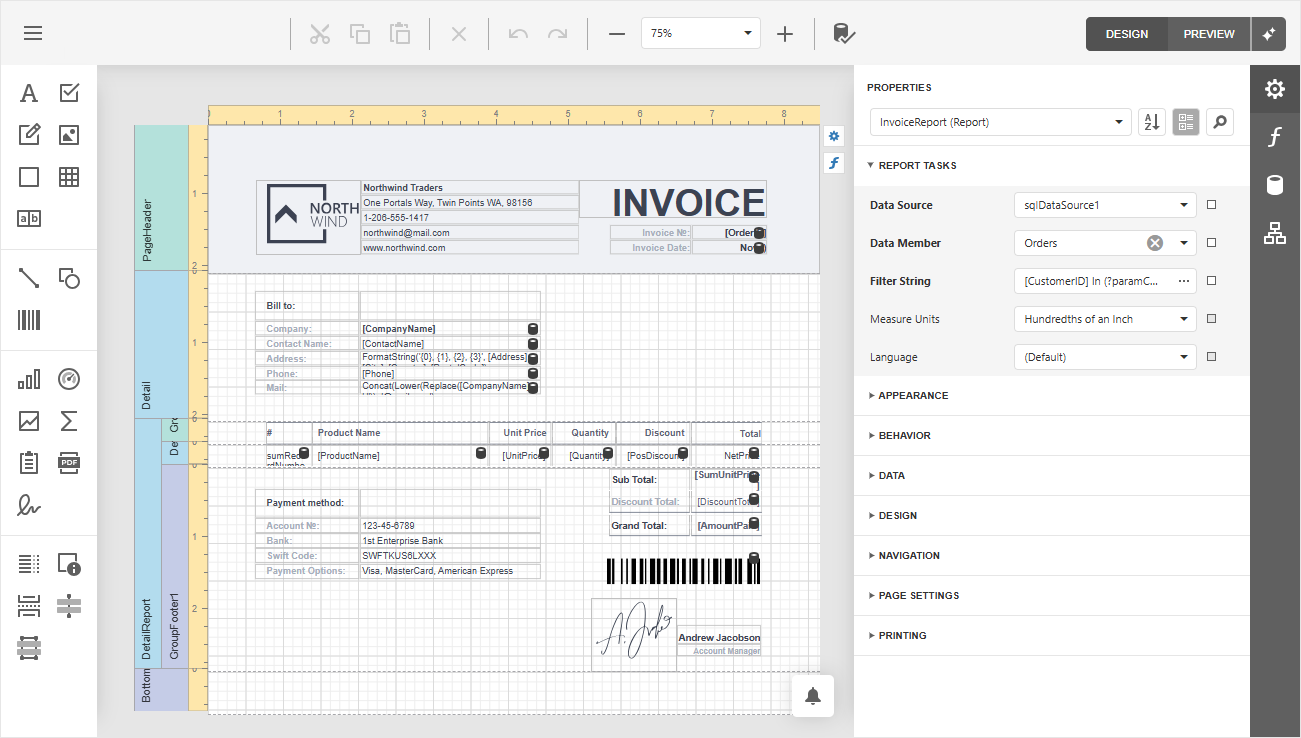
This section lists help topics, tutorials, and sample projects that introduce the VCL Report Generator (TdxReport) and VCL Report Viewer (TdxReportControl) components.
Prerequisites
Note
- ExpressReports will require the purchase of our VCL Subscription + OR an active VCL Subscription (regular) with any active .NET subscription that includes DevExpress Reports for ASP.NET/JavaScript (these subscriptions include: Reporting, ASP.NET & Blazor (includes DevExtreme), DXperience, or Universal).
- ExpressDashboards will also require the purchase of our VCL Subscription + OR an active VCL Subscription (regular) with an active Universal Subscription that includes DevExpress Business Intelligence (BI) Dashboard.
Ensure that your development environment meets ExpressDashboards and ExpressReports prerequisites:
- Microsoft Windows 10 or newer.
- Embarcadero RAD Studio IDE 12.3 or newer (Community Edition IDEs are not supported).
- DevExpress VCL v26.1.x.
- The EdgeView2 SDK package installed from the GetIt package manager.
Report Viewer Project and Form Templates
The VCL Template Kit ships with automatically installed Project and Form templates for the ExpressReports Suite. These templates are designed to reduce time spent on repetitive project and form setup, as well as improve onboarding for new VCL developers and boost productivity in experienced teams.

Tip
Refer to the following help topic for detailed information: Use Report Viewer Project and Form Templates.
Tutorials
Basic Report Tutorials
All tutorials listed in this section are designed to help you get acquainted with basic tools and report creation functionality available for TdxReport and TdxReportControl components.
Load JSON data from a remote source, define the report layout, and bind the data to the report at design time using the Report Wizard dialog. Display the resulting report in a VCL application.
Featured Components: TdxReport | TdxBackendDataConnectionManager | TdxBackendInMemoryJSONConnection
Follow this tutorial to create a table report and bind it to data using standard FireDAC components (TFDQuery and TFDConnection) shipped with the RAD Studio IDE.
Featured Components: TdxReport | TdxBackendDataConnectionManager | TdxBackendDataSetJSONConnection
Configure Master-Detail Reports
Define a master-detail relationship between two tables, create the report layout in the Report Designer dialog at design time, and display the report in the Report Viewer end-user dialog at runtime.
The demonstrated solution defines SQL queries and a master-detail relationship at the TdxReport component level using the DevExpress XPO-based data connection component.
Featured Components: TdxReport | TdxBackendDataConnectionManager | TdxBackendDatabaseSQLConnection
Load data from two tables in a sample SQLite database, configure the report layout using the Report Wizard, and display the resulting report in the Report Viewer end-user dialog at runtime.
The solution uses two SQL queries at the FireDAC dataset (TFDQuery) level and defines a master-detail relationship at the TdxReport component level using Data Federation.
Featured Components: TdxReport | TdxBackendDataConnectionManager | TdxBackendDataSetJSONConnection | TFDConnection | TFDQuery | TDataSource
Parametrized Report Tutorials
Follow this tutorial to create a Tabbed MDI (multi-document interface) Report Viewer application where different tabs allow users to display the same parametrized report layout/template populated with different data loaded from a relational SQL database using a DevExpress XPO-based data connection component.
The demonstrated solution filters data using SQL queries and report parameters at the TdxReportControl component level.
Featured Components: TdxReportControl | TdxBackendDataConnectionManager | TdxBackendDatabaseSQLConnection | TdxTabbedMDIManager | TdxBarManager
Follow this tutorial to create a Tabbed MDI (multi-document interface) Report Viewer application where different tabs display a parametrized report layout/template populated with different data loaded from a relational database using standard FireDAC components (TFDQuery and TFDConnection) shipped with the RAD Studio IDE.
The demonstrated solution filters data at the FireDAC dataset (TFDQuery) level using a SQL parameter.
Featured Components: TdxReportControl | TdxBackendDataConnectionManager | TdxBackendDataSetJSONConnection | TdxTabbedMDIManager | TdxBarManager | TFDConnection | TFDQuery | TDataSource
Miscellaneous Tutorials
Follow this tutorial to create a table report, bind it to a stored database procedure, and pass a report parameter to that procedure using Report Designer and Report Wizard dialogs at design time.
Featured Components: TdxReport | TdxBackendDataConnectionManager | TdxBackendDatabaseSQLConnection
Step-by-Step Instructions on Database Management Systems
The following topics contain dedicated step-by-step instructions on using all supported database management systems for TdxReport and TdxReportControl components:
- VCL Data Sets and Data Sources
- The TdxBackendDataSetJSONConnection component allows you to bind TdxDashboard/TdxDashboardControl and TdxReport components to one or multiple datasets (TdxMemData, TFDTable, TFDQuery, and other TDataSet descendants) like any other data-aware VCL control (TcxGrid, for instance).
- In-Memory/Remote Web Service
- The TdxBackendInMemoryJSONConnection component allows you to bind TdxDashboard/TdxDashboardControl and TdxReport components to JSON data defined in code or loaded from a remote Web API service endpoint.
- SQLite
- SQLite is a file-based relational database engine.
- Microsoft SQL/Azure Databases
- Microsoft SQL Server and Azure SQL Database are proprietary relational database management systems developed by Microsoft.
- PostgreSQL
- PostgreSQL is an open-source database management system.
- Oracle Database
- Oracle Database is a proprietary multi-model database management system developed by the Oracle Corporation.
- MySQL
- MySQL is an open-source relational database management system developed by the Oracle Corporation.
- Firebird
- Firebird is an open-source SQL relational database management system.
Sample GitHub Projects
This section lists all public GitHub repositories (DevExpress-Examples) that demonstrate the primary usage scenarios for VCL Reports:
Store Report Templates/Layouts
- These examples demonstrate two report layout storage techniques (as XML files and records for a BLOB dataset field). Both examples allow users to create, modify, save, and load report template layouts in the XML-based REPX format.
Filter Report Data
- This example allows you to select individual dataset records in a DevExpress VCL Data Grid control and display selected records in a built report using the Report Viewer dialog. Source data is stored in a memory-based dataset (TdxMemData).
Generate & Export Reports Without User Interaction
This example bypasses the Report Viewer dialog and generates a report using the DevExpress Reports Backend. You can use the demonstrated technique to implement REST/Web API backends, Windows Services, workflows, and scheduled jobs for the following usage scenarios:
- Bulk export reports to PDF, DOCX, image, and other supported formats.
- Share, email, and print report documents without user interaction.
- Implement custom report management UIs.
Report Viewer/Designer UI Localization
- This example allows users to switch between English (default) and German (localized) versions of two built-in DevExpress dialogs: Report Designer and Report Viewer.
Related Compiled Demo
To see the TdxReport component in action, run the Report Designer/Viewer demo in the VCL Demo Center installed with compiled DevExpress VCL demos. Click different items in the sidebar on the left to switch between demo features.
Compiled DevExpress demos ship with source code installed in the Public Documents folder (%PUBLIC%) for all users (default). You can find all project and source code files for the Report Designer/Viewer demo in the following folder:
%PUBLIC%\Documents\DevExpress VCL Demos\MegaDemos\Product Demos\ExpressReports\
Tip
Project and source code files for all compiled DevExpress VCL Demos are maintained in a public repository hosted on GitHub: