Configure Master-Detail Relationships/Nested Data Reports
- 2 minutes to read
This section contains tutorials for creating master-detail reports with the Report Generator (TdxReport). Both tutorials create sample applications with the same UI/UX and similar performance but use different tools and techniques.
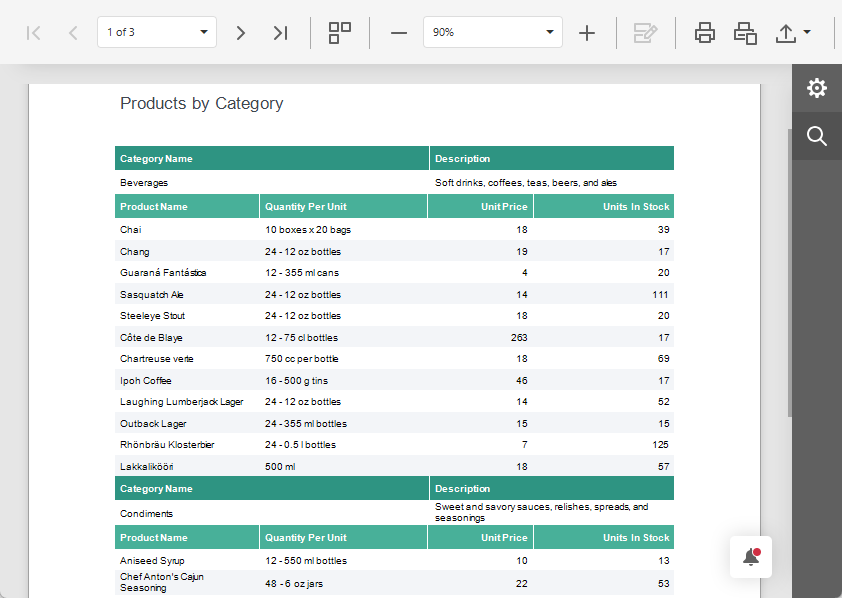
Sample SQLite Database
All tutorials listed in this section use the following SQLite database shipped with compiled DevExpress VCL demos:
%PUBLIC%\Documents\DevExpress VCL Demos\MegaDemos\Product Demos\ExpressReports\Data\nwind.db
Report Generator Master-Detail Tutorials
Define a master-detail relationship between two tables, create the report layout in the Report Designer dialog at design time, and display the report in the Report Viewer end-user dialog at runtime.
The demonstrated solution defines SQL queries and a master-detail relationship at the TdxReport component level using the DevExpress XPO-based data connection component.
Featured Components: TdxReport | TdxBackendDataConnectionManager | TdxBackendDatabaseSQLConnection
Load data from two tables in a sample SQLite database, configure the report layout using the Report Wizard, and display the resulting report in the Report Viewer end-user dialog at runtime.
The solution uses two SQL queries at the FireDAC dataset (TFDQuery) level and defines a master-detail relationship at the TdxReport component level using Data Federation.
Featured Components: TdxReport | TdxBackendDataConnectionManager | TdxBackendDataSetJSONConnection | TFDConnection | TFDQuery | TDataSource