TableView.CheckBoxSelectorColumnPosition Property
Gets or sets the position of the checkbox selector column. This is a dependency property.
Namespace: DevExpress.Xpf.Grid
Assembly: DevExpress.Xpf.Grid.v26.1.dll
NuGet Package: DevExpress.Wpf.Grid.Core
Declaration
Property Value
| Type | Description |
|---|---|
| SelectorColumnPosition | The position of the checkbox selector column. |
Available values:
| Name | Description | Example |
|---|---|---|
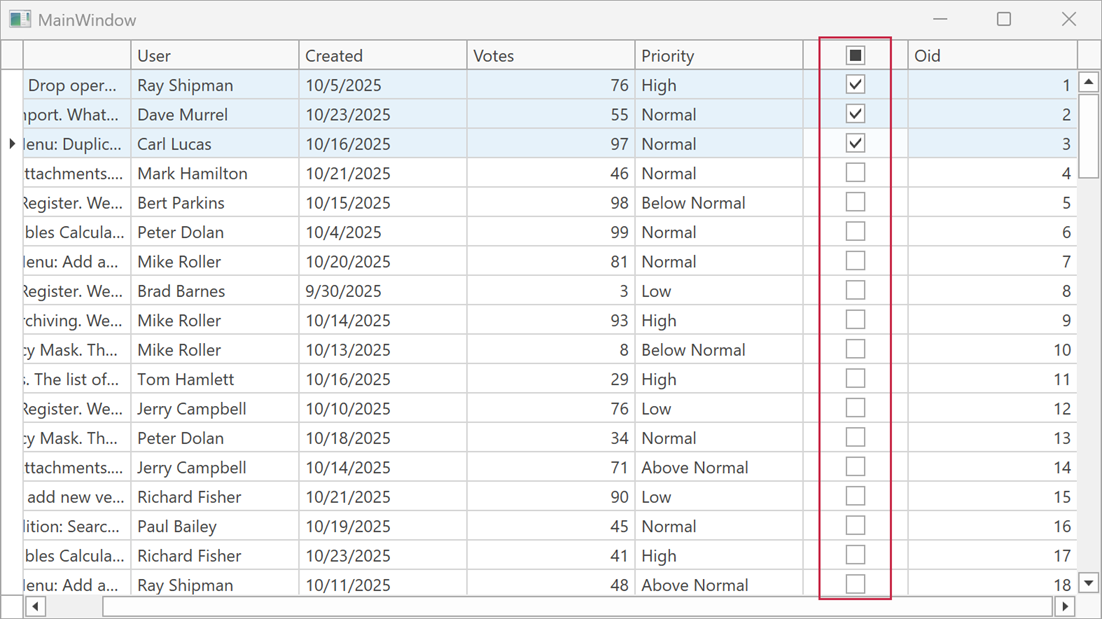
| None | The checkbox selector column position depends on the CheckBoxSelectorColumnVisibleIndex property. |
|
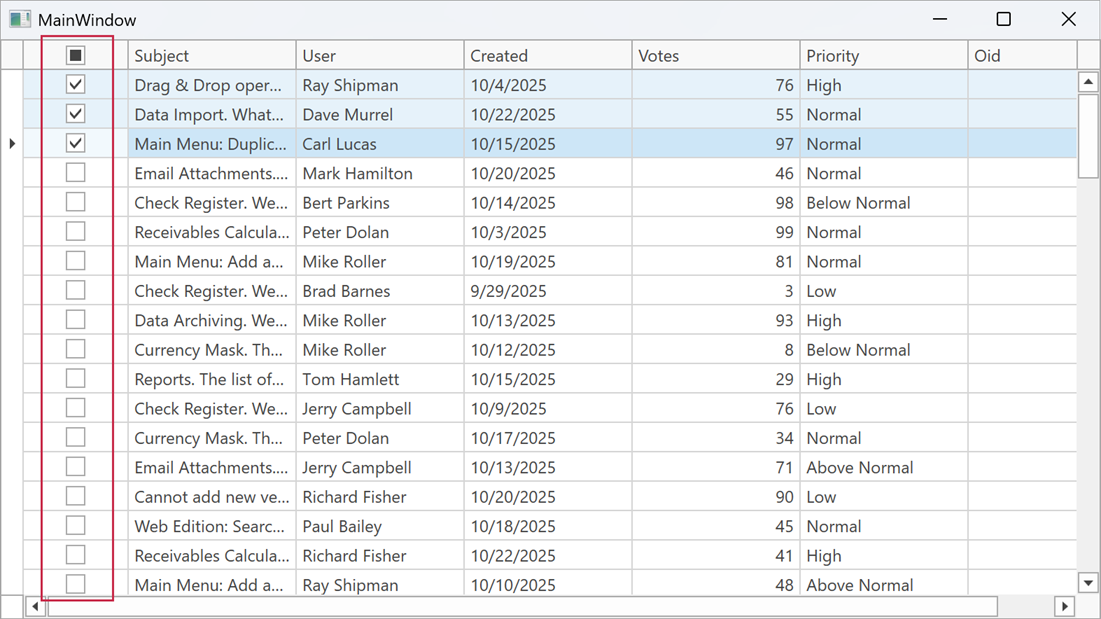
| Left | The checkbox selector column occupies the leftmost position within the scrollable content area. The CheckBoxSelectorColumnVisibleIndex property is ignored. |
|
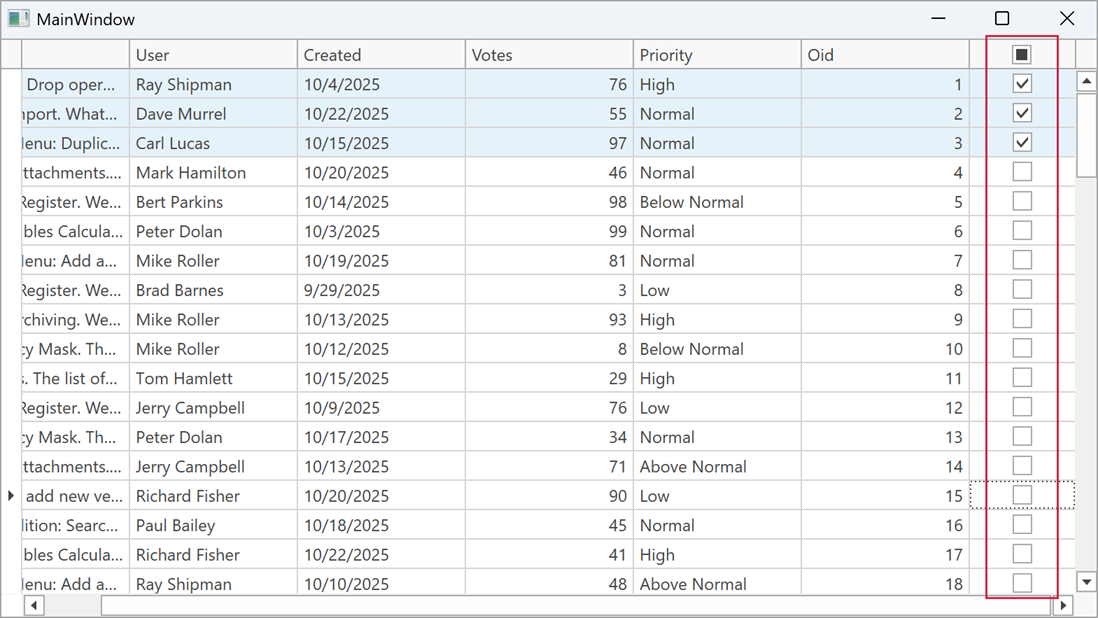
| Right | The checkbox selector column occupies the rightmost position within the scrollable content area. The CheckBoxSelectorColumnVisibleIndex property is ignored. |
|
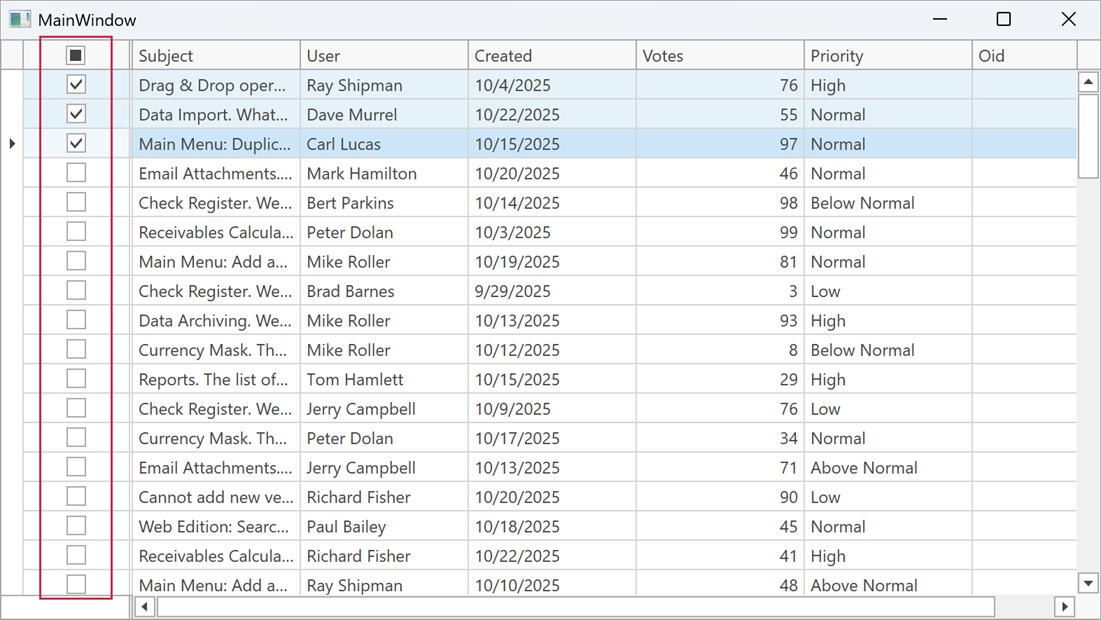
| FixedLeft | The checkbox selector column is fixed to the left border of the grid view. The CheckBoxSelectorColumnVisibleIndex property specifies the position index within the fixed group. |
|
| FixedRight | The checkbox selector column is fixed to the right border of the grid view. The CheckBoxSelectorColumnVisibleIndex property specifies the position index within the fixed group. |
|
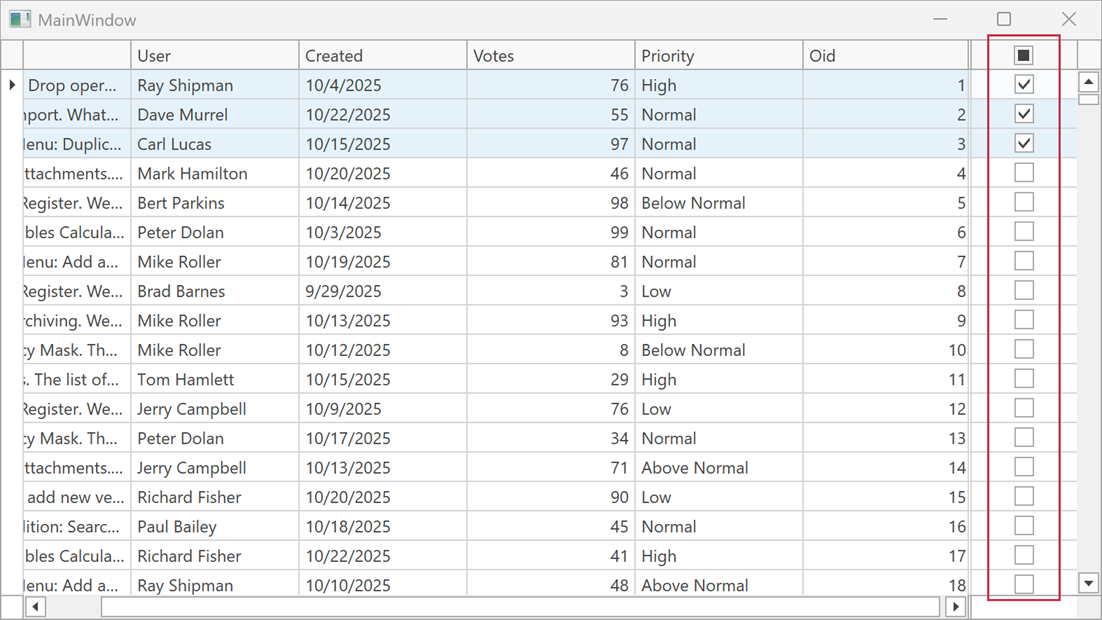
Remarks
The CheckBoxSelectorColumnPosition property allows you to change the position of the checkbox selector column. Use the CheckBoxSelectorColumnVisibleIndex property to specify the position index of the checkbox selector column (for all CheckBoxSelectorColumnPosition property values, except Left and Right).
Example
The following code sample displays the checkbox selector as the sixth column from the left border of the scrollable content area:
<Window
        xmlns="http://schemas.microsoft.com/winfx/2006/xaml/presentation"
        xmlns:x="http://schemas.microsoft.com/winfx/2006/xaml"
        xmlns:dxg="http://schemas.devexpress.com/winfx/2008/xaml/grid"
        x:Class="WpfApp41.MainWindow">
    <Grid>
        <dxg:GridControl ...
                         SelectionMode="MultipleRow">
            <dxg:GridControl.View>
                <dxg:TableView ShowCheckBoxSelectorColumn="True"
                               ShowCheckBoxSelectorInGroupRow="False"
                               CheckBoxSelectorColumnPosition="None"
                               CheckBoxSelectorColumnVisibleIndex="5"/>
            </dxg:GridControl.View>
        </dxg:GridControl>
    </Grid>
</Window>