Selector Column
You can use the check box selector column to select/deselect individual rows/nodes and groups (“Web Style Row Selection” mode).
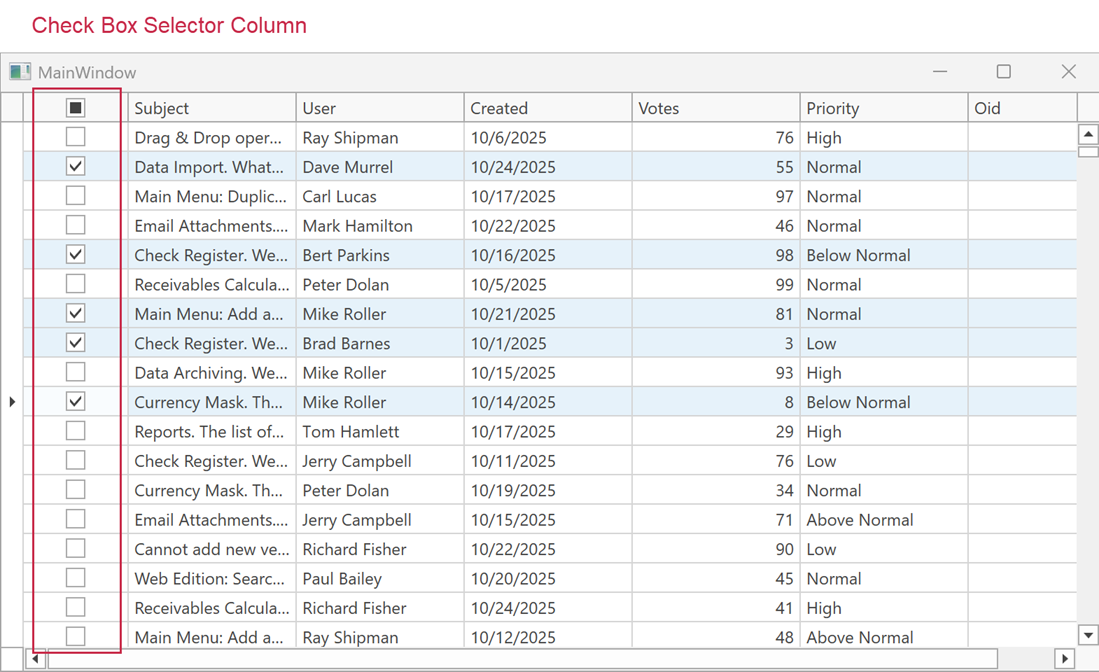
The TableView.RetainSelectionOnClickOutsideCheckBoxSelector property specifies whether a user can select rows only in the check box selector column.
The selector column FieldName is set to the CheckBoxSelectorColumnName field value. You can use this field to access the check box selector column in code.
The table below lists the main properties that affect selector column appearance and behavior:
| Characteristics | Members |
|---|---|
| Visibility | TableView.ShowCheckBoxSelectorColumn |
| Visibility in Group Rows | TableView.ShowCheckBoxSelectorInGroupRow |
| Position | TableView.CheckBoxSelectorColumnPosition |
| Position Index | TableView.CheckBoxSelectorColumnVisibleIndex |
| Header Template | TableView.CheckBoxSelectorColumnHeaderTemplate |
| Selection Behavior | TableView.RetainSelectionOnClickOutsideCheckBoxSelector |
| Selected Rows | DataControlBase.SelectedItems |
See Also