TdxWaitForm.Show(TWinControl) Method
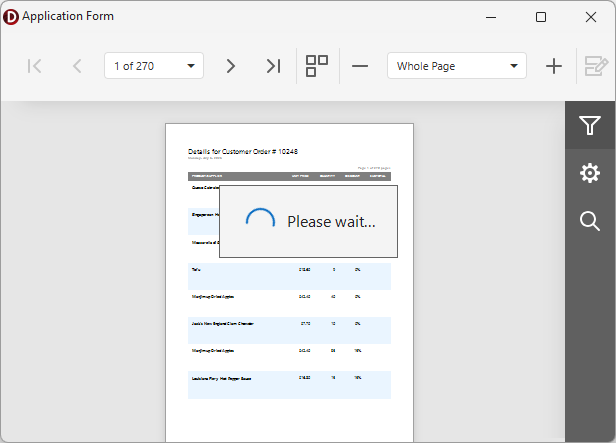
Displays the Wait Form.
Declaration
procedure Show(AControl: TWinControl);Parameters
| Name | Type | Description |
|---|---|---|
| AControl | TWinControl | The target parent control/form for the Wait Form. |
Remarks
Call Show and Hide procedures to manually display/hide the Wait Form for the target parent control or form.
Code Example: Display a Wait Form During Report Export
The following code example exports content of a configured TdxReportControl component to a file in the Portable Document (PDF) format using an intermediary TMemoryStream object:
uses
  dxReport.Control,  // Declares the TdxReportControl component
  dxSplashForms,     // Declares the TdxSplashFormManager class and related types
  dxShellDialogs;    // Declares the TdxSaveFileDialog component
// ...

procedure TMyForm.cxButtonExportToPDFClick(Sender: TObject);
var
  AStream: TMemoryStream;
begin
  if not dxSaveFileDialog1.Execute(Handle) then Exit;  // Displays the "Save File" dialog
  AStream := TMemoryStream.Create;       // Creates a stream as an intermediary container
  // Displays a Wait Form before the export operation
  TdxSplashFormManager.WaitForm.Show(dxReportControl1.Parent);
  try
    dxReportControl1.ExportToPDF(AStream);   // Exports content to a stream in the PDF format
    AStream.SaveToFile(dxSaveFileDialog1.FileName);    // Saves PDF stream content to a file
  finally
    AStream.Free;                        // Releases the intermediary memory stream
    TdxSplashFormManager.WaitForm.Hide;  // Hides the Wait Form once the operation is complete
  end;
end;
See Also