TcxEditRepositoryRangeTrackBar Class
A repository item that stores range track bar settings.
Declaration
TcxEditRepositoryRangeTrackBar = class(
    TcxEditRepositoryItem
)
Remarks
A range track bar editor is a track bar editor with two sliders that allow users to select a range of values.
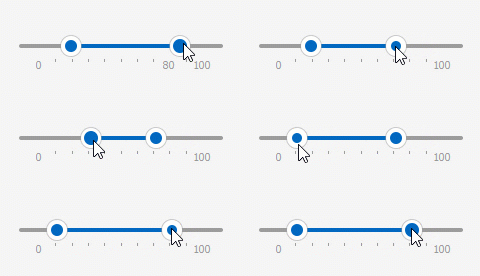
The TcxEditRepositoryRangeTrackBar class overrides the Properties property that allows you to access and customize range track bar settings.
Edit Repository Items and Standalone Editors
Edit repository items are useful when you need to share the same settings between multiple editors of the same type. To accomplish this goal, you can assign the same edit repository item to RepositoryItem properties of all target editors.
Edit Repository Items and Container Controls
A container control item (such as a toolbar edit item or a column (or any other data item) in a Data Grid, Vertical Grid, or Tree List control) can embed an in-place editor shipped with the ExpressEditors Library. An in-place editor exists (and, therefore, has its own WinAPI handle) only when the target container control item is being edited. Otherwise, the container control item displays a static editor image for resource usage optimization.
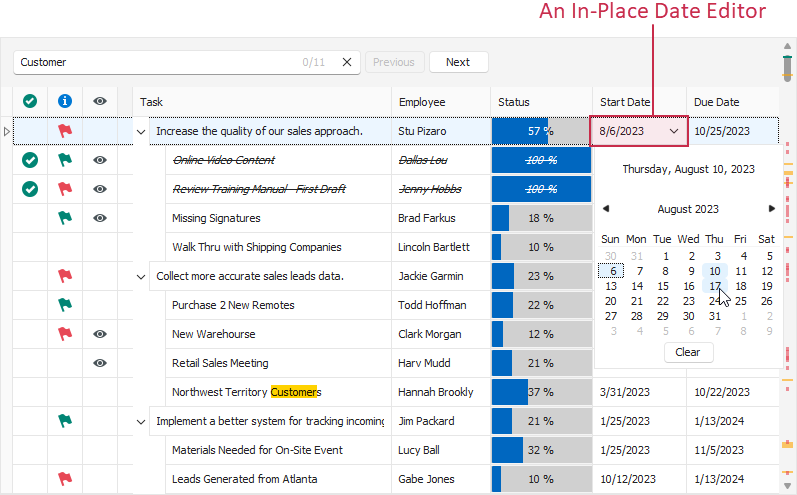
Create a Range Track Bar Repository Item at Design Time
To create a range track bar repository item at design time, double-click a TcxEditRepository component to invoke its collection editor.

The collection editor dialog allows you to manage repository items. Click the Add… button to invoke a repository item creation dialog.

Select the RangeTrackBar item and click the Ok button to create a range track bar repository item.
Create a Range Track Bar Repository Item in Code
The following code example creates a range track bar repository item, customizes range track bar settings, and assigns the created repository item to two range track bars:
uses cxEdit, cxExtEditRepositoryItems;
// ...
var
  ARangeTrackBarRepositoryItem: TcxEditRepositoryRangeTrackBar;
  ARepositoryItem: TcxEditRepositoryItem;
begin
  ARepositoryItem := cxEditRepository1.CreateItem(TcxEditRepositoryRangeTrackBar);
  ARangeTrackBarRepositoryItem := ARepositoryItem as TcxEditRepositoryRangeTrackBar;
  ARangeTrackBarRepositoryItem.Properties.Min := 0; // Defines the minimum available value
  ARangeTrackBarRepositoryItem.Properties.Max := 255; // Defines the maximum available value
  // Assigns the created repository item to two existing unbound range track bars
  dxRangeTrackBar1.RepositoryItem := ARangeTrackBarRepositoryItem;
  dxRangeTrackBar2.RepositoryItem := ARangeTrackBarRepositoryItem;
end;
Range Track Bar Repository Item Deletion
To delete all range track bar repository items in a TcxEditRepository component, call its RemoveItems procedure and pass a reference to the TcxEditRepositoryRangeTrackBar class as a parameter.
If you need to delete an individual range track bar repository item, release it directly in code (call the Free procedure in Delphi or use the delete keyword in C++Builder).