Expand and Collapse Group Rows
- 4 minutes to read
Users can expand or collapse group rows by clicking group buttons.
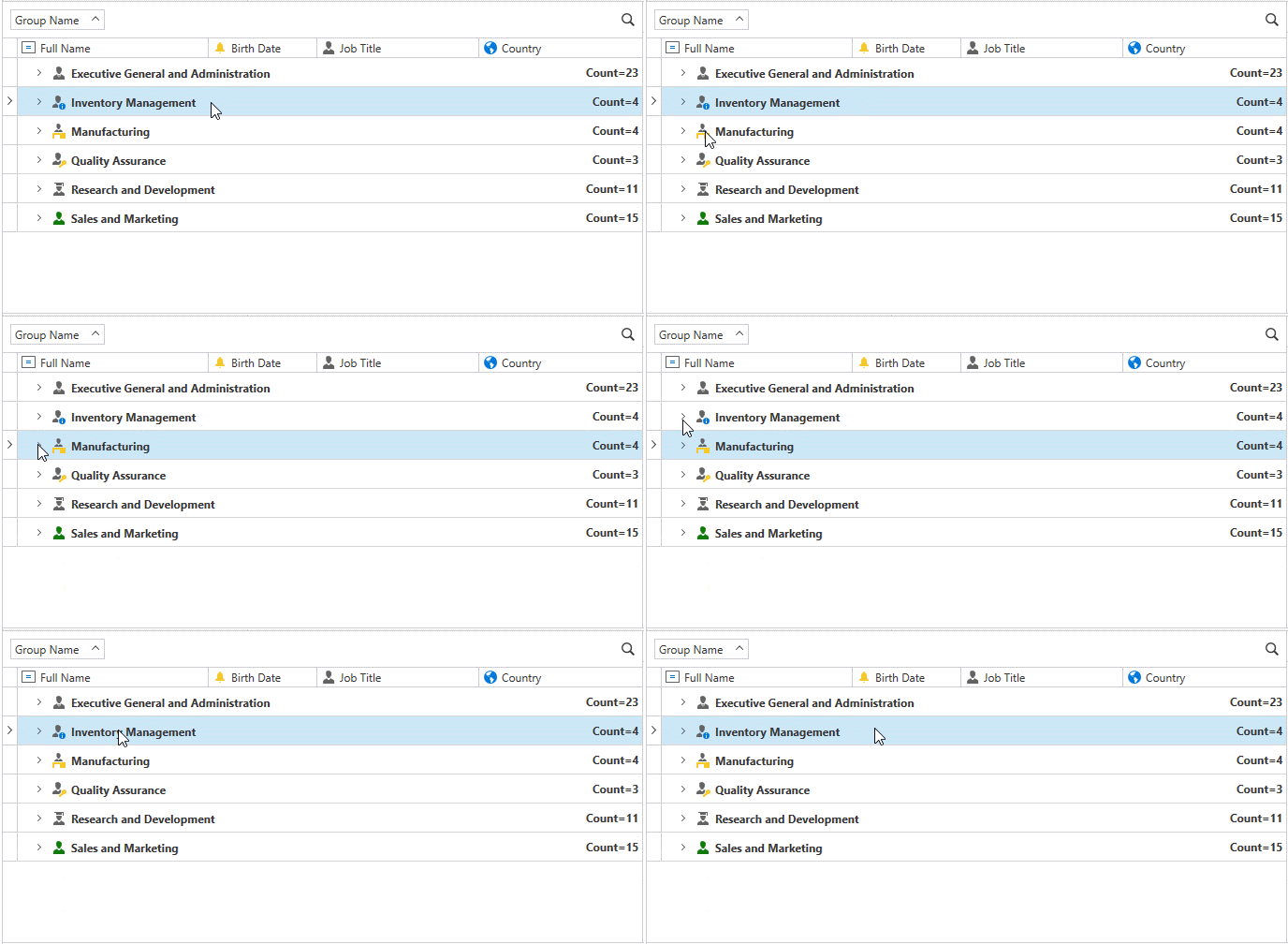
Expand Group Rows
To expand a group row, use the GridControl.ExpandGroupRow method. A group row is specified by its handle. To expand the focused group row, use the GridViewBase.ExpandFocusedRow method. All group rows can be expanded using the GridControl.ExpandAllGroups method.
Users can press the Right Arrow or + key to expand the focused group row.
The GridControl.AutoExpandAllGroups property specifies whether all group rows are automatically expanded after each grouping operation.
Before a group row is expanded, the GridControl.GroupRowExpanding event is raised, which allows you to cancel the action. For instance, you can prevent an end user from expanding individual group rows. After a group row has been expanded, the GridControl.GroupRowExpanded event is raised.
To identify whether a group row is expanded, use the GridControl.IsGroupRowExpanded method.
Collapse Group Rows
To collapse a specified group row, use the GridControl.CollapseGroupRow method. To collapse a focused group row, use the GridViewBase.CollapseFocusedRow method. All group rows can be collapsed using the GridControl.CollapseAllGroups method.
Users can press the Left Arrow or - key to collapse a focused group row.
Before a group row is collapsed, the GridControl.GroupRowCollapsing event is raised; this allows you to cancel the action. After a group row has been collapsed, the GridControl.GroupRowCollapsed event is raised.
Customize Expand/Collapse Glyphs
Use GroupRowCollapseGlyphTemplate and GroupRowExpandGlyphTemplate properties to replace icons displayed when a group row is in a collapsed or expanded state.
Master-Detail Expand/Collapse Glyphs
Use the following properties to replace icons displayed when a master row is in a collapsed or expanded state:
- MasterDetailCollapseGlyphTemplate
- Gets or sets the template used to display the collapse glyph in master-detail rows. This is a dependency property.
- MasterDetailExpandGlyphTemplate
- Gets or sets the template used to display the expand glyph in master-detail rows. This is a dependency property.
Tree Node Expand/Collapse Glyphs
Use the following properties to replace icons displayed when a tree node is in a collapsed or expanded state:
- TreeNodeCollapseGlyphTemplate
- Gets or sets the template used to display the collapse glyph in tree nodes. This is a dependency property.
- TreeNodeExpandGlyphTemplate
- Gets or sets the template used to display the expand glyph in tree nodes. This is a dependency property.
Supported Themes
All collapse/expand glyph templates support the following themes:
- Office 2016 SE Themes
- Visual Studio 2017 Themes
- Visual Studio 2019 Themes
- Office 2019 Themes
- Windows 10 Themes
- Windows 11 Themes
Example
The following example does not allow users to collapse the Status: Invalidated group row and expand the Status: Delivered group row.

<dxg:GridControl x:Name="grid"
                 EndGrouping="OnEndGrouping"
                 GroupRowCollapsing="OnGroupRowCollapsing"
                 GroupRowCollapsed="OnGroupRowCollapsed"
                 GroupRowExpanding="OnGroupRowExpanding"
                 GroupRowExpanded="OnGroupRowExpanded">
    <dxg:GridColumn FieldName="ProductName"/>
    <dxg:GridColumn FieldName="Price"/>
    <dxg:GridColumn FieldName="Discount"/>
    <dxg:GridColumn FieldName="Status" GroupIndex="0" SortOrder="Descending"/>
    <dxg:GridControl.View>
        <dxg:TableView x:Name="view" GroupValueTemplateSelector="{StaticResource groupRowTemplateSelector}"/>
    </dxg:GridControl.View>
</dxg:GridControl>
void OnEndGrouping(object sender, RoutedEventArgs e) {
    if (grid.Columns[nameof(Invoice.Status)].GroupIndex == 0) {
        var childRow = grid.FindRowByValue(grid.Columns[nameof(Invoice.Status)], InvoiceStatus.Invalidated);
        var groupRow = grid.GetParentRowHandle(childRow);
        grid.ExpandGroupRow(groupRow);

        childRow = grid.FindRowByValue(grid.Columns[nameof(Invoice.Status)], InvoiceStatus.Delivered);
        groupRow = grid.GetParentRowHandle(childRow);
        grid.CollapseGroupRow(groupRow);
    }
}


void OnGroupRowCollapsing(object sender, RowAllowEventArgs e) {
    if (e.Row != null && grid.GetGroupRowValue(e.RowHandle).Equals(InvoiceStatus.Invalidated))
        e.Allow = false;
}
void OnGroupRowCollapsed(object sender, RowEventArgs e) {
    if (e.Row == null && grid.Columns[nameof(Invoice.Status)].GroupIndex == 0) {
        var childRow = grid.FindRowByValue(grid.Columns[nameof(Invoice.Status)], InvoiceStatus.Invalidated);
        var groupRow = grid.GetParentRowHandle(childRow);
        grid.ExpandGroupRow(groupRow);
    }
}


void OnGroupRowExpanding(object sender, RowAllowEventArgs e) {
    if (e.Row != null && grid.GetGroupRowValue(e.RowHandle).Equals(InvoiceStatus.Delivered))
        e.Allow = false;
}
void OnGroupRowExpanded(object sender, RowEventArgs e) {
    if (e.Row == null && grid.Columns[nameof(Invoice.Status)].GroupIndex == 0) {
        var childRow = grid.FindRowByValue(grid.Columns[nameof(Invoice.Status)], InvoiceStatus.Delivered);
        var groupRow = grid.GetParentRowHandle(childRow);
        grid.CollapseGroupRow(groupRow);
    }
}