Size Modes
- 4 minutes to read
You can apply different size modes to DevExpress Blazor components and their elements.
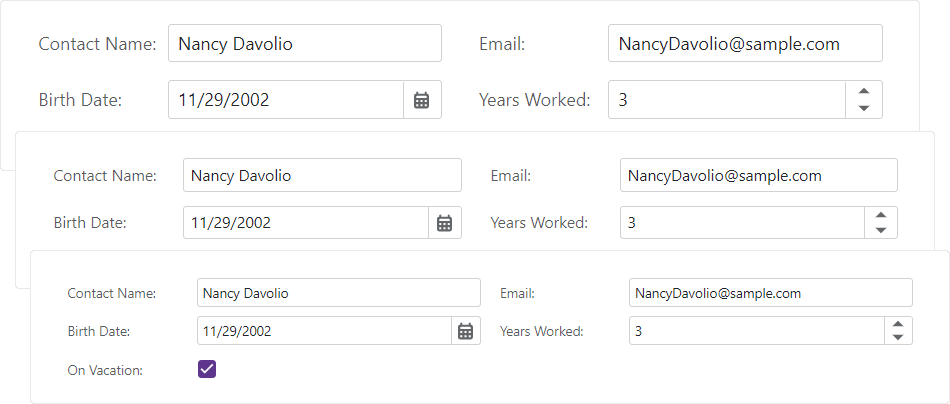
Show Components That Support Size Modes
| Control | API | What It Affects |
|---|---|---|
| Accordion | SizeMode | The entire control. |
| AIChat | SizeMode | The control and its content. |
| Button | SizeMode | The entire control. |
| ButtonGroup | SizeMode | The entire control. |
| Carousel | SizeMode | Navigation buttons. |
| Context Menu | SizeMode | The entire control. |
| Data Editors | SizeMode | The entire control. |
| Dialog Provider | SizeMode | Message boxes and their content. |
| Drawer | SizeMode | The control and its content. |
| DropDown | SizeMode | The control and its content. |
| DropDownBox | SizeMode | The control and its content. |
| DropDownButton | SizeMode | The entire control. |
| Filter Builder | SizeMode | The control and its content. |
| Flyout | SizeMode | The control and its content. |
| Form Layout | SizeMode | The control and its inner components. |
| Grid | SizeMode | The control and its inner components. |
| HTML Editor | GlobalOptions.SizeMode | Toolbar and dialogs. |
| Loading Panel | SizeMode | The entire control without covered content. |
| Menu | SizeMode | The entire control. |
| Message Box | SizeMode | The control and its content. |
| Pager | SizeMode | The entire control. |
| PDF Viewer | SizeMode | Toolbar. |
| Pivot Table | SizeMode | The control and its content. |
| Popup | SizeMode | The control and its content. |
| Progress Bar | SizeMode | The entire control. |
| Ribbon | SizeMode | The entire control. |
| Rich Edit | GlobalOptions.SizeMode | Toolbar, ribbon, dialogs, and context menu. |
| Scheduler | InnerComponentSizeMode | Toolbar, view selector, appointment form, and data editors. |
| SplitButton | SizeMode | The entire control. |
| Splitter | SizeMode | The control and its content. |
| Tabs | SizeMode | The entire control. |
| Toast | SizeMode | The control and its content. |
| Toast Provider | SizeMode | Toast notifications and their content. |
| Toolbar | SizeMode | The entire control. |
| TreeList | SizeMode | The control and its inner components. |
| TreeView | SizeMode | The entire control. |
| Wait Indicator | SizeMode | The entire control. |
| Window | SizeMode | The control and its content. |
The following code snippet applies different size modes to ComboBox components.
<DxComboBox Data="@Cities" NullText="Select City ..." @bind-Value="@Value" SizeMode="SizeMode.Small" />
<DxComboBox Data="@Cities" NullText="Select City ..." @bind-Value="@Value" SizeMode="SizeMode.Medium" />
<DxComboBox Data="@Cities" NullText="Select City ..." @bind-Value="@Value" SizeMode="SizeMode.Large" />

@code {
    IEnumerable<string> Cities = new List<string>() {
        "London",
        "Berlin",
        "Paris",
    };
    string Value { get; set; }
}

Global Size Mode Property
Use the SizeMode application-wide option to specify the size mode for DevExpress Blazor components that support size modes. Individual component settings override this option.
You can specify a size mode in the DevExpress Template Kit:
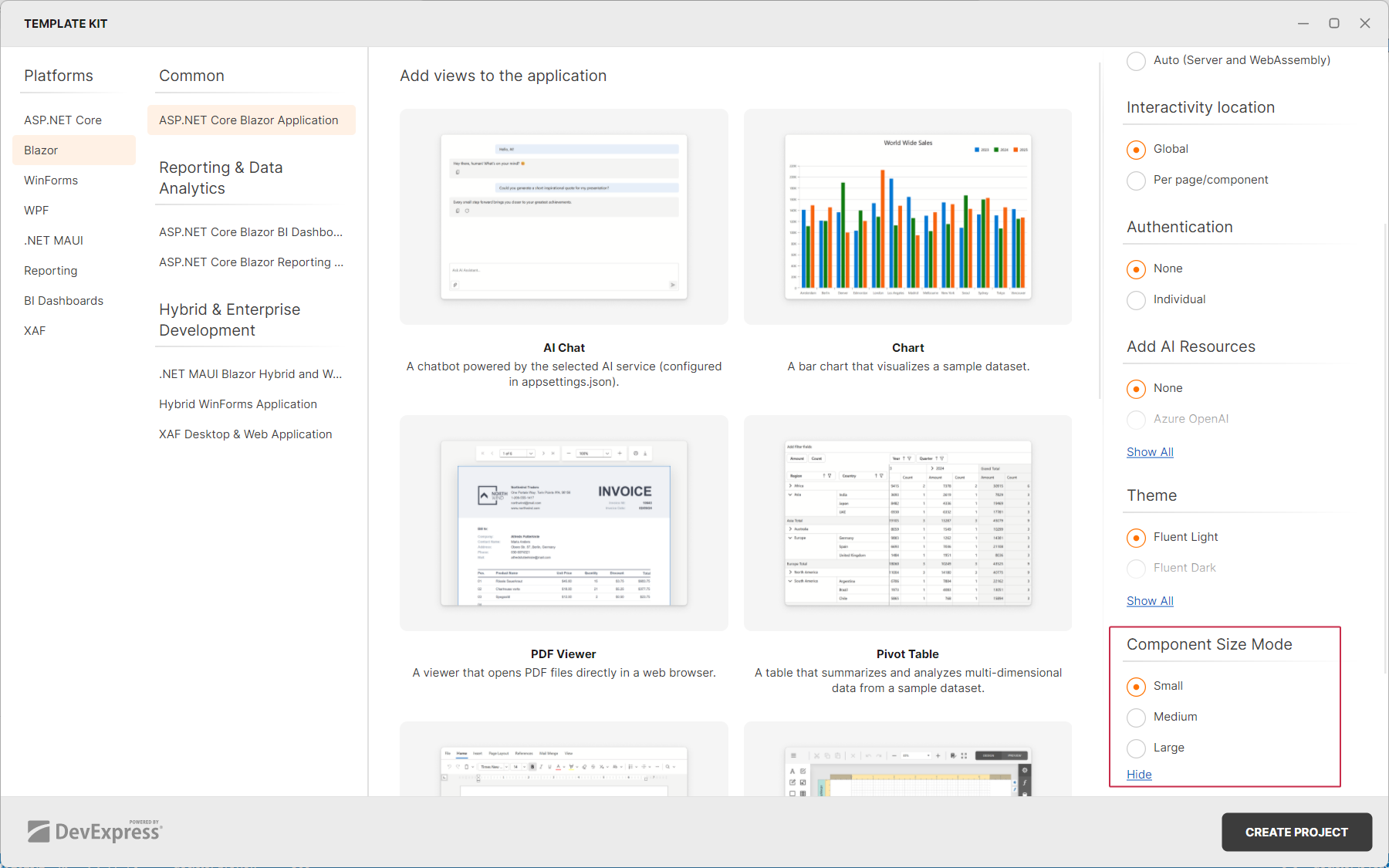
The kit adds the SizeMode global option to the Program.cs file.
builder.Services.AddDevExpressBlazor(options => {
    options.SizeMode = DevExpress.Blazor.SizeMode.Small;
});
Switch Size Modes at Runtime
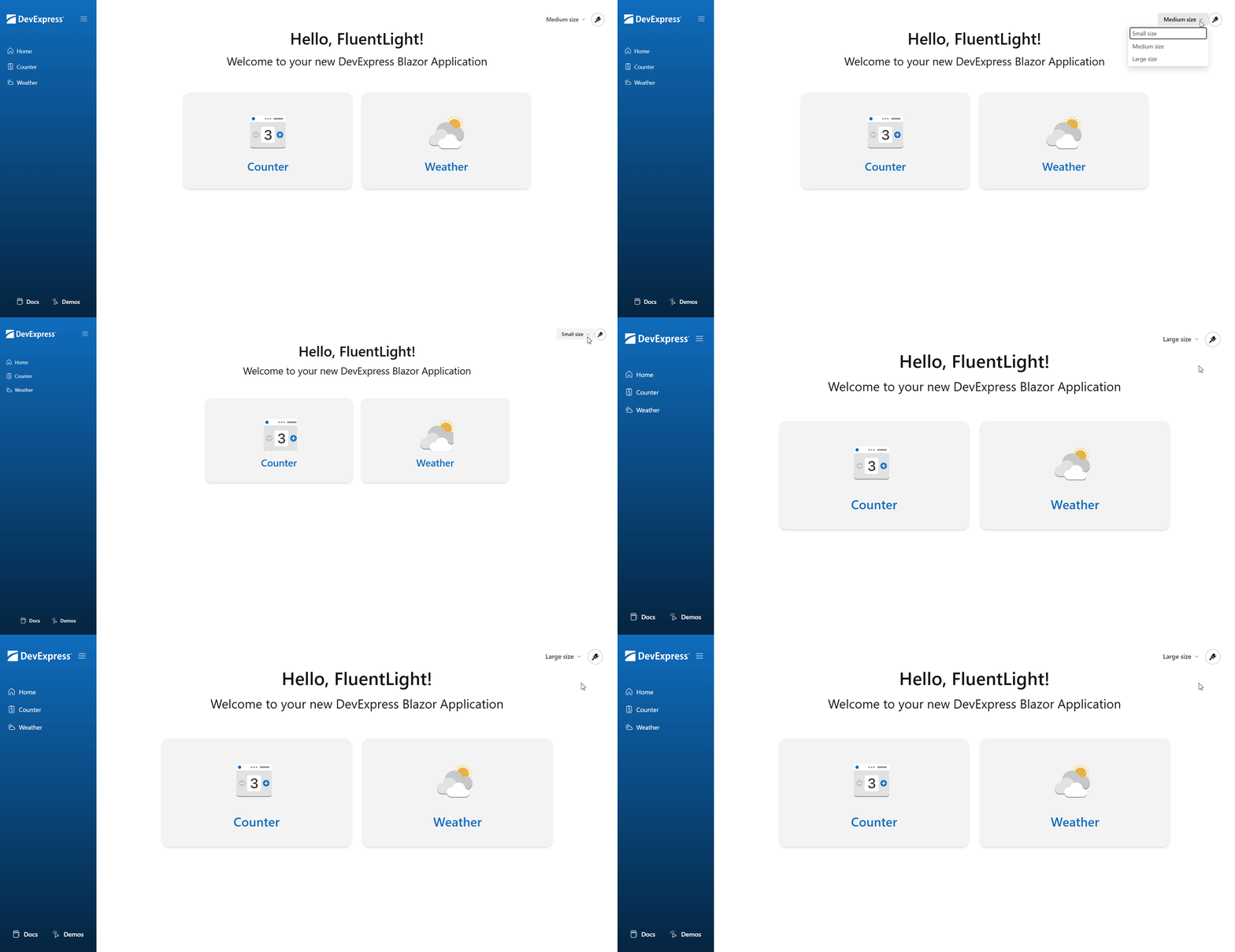
The following example implements a size mode combobox designed to switch between small, medium, and large size modes at runtime. Key steps include:
- Implement a service that manages application size mode (SizeManager.cs).
- Implement a service that manages cookies (CookiesService.cs).
- Create a function that assigns selected size mode to the
--global-sizeCSS variable (size-manager.js). - Add a razor file that contains a size mode menu and injects the
SizeManagerservice (SizeChanger.razor). - Reference the size manager script in the
<head>section of the App.razor file. - Use the
--global-sizeCSS variable to define font size application-wide.
- SizeChanger.razor
- SizeManager.cs
- CookieService.cs
- Program.cs
- size-manager.js
- App.razor
- site.css
- MainLayout.razor
@rendermode InteractiveServer
@inject SizeManager SizeManager

<DxDropDownButton RenderStyle="ButtonRenderStyle.Secondary"
                  RenderStyleMode="ButtonRenderStyleMode.Text"
                  Text="@FormatSizeText(SizeManager.ActiveSizeMode)"
                  ItemClick="OnSizeChange">
    <Items>
        @foreach (var sizeMode in sizeModes) {
            <DxDropDownButtonItem Text="@FormatSizeText(sizeMode)" Id="@sizeMode.ToString()"  />
        }
    </Items>
</DxDropDownButton>

@code {
    List<SizeMode> sizeModes = Enum.GetValues<SizeMode>().ToList();
    string FormatSizeText(SizeMode size) => size + " size";

    protected async Task OnSizeChange(DropDownButtonItemClickEventArgs args) {
        await SizeManager.SetSizeMode(Enum.Parse<SizeMode>(args.ItemInfo.Id));
    }

    protected override async void OnAfterRender(bool firstRender) {
        if (firstRender)
            await SizeManager.SetSizeInJS();
    }
}