Lesson 3 - Post Changes to a Database
- 2 minutes to read
This tutorial modifies data within the GridControl and saves changes to the database. The tutorial is based on Lesson 2.
The Items Source Wizard adds the post data functionality when you enable the CRUD (Create, Read, Update, Delete) operations.
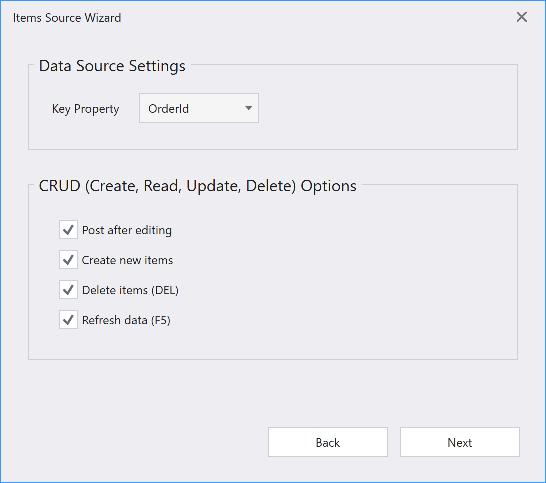
The Items Source Wizard generates the following code:
Sets the TableView.ShowUpdateRowButtons property to
OnCellEditorOpen. The property enables edit mode that allows users to edit an entire row and then submit or cancel all changes simultaneously: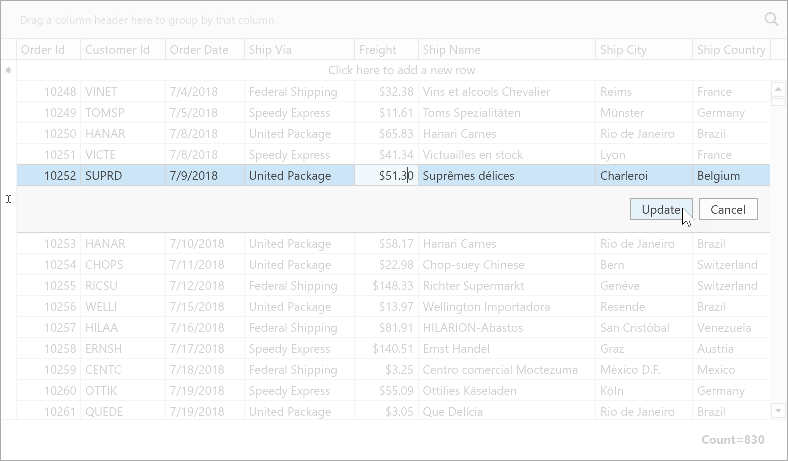
Sets the TableView.NewItemRowPosition property to
Top. The New Item Row allows users to add new rows to the GridControl: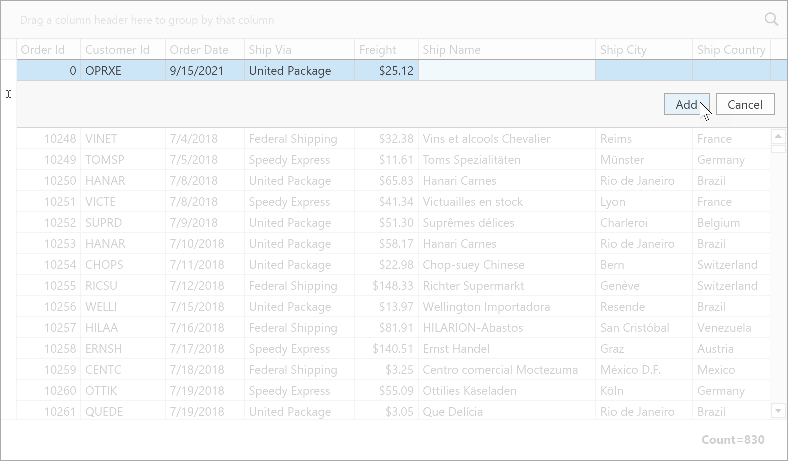
Creates the following commands that are generated at runtime from methods with the Command attribute. The generated command name follows the
[MethodName]Commandpattern:The
ValidateRowcommand adds new rows, validates row values, and saves changes to the database. You can also use the ValidateRowCommand or the ValidateRow event.[Command] public void ValidateRow(RowValidationArgs args) { var item = (Order)args.Item; if (args.IsNewItem) _Context.Orders.Add(item); _Context.SaveChanges(); }The
ValidateRowDeletioncommand validates row deletion and removes items from the database. You can also use the ValidateRowDeletionCommand or the ValidateRowDeletionCommand event.[Command] public void ValidateRowDeletion(ValidateRowDeletionArgs args) { var item = (Order)args.Items.Single(); _Context.Orders.Remove(item); _Context.SaveChanges(); }The
DataSourceRefreshcommand fetches changes from the database and updates grid content. You can also use the DataSourceRefreshCommand or the DataSourceRefresh event.[Command] public void DataSourceRefresh(DataSourceRefreshArgs args) { _ItemsSource = null; _Context = null; RaisePropertyChanged(nameof(ItemsSource)); }TableView properties are bound to generated commands:
<dxg:GridControl x:Name="grid" ItemsSource="{Binding Orders}">
    <!-- ... -->
    <dxg:GridControl.View>
        <dxg:TableView NewItemRowPosition="Top"
                       ShowUpdateRowButtons="OnCellEditorOpen"
                       ValidateRowCommand="{Binding ValidateRowCommand}"
                       ValidateRowDeletionCommand="{Binding ValidateRowDeletionCommand}"
                       DataSourceRefreshCommand="{Binding DataSourceRefreshCommand}"/>
    </dxg:GridControl.View>
</dxg:GridControl>
The
Deletekey removes selected rows from the GridControl:<dxg:GridControl.InputBindings> <KeyBinding Command="{Binding View.Commands.DeleteFocusedRow, ElementName=grid}" Key="Delete"/> </dxg:GridControl.InputBindings>