Use Report Parameters
- 3 minutes to read
To affect report content or data retrieval, a parameter must be referenced in report logic. This connection allows parameter values to filter records, evaluate calculated fields, and adjust report element appearance.
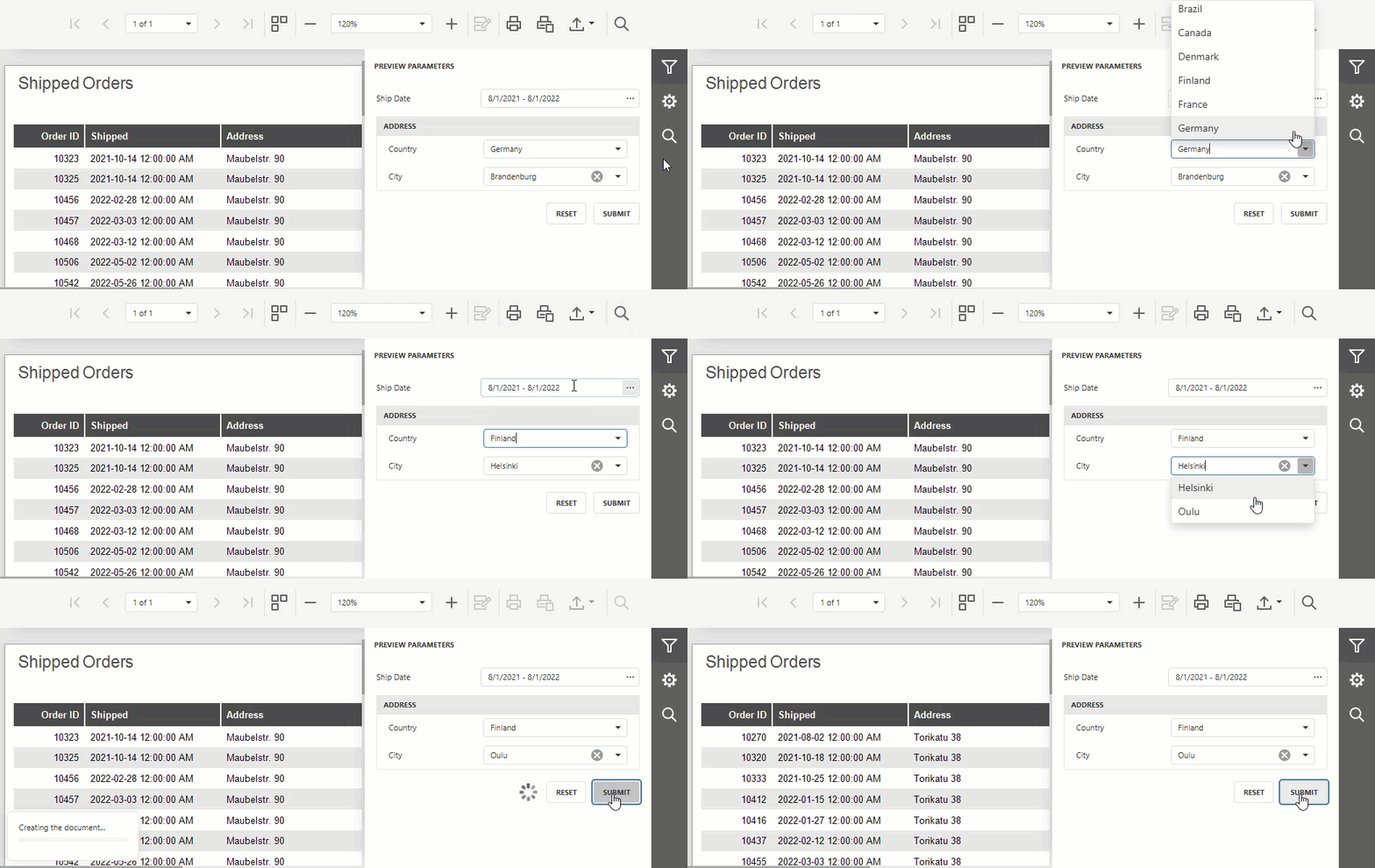
Client and Server-Side Data Filtering
You can use report parameters to filter out source data based on user input. You can filter data on the client or server side depending on your preferred usage scenario:
- Client Side (Downstream): Report-Level Filter
- The report component loads all records from the underlying data source and applies a filter locally. This data source-agnostic technique allows you to replace data source components without parameter configuration changes. Compared to server-side data filtering, this technique requires more memory and computing resources on the client machine.
- Server Side (Upstream): Data Source-Level Filter | URL-Level Filter
- The remote server applies a filter to source data and sends only target records to the client. This technique is particularly beneficial for report generation on large datasets when memory/computing resources and network bandwidth are constrained on the client. Unlike client-side data filtering, server-side filters can be used only with relational databases (SQL data sources or web APIs that accept request parameters).
Tip
Refer to the following help topic for detailed instructions: Filter Report Data.
Use Parameter Values in Expressions
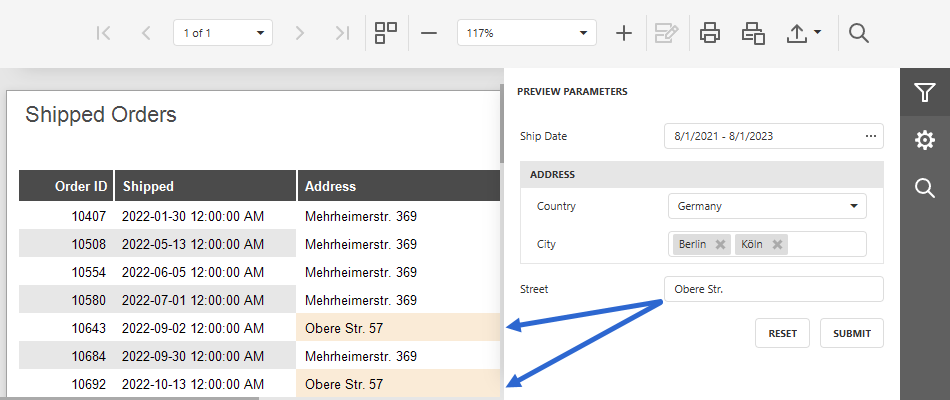
Reference parameters in report element and calculated field expressions to display user input, apply conditional formatting, and compute values that combine report fields with parameter values.
Tip
Refer to the following help topic for detailed instructions: Use Parameter Values in Expressions.
Enter Parameter References Directly
Enter a question mark (?) followed by the parameter name to reference a parameter in filters and expressions: ?ParameterName. Refer to Expression Syntax for field and parameter reference syntax.
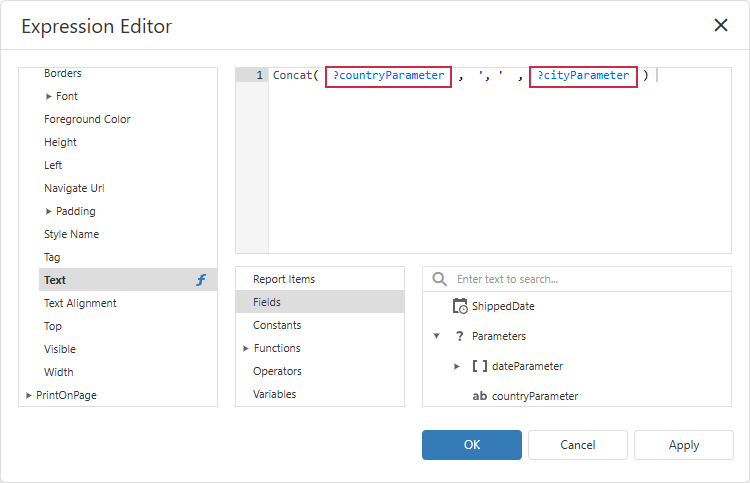
For example, the following expression calculates a discounted price based on the UnitPrice data source field and the discountParameter parameter value:
[Orders.UnitPrice] * ( 1 - ?discountParameter )
The same syntax works in functions and other complex expressions. The following expression highlights report fields that contain the highlightAddressParameter value:
Related Tutorials
The following tutorials demonstrate how to create a parameter, assign its value, and pass the value to a data source:
- Follow this tutorial to create an application that obtains data from a stored database procedure and pass a report parameter as a procedure parameter.
- Follow this tutorial to filter report data at the SQL database level based on user input. This technique improves performance and reduces the memory footprint.
Related GitHub-Hosted Sample Project
Related Compiled Demo
To see TdxReport/TdxReportControl parameter-based data filtering functionality in action, run the Report Designer/Viewer demo in the VCL Demo Center installed with compiled DevExpress VCL demos. Click Filter (the top button in the sidebar on the right) to display the PREVIEW PARAMETERS pane. Use editors to modify available parameter values and click SUBMIT to apply pending changes.
Compiled DevExpress demos ship with source code installed in the Public Documents folder (%PUBLIC%) for all users (default). You can find all project and source code files for the Report Designer/Viewer demo in the following folder:
%PUBLIC%\Documents\DevExpress VCL Demos\MegaDemos\Product Demos\ExpressReports\
Tip
Project and source code files for all compiled DevExpress VCL Demos are maintained in a public repository hosted on GitHub: