FilteringPanelControl.ClearingFilterCommand Property
Gets or sets a command executed when a user clicks the Clear Filter button within the Filter Panel. This is a dependency property.
Namespace: DevExpress.Xpf.Core.FilteringUI
Assembly: DevExpress.Xpf.Grid.v26.1.dll
NuGet Package: DevExpress.Wpf.Grid.Core
Declaration
Property Value
| Type | Description |
|---|---|
| ICommand | A command executed when a user clicks the Clear Filter button within the Filter Panel. |
Remarks
Bind a command to the ClearingFilterCommand property to intercept the filter clear action in a ViewModel.
Set the FilterPanelClearingFilterEventArgs.Handled property to true to cancel the built-in clear filter action. If the Handled property is false, the built-in clear action runs after the command.
Example: Intercept Clear Filter Button Clicks in the Filter Panel
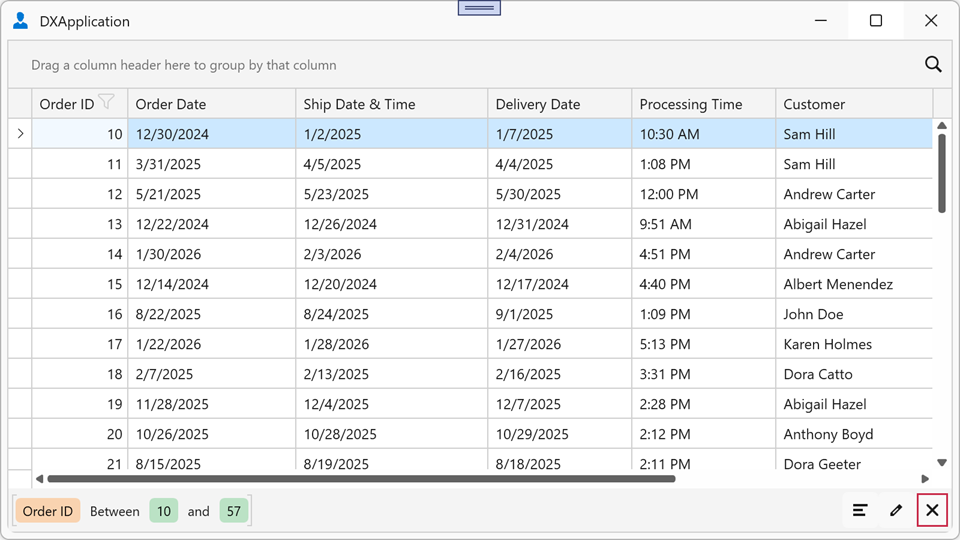
The following example implements custom behavior in response to a click on the Clear Filter button within the Filter Panel:
<dx:ThemedWindow x:Class="FilterPanelExample.MainWindow"
                 xmlns="http://schemas.microsoft.com/winfx/2006/xaml/presentation"
                 xmlns:x="http://schemas.microsoft.com/winfx/2006/xaml"
                 xmlns:dx="http://schemas.devexpress.com/winfx/2008/xaml/core"
                 xmlns:dxg="http://schemas.devexpress.com/winfx/2008/xaml/grid"
                 xmlns:dxfui="http://schemas.devexpress.com/winfx/2008/xaml/core/filteringui">
    <dxg:GridControl ItemsSource="{Binding Orders}">
        <dxg:GridControl.View>
            <dxg:TableView ShowFilterPanelMode="ShowAlways">
                <dxg:TableView.FilteringPanelStyle>
                    <Style TargetType="dxfui:FilteringPanelControl">
                        <Setter Property="ClearingFilterCommand"
                                Value="{Binding DataContext.ClearingFilterCommandHandler,
                                        RelativeSource={RelativeSource AncestorType=Window}}"/>
                    </Style>
                </dxg:TableView.FilteringPanelStyle>
            </dxg:TableView>
        </dxg:GridControl.View>
    </dxg:GridControl>
</dx:ThemedWindow>
public class MainViewModel : ViewModelBase {
    public DelegateCommand<FilterPanelClearingFilterEventArgs> ClearingFilterCommandHandler { get; }

    public MainViewModel() {
        ClearingFilterCommandHandler =
            new DelegateCommand<FilterPanelClearingFilterEventArgs>(OnClearingFilter);
    }

    void OnClearingFilter(FilterPanelClearingFilterEventArgs e) {
        e.Handled = true;
        // Custom clear filter logic
    }
}