TdxCustomLayoutGroup.RoundedMode Property
Specifies if rounded corners are enabled for the layout group and nested items when the WXI or WXICompact skin is active.
Declaration
property RoundedMode: TdxDefaultBoolean read; write; default bDefault;Property Value
| Type | Default | Description |
|---|---|---|
| TdxDefaultBoolean | bDefault | Specifies if Rounded Mode is enabled for the current group and nested layout items:
|
Remarks
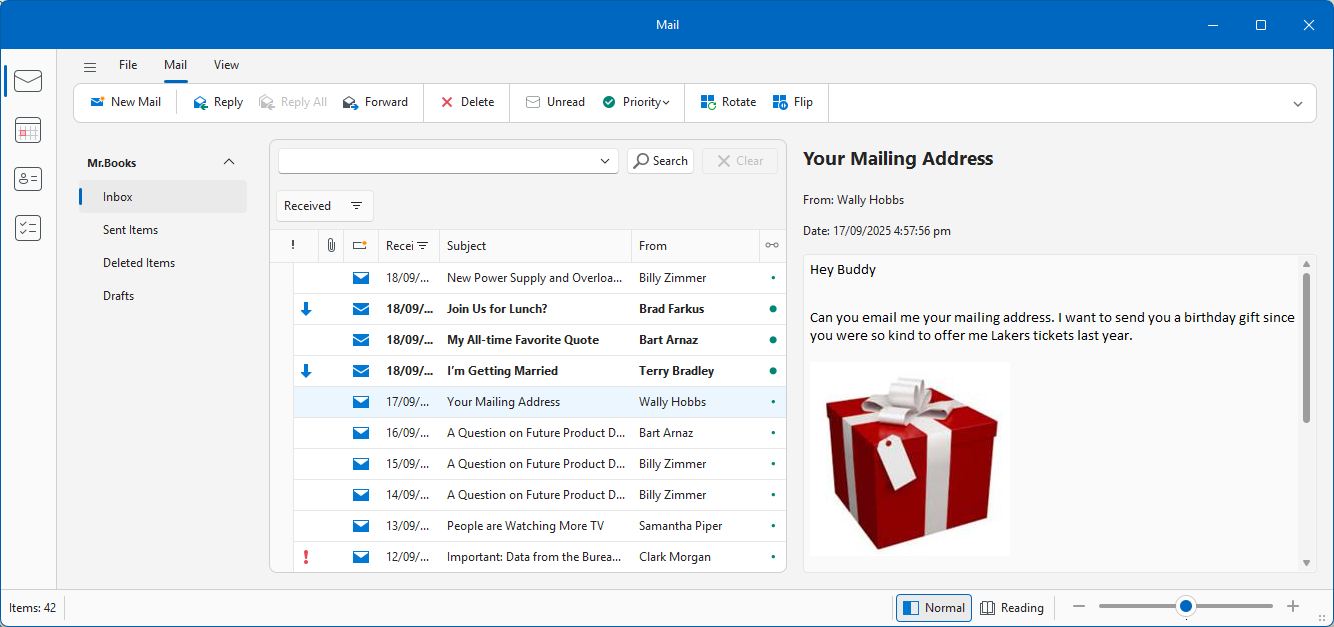
Rounded Mode changes the shape of border corners for layout items associated with supported controls and layout groups to better align DevExpress-powered VCL applications with modern UI standards inspired by Microsoft Fluent 2.
Available Options
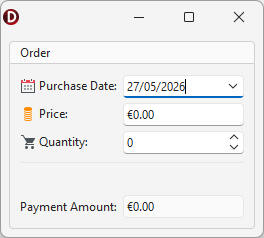
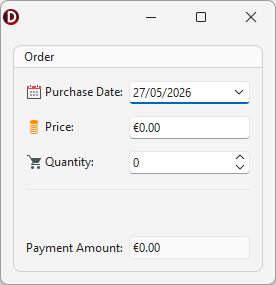
Set the RoundedMode property to bTrue or bFalse to explicitly enable or disable rounded corners for the current layout group and nested items when the WXI or WXICompact skin is active.
| Rounded Mode Disabled[1] | Rounded Mode Enabled |
|---|---|
 |
 |
Note
Rounded Mode affects a layout item only if it is associated with a supported DevExpress control.
Supported Controls
The following DevExpress controls support Rounded Mode when embedded into layout items:
- TcxGrid
- A Data Grid control.
- TcxImage | TcxDBImage
- All image editors.
- TcxLabel | TcxDBLabel
- Simple label controls.
- TdxPanel
- A resizable general-purpose panel.
- TdxPDFViewer
- A PDF Viewer control.
- TcxPivotGrid | TcxDBPivotGrid
- All Pivot Grid controls.
- TdxRichEditControl
- A Rich Text Editor control.
- TcxScheduler
- A Scheduler control.
- TdxSpreadSheet | TdxSpreadSheetReportDesigner
- All Spreadsheet controls (except for TdxSpreadSheetFormulaBar).
- TcxTreeList | TcxDBTreeList | TcxVirtualTreeList
- All Tree List controls.
- TdxTreeViewControl | TdxShellTreeView
- All Tree View controls.
- TcxVerticalGrid | TcxDBVerticalGrid | TcxRTTIInspector
- All Vertical Grid controls.
Layout Item-Level Rounded Mode Setting
You can use the ControlOptions.RoundedMode property to override the RoundedMode setting at the layout item level.
Related Compiled Demo
To see Rounded Mode in action, run the Mail Client demo in the VCL Demo Center installed with compiled DevExpress Demos.
Compiled DevExpress demos ship with source code installed in the Public Documents folder (%PUBLIC%) for all users (default). You can find all project and source code files for the Mail Client demo in the following folder:
%PUBLIC%\Documents\DevExpress VCL Demos\MegaDemos\Product Demos\RWA Demos\MailClient\
Default Value
The RoundedMode property’s default value is bDefault.
The default RoundedMode property value indicates that the parent TdxLayoutControl component’s RoundedMode property specifies if Rounded Mode is enabled for the group.
-
Both examples demonstrate the
WXICompactskin.