TdxRichEditControl Class
A Rich Edit control.
Declaration
TdxRichEditControl = class(
    TdxCustomRichEditControl
)
Remarks
The TdxRichEditControl component is designed to create an application with a user experience inspired by Microsoft Word®.
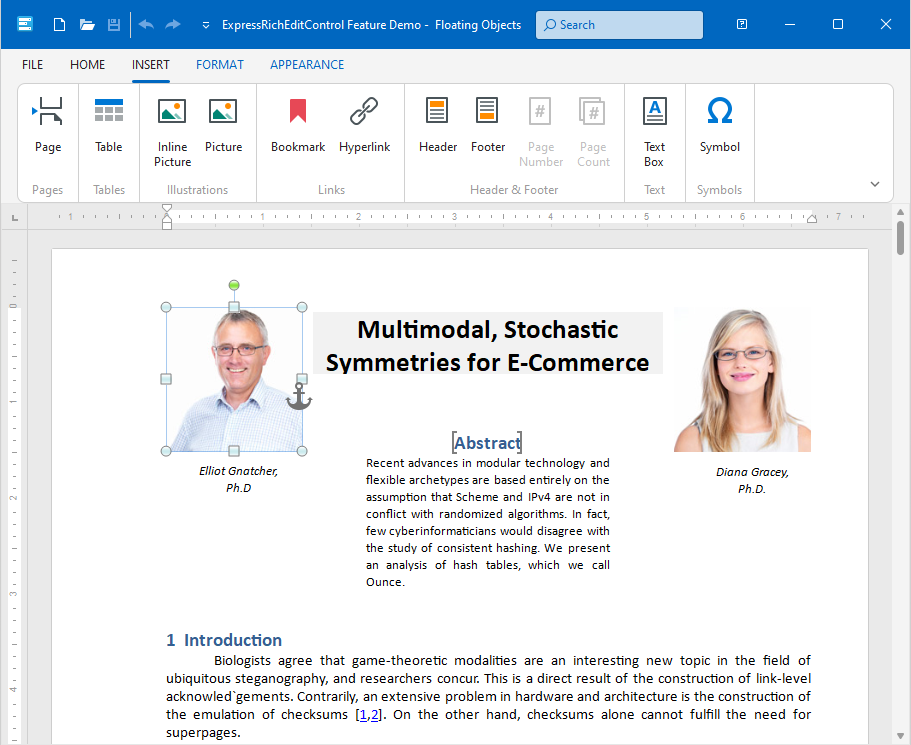
Getting Started
Review the following sections to get started with the TdxRichEditControl component:
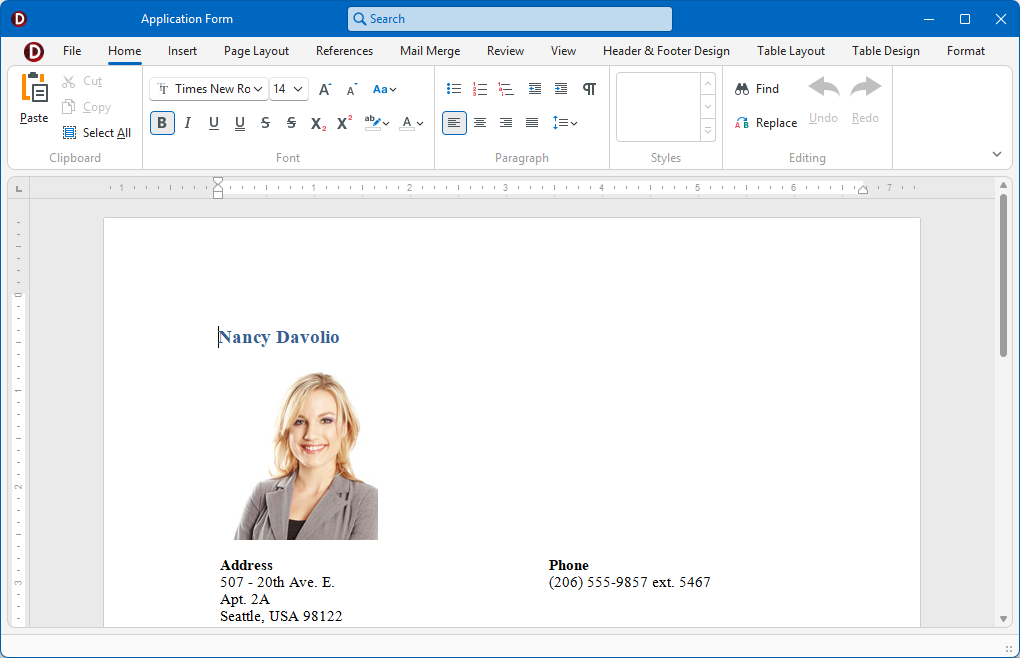
Rich Edit Project and Form Templates
The VCL Template Kit ships with automatically installed Project and Form templates for the TdxRichEditControl component. These templates are designed to reduce time spent on repetitive project and form setups, as well as improve onboarding for new VCL developers and boost productivity in experienced teams.
Tip
Refer to the following help topic for detailed information: Use Rich Edit Project and Form Templates.
Related Compiled Demo
To see the TdxRichEditControl component in action, run the Word Processing RTF demo in the VCL Demo Center installed with compiled DevExpress VCL demos. Click different items in the sidebar on the left to switch between demo features.
Compiled DevExpress demos ship with source code installed in the Public Documents folder (%PUBLIC%) for all users (default). You can find all project and source code files for the Word Processing RTF demo in the following folder:
%PUBLIC%\Documents\DevExpress VCL Demos\MegaDemos\Product Demos\ExpressRichEditControl\
Tip
Project and source code files for all compiled DevExpress VCL Demos are maintained in a public repository hosted on GitHub:
Main API Members
The list below outlines key members of the TdxRichEditControl class. These members allow you to modify control appearance and behavior, as well as manage documents.
Appearance and User Interaction APIs
- ActiveView
- Provides access to the active document View.
- ActiveViewType
- Allows you to switch between document Views.
- BorderStyle
- Allows you to switch between available border styles.
- OnActiveViewChanged
- Allows you to track document View changes.
- OnGetAICommands
Allows you to modify the list of AI-powered commands available to users.
Note
The OnGetAICommands event can occur only if an AI service provider is registered and AI user commands are initialized.
- OnReadOnlyChanged
- Allows you to track read-only status changes.
- Options
- Provides access to general appearance and behavior settings (including import/export settings for all supported document formats).
- ReadOnly
- Specifies if the Rich Edit control is in read-only mode.
- ShowCaretInReadOnly
- Specifies if the caret is visible in read-only mode.
- Views
- Provides access to all document View settings.
- WantTabs | WantReturns
- Specify if the Rich Edit control processes Tab and Enter keystrokes.
Action History Management
- CanUndo | CanRedo
- Identify if undo/redo operations are available.
- ClearUndo
- Clears action history.
- Undo | Redo
- Undo/redo content changes.
Content-Related APIs
- Document
- Provides access to document content. You can use this property to edit the current document in code – add/remove text, tables, floating shapes, modify formatting, etc.
- Copy | Cut | Paste
- Perform clipboard operations on selected content.
- MeasurementUnit
- Allows you to switch between supported measurement units.
Selection Management APIs
- DeselectAll
- Clears selection.
- IsFloatingObjectSelected | IsSelectionInFooter | IsSelectionInHeader | IsSelectionInHeaderOrFooter | IsSelectionInTable | IsSelectionInTextBox
- Allow you to identify selected content locations.
- OnSelectionChanged
- Allows you to track selection changes.
- SelectAll
- Selects all content.
Document Management APIs
- CreateNewDocument
- Closes the current document and creates a blank document.
- OnContentChanged | DocumentModelModified
- Allow you to track document content changes.
- OnDocumentClosing
- Allows you to respond to document close operations. For example, you can prevent users from closing a document.
- OnDocumentLoaded
- Notifies the application of a successful document load operation. A document may contain references to external resources (images, for example) that take a significant amount of time to load. You can handle this event to ensure that the document is loaded completely.
- OnEmptyDocumentCreated
- Allows you to respond to a document create operation. For example, you can handle this event to load a specific document template as a new document.
- OnDocumentProtectionChanged
- Allows you to track document protection status changes.
Template-Based Document Generation
TdxRichEditControl and TdxRichEditDocumentServer components can generate documents based on a template with placeholders (DOCVARIABLE fields).
Tip
You can use the Options.MailMerge.DataSource property to associate the control with a dataset and use it to populate placeholders with numeric values, text, and images.
- CreateMailMergeOptions | MailMerge
- Generate a set of documents based on a template.
- OnMailMergeFinished | OnMailMergeGetTargetDocument | OnMailMergeRecordFinished | OnMailMergeRecordStarted | OnMailMergeStarted
- Allow you to modify template-based document generation.
Document Import and Export
The Rich Edit control allows you to import and export documents in the following formats: DOCX, RTF, DOC, HTML, and TXT.
Note
TdxRichEditControl initially includes support only for RTF and TXT formats to reduce the size of a built executable file. To add support for other formats, you need to explicitly include corresponding units in your project.
- LoadDocument | LoadDocumentTemplate
- Import a document from a file or stream in any supported format.
- SaveDocument
- Exports the current document to a file or stream in any supported format.
Print Link
The TdxRichEditControlReportLink class implements print functionality for the TdxRichEditControl component.