
BrickStringFormat.Alignment Property
Gets or sets text alignment information.
Namespace: DevExpress.XtraPrinting
Assembly: DevExpress.Printing.v26.1.Core.dll
NuGet Package: DevExpress.Printing.Core
Declaration
Property Value
| Type | Description |
|---|---|
| DXStringAlignment | The text alignment within its layout rectangle. |
Available values:
| Name | Description |
|---|---|
| Near | The text is aligned near the layout. |
| Center | Text is aligned in the center of the layout rectangle. |
| Far | The text is aligned far from the original position of the layout rectangle. |
Example
The following code creates a new BrickStringFormat object and sets the text alignment to Center.
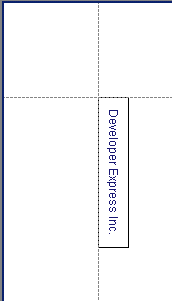
using DevExpress.XtraPrinting;
using DevExpress.Drawing;
// ...
PrintingSystemBase printingSystem1 = new PrintingSystemBase();

    VisualBrick visBrick;
    BrickGraphics brickGraph = printingSystem1.Graph;
    string s = "Developer Express Inc.";

    // Specify the string format.
    DXStringFormat dxFormat = new DXStringFormat();
    dxFormat.Alignment = DXStringAlignment.Center;
    dxFormat.LineAlignment = DXStringAlignment.Center;

    // Create a BrickStringFormat object.
    BrickStringFormat brickSFormat = new BrickStringFormat(dxFormat);

    // Measure the string according to the specified format.
    SizeF sz = brickGraph.MeasureString(s, 30, dxFormat);

    // Start the report generation.
    printingSystem1.Begin();

    // Set the brick string format
    brickGraph.StringFormat = brickSFormat;

    // Create a rectangle.
    RectangleF rect = new RectangleF(new PointF(0, 0), new SizeF(150, 30));
    // Specify a page area.
    brickGraph.Modifier = BrickModifier.Detail;
    // Add a brick to the report.
    visBrick = brickGraph.DrawString(s, Color.MidnightBlue, rect, BorderSide.All);

    // Finish the report generation.
    printingSystem1.End();

    // Preview the report.
    printingSystem1.ExportToPdf("report.pdf");
See Also