Report Summaries
Summaries aggregate values across multiple records to display statistical information in a report, such as total order amounts, product count by category, or inventory value.
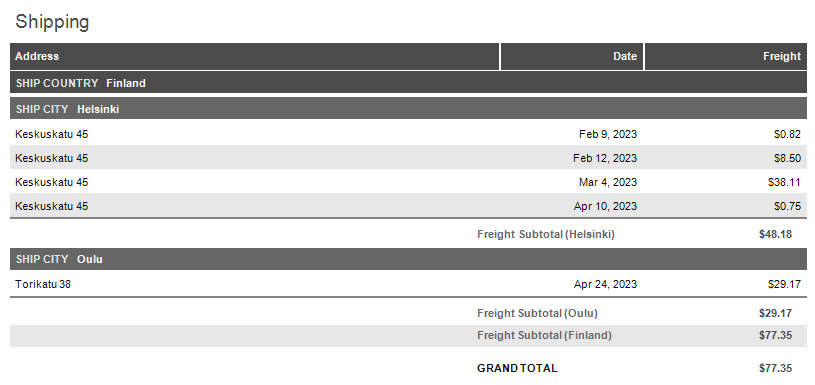
The following topics explain how to create summaries, choose calculation methods, define required scope, and use summary functions in expressions:
- Create a Report with Summaries
- Use the Report Wizard to create a report with summaries and group subtotals.
- Add Summaries to an Existing Report
- Add a new summary element or convert an existing report element to a summary using the Report Designer.
- Supported Summarization Options
- Choose a summary calculation method, such as a total, average, count, running total, or carryover summary.
- Summary Scopes
- Identify group, page, and report scopes, reset or remove summaries, and use aggregate expressions to summarize a subset of records.
- Summary Functions
- Explore expression functions that correspond to summarization options (including syntax and usage examples).
See Also