Report Expressions
- 2 minutes to read
An expression is a formula that combines data fields, report parameters, constants, and built-in functions into a single value. Use expressions to calculate field values, filter data, and change report element content and appearance. For example, an expression can calculate a total, combine text from multiple fields, or change an element’s visibility or color based on a condition (conditional formatting). Expressions can also supply values for report and query parameters.
The report rendering engine evaluates expressions when it generates a document, so expression results always accurately reflect data and user input.
Create Expressions
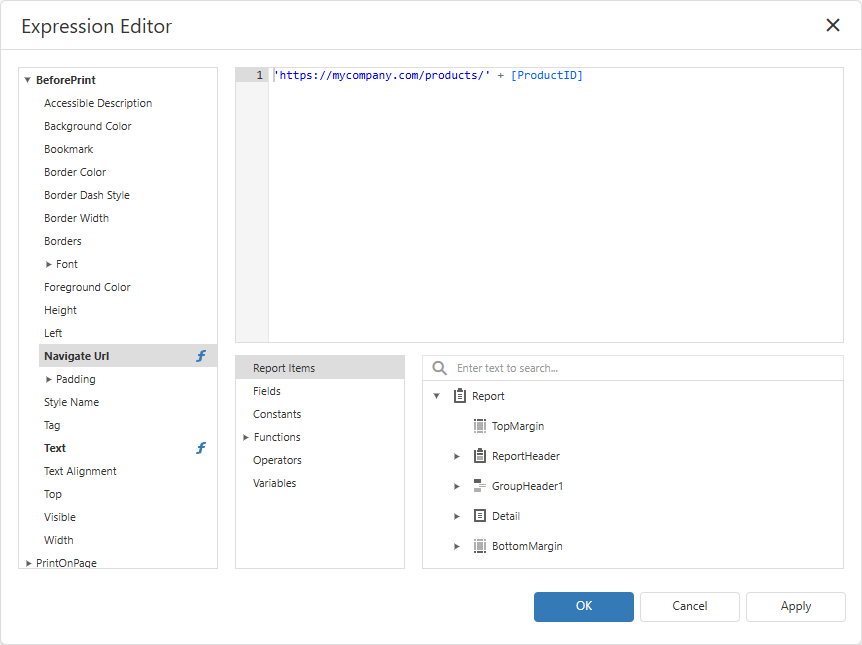
You can construct expressions using the Expression Editor UI or input formulas directly. The editor lists available report items, fields, parameters, functions, and operators, so you can browse, search, and insert expression elements without typing their names.
Open the editor for a report property, calculated field, or parameter. For report elements, you can select the target property and the report lifecycle stage at which the expression is evaluated.
Expression Language Reference
Report expressions use a dedicated expression language with its own syntax for references, constants, operators, and function calls. Refer to the following topics for syntax rules and available functions:
- Expression Syntax: Rules and conventions for writing report expressions.
- Built-in Expression Functions: Available functions and examples of their use.