Hidden Report Parameters
Hidden parameters help you focus the application UI on values that require user input. In addition, hidden parameters protect application-supplied values (such as internal record IDs or application context) from accidental changes.
A hidden parameter does not appear in the Preview Parameters panel but its value remains available to report elements, filters, queries, calculated fields, and expressions.
Important
Hidden parameters are not secure storage. Report and application code can access their values. Do not store passwords, access tokens, or other sensitive data in hidden parameters.
Use the TdxReport.Parameters / TdxCustomReportControl.Parameters collection to find a parameter by name, read or assign its value, or change the parameter’s visibility at runtime.
Hide a Parameter
- Create a new report parameter or open an existing parameter in the Report Designer.
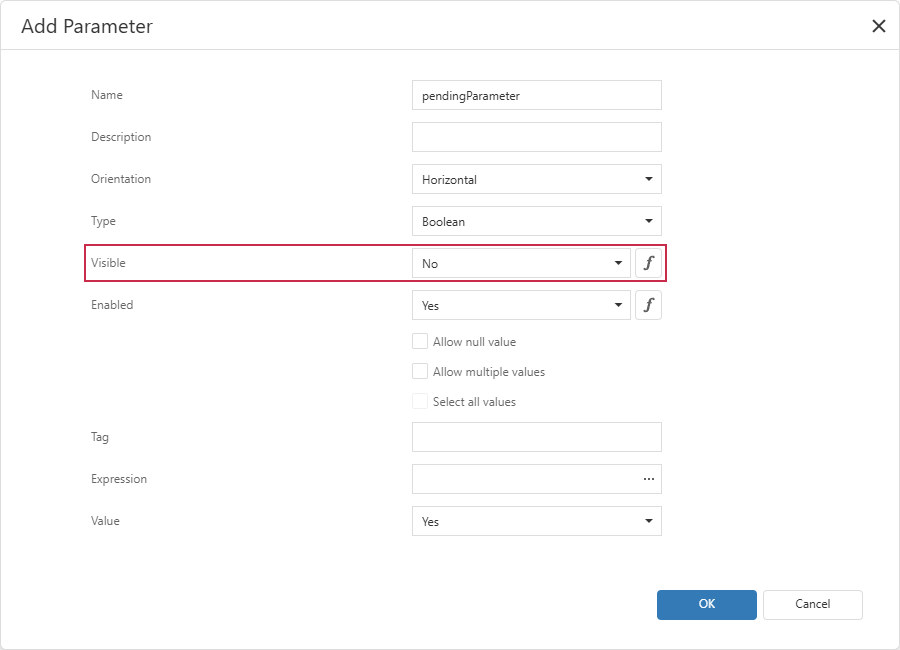
Select No from the Visible combo box:
Specify default parameter values.
- Click OK to save the parameter.