TdxReport.Language Property
Specifies the required language (for UI and report localization).
Declaration
property Language: string read; write;Property Value
| Type | Description |
|---|---|
| string | The target culture name for UI and report localization. You can use any ISO-based culture identifier to select the corresponding available localization. |
Remarks
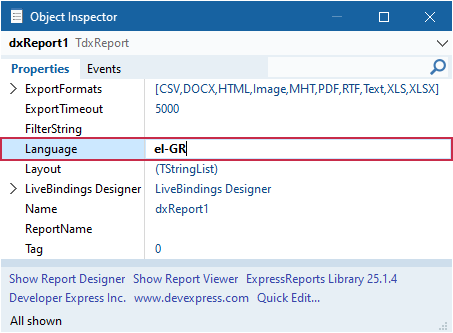
Use the Language property to switch between available languages for the Report Designer/Report Viewer UI and report layouts/resulting reports.
Deploy UI Localizations for Report Viewer and Designer Dialogs
Web-based Report Designer and Report Viewer end-user dialogs available for the TdxReport component support JSON localization strings obtained from the DevExpress Localization Service.
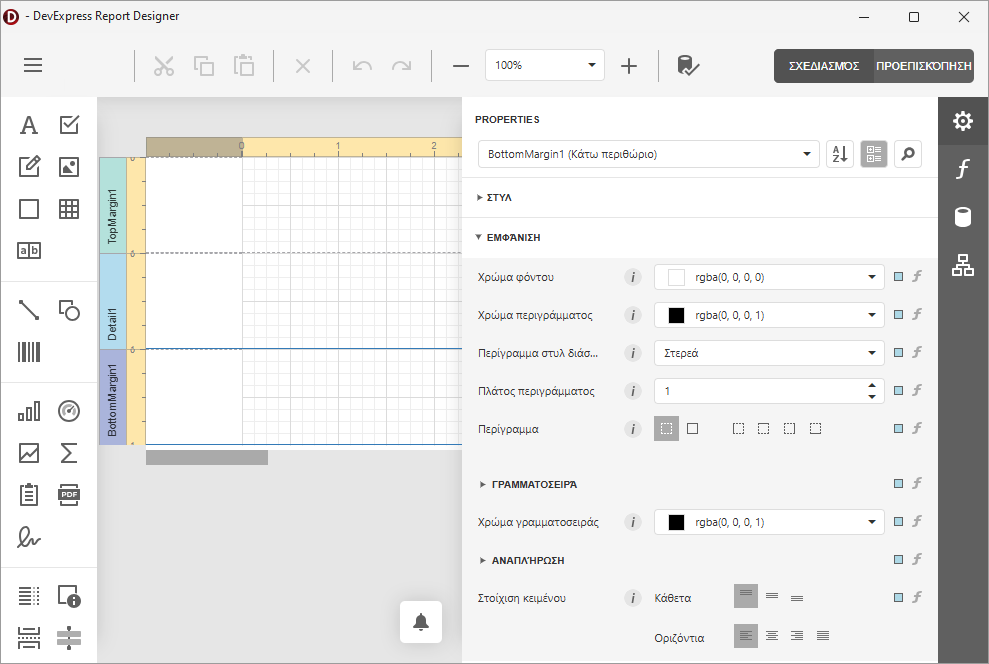
Refer to the following help topic for detailed instructions: Report Viewer and Designer UI Localization.
Localize Reports
The Language property allows you to switch between multiple languages for a report if corresponding localized values are stored in the report template layout (in the XML-like REPX format).
Refer to the following help topic for detailed information on report content localization: Report Localization.
Code Examples
Related GitHub-Hosted Example Project
Switch Between UI Languages at Runtime
The code example in this section demonstrates three button OnClick event handlers that allow users to switch between the base language (English) and two localizations (Greek and Italian). Once the TdxReport.Language property value is changed, Report Designer and Report Viewer dialogs use the corresponding localization when displayed the next time.
uses
  dxReport;  // Declares the TdxReport class
// ...

procedure TMyForm.btnEnglishClick(Sender: TObject);
begin
  dxReport1.Language := 'en-US';
end;

procedure TMyForm.btnGreekClick(Sender: TObject);
begin
  dxReport1.Language := 'el-GR';
end;

procedure TMyForm.btnItalianClick(Sender: TObject);
begin
  dxReport1.Language := 'it-IT';
end;
Change Report Language
This code example loads an XML-based report template (REPX) from a dataset, configures export settings, populates the template with data from another dataset, and displays the report preview:
uses
  dxReport,  // Declares the TdxReport component and related types
  dxBackend.ConnectionString.JSON.DataSet;  // Declares the TdxBackendDataSetJSONConnection component
// ...

procedure TMyForm.Button1Click(Sender: TObject);
var
  ADataConnection: TdxBackendDataSetJSONConnection;
  AReport: TdxReport;
  ALayoutStream: TStream;
begin
  ADataConnection := TdxBackendDataSetJSONConnection.Create(Self);
  try
    ADataConnection.Name := 'DataSetJSONData';
    ADataConnection.DataSets.Add('Data', FDataSource);
    AReport := TdxReport.Create(Self);
    try
      AReport.ReportName := 'Report';
      ALayoutStream := FLayoutDataSet.CreateBlobStream(FLayoutDataSet.FieldByName('Layout'), bmRead);
      try
        AReport.Layout.LoadFromStream(ALayoutStream);
      finally
        ALayoutStream.Free;
      end;
      AReport.Language := 'fr-FR';
      AReport.ExportFormats := [TdxReportUIExportFormat.PDF,
        TdxReportUIExportFormat.RTF, TdxReportUIExportFormat.HTML];
      AReport.FilterString := 'id = 5';
      AReport.ShowViewer;
    finally
      AReport.Free;
    end;
  finally
    ADataConnection.Free;
  end;
end;
Default Value
The Language property’s default value is an empty string.
The default Language property value indicates the en-US culture.