VCL Spreadsheet Controls
- 4 minutes to read
VCL Spreadsheet controls allow you to create applications with a user experience inspired by Microsoft Excel®.

Refer to the following topics to get started with the Spreadsheet controls:
- How to: Create a Ribbon or Toolbar UI for your Spreadsheet-based Application.
- How to: Use Spreadsheet Control Commands
Spreadsheet
The Spreadsheet control displays spreadsheet documents and allows users to edit document content.

Refer to the following topics for more information:
- Cell Management
- Clipboard Operations
- Supported Keystrokes
- Floating Containers
- Comments
- Action History
Mail Merge
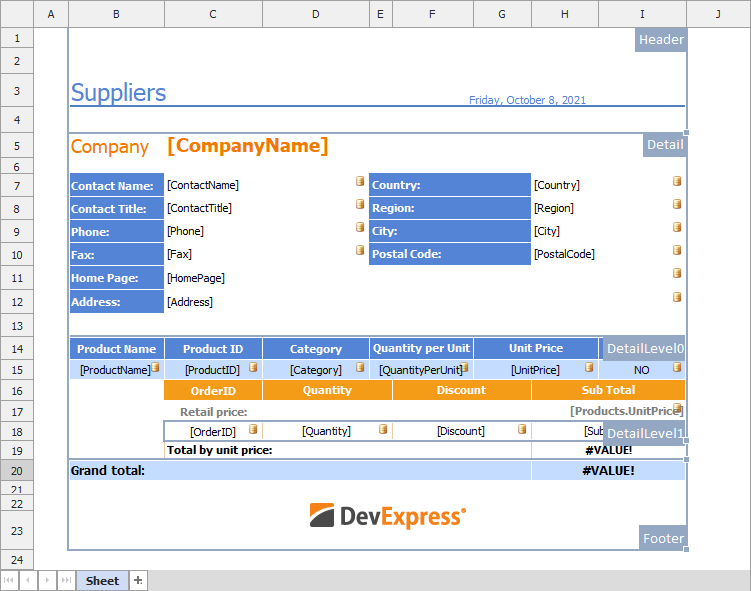
You can use a data-aware version of the Spreadsheet control (TdxSpreadSheetReportDesigner) to generate spreadsheet documents based on a template (Mail Merge). A Mail Merge template includes placeholders bound to dataset fields and allows you to create multiple personalized versions of the same document.
Tip
The Spreadsheet control is designed for simple usage scenarios. For advanced report generation and Business Intelligence/data analysis, we recommend that you use our ExpressReports and ExpressDashboards Suites (available as part of the VCL Subscription +). These advanced solutions include both the powerful report generator and customizable print preview, BI dashboard designer and viewer available both at design- and runtime, smart/AI functions, non-GUI/service-based document generation, and much more.
Refer to the following topics for more information on spreadsheet document generation:
- Generate Spreadsheet Documents Based on Data-Aware Templates (Mail Merge)
- Spreadsheet Document Template Functions
Formula Bar
The Formula Bar complements the Spreadsheet controls with additional cell view and edit options found in popular spreadsheet applications.

Automatic Ribbon/Toolbar UI Generation
You can create a spreadsheet-based application with a fully-functional Ribbon or Toolbar UI in a few clicks:
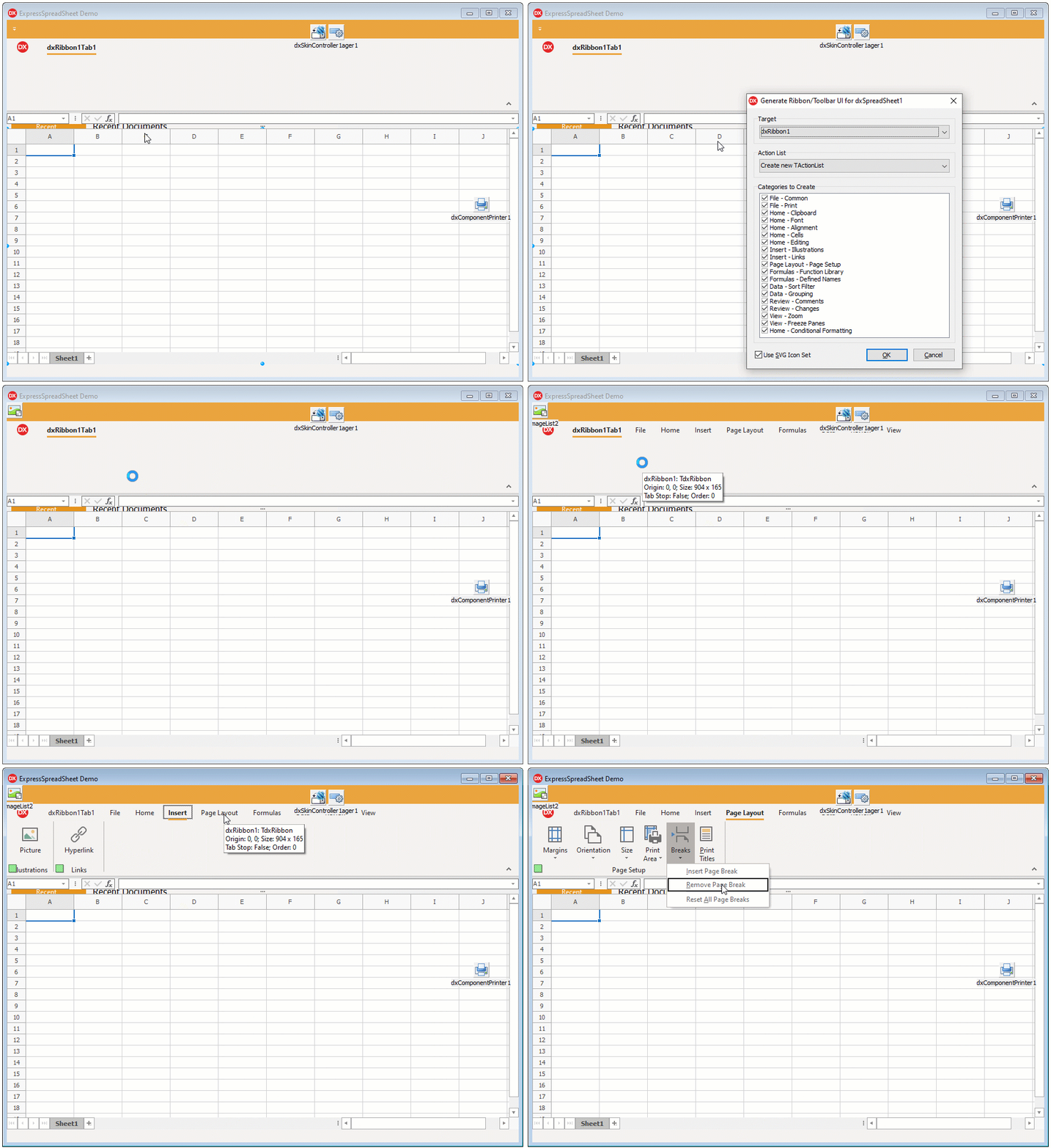
Refer to the following topic for details: How to: Create a Ribbon or Toolbar UI for your Spreadsheet-based Application.
Group and Sort Data
The Spreadsheet and Mail Merge controls support the following data shaping functionality:
- Users can sort a cell range in ascending or descending order.
Users can aggregate rows and columns into collapsible groups that display headers and summary columns. (Group rows and columns work similarly to the data outline functionality in Microsoft Excel®.)

Refer to the following topics for more information:
Protect and Encrypt Data
The Spreadsheet controls allow you to protect your documents to prevent unauthorized access. Security options include:
- Document Encryption and Password Protection
- The Spreadsheet controls use 256-bit AES encryption for XLSX files and the custom RC4 CryptoAPI implementation for XLS files.
- Document Structure Protection
- Users can “lock” document structure – disable changes to worksheet names, state, order, etc.
- Worksheet Content Protection
- Users can restrict specific actions in a protected worksheet, such as changes to cell content, column management operations, and more.
Formula Expressions
The Spreadsheet controls support over 300 built-in functions compatible with Microsoft Excel® formulas. You can use basic mathematical functions to aggregate data in a spreadsheet or create intricate formula expressions with statistical, logical, and information-related functions. The Spreadsheet controls also allow you to implement custom functions.
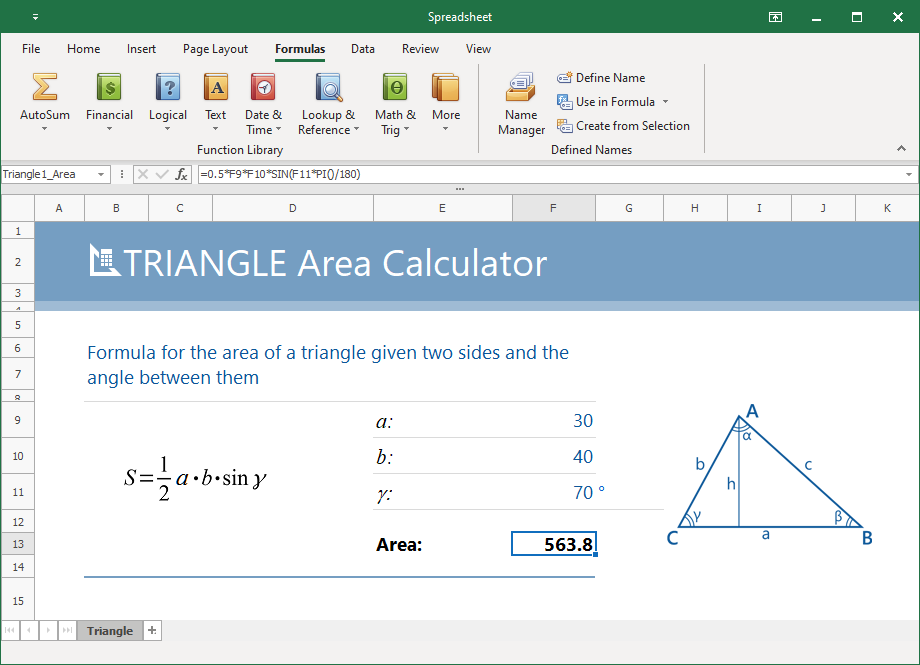
Refer to the following topics for information on how to work with formula expressions:
Conditional Formatting
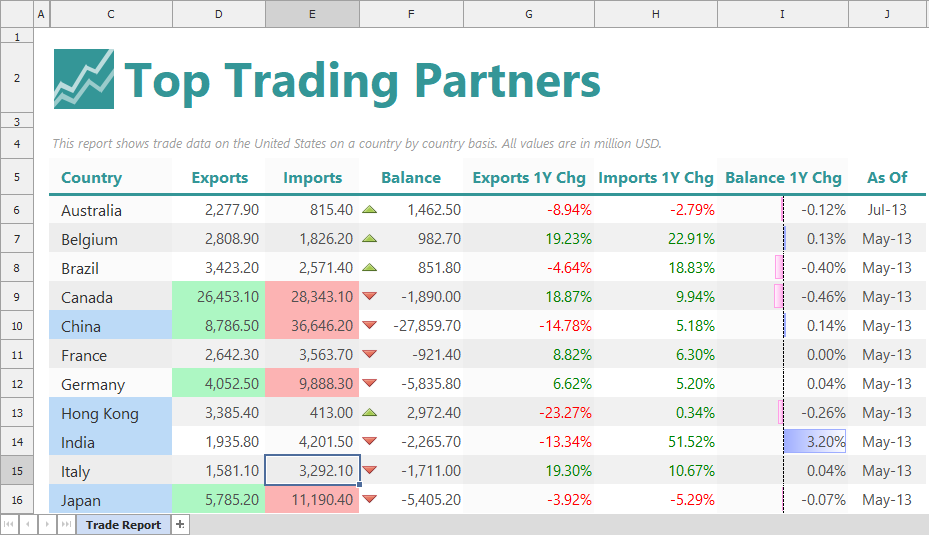
The Conditional Formatting functionality allows you to emphasize important data. Individual rules apply custom formatting to cells that meet specific criteria.
Supported Document Formats
The Spreadsheet and Mail Merge controls support the following spreadsheet document formats:
- Office Open XML (XLSX and XLTX)
- Comma-separated values (CSV)
- Plain text (TXT)
- Excel Binary File Format (XLS and XLT)
- HyperText Markup Language (HTML); only document export is supported.
- OpenDocument Spreadsheet format (ODS); only document import is supported.
Refer to the following topic for details: Export and Import Data.
Spreadsheet-Based Functionality in Other DevExpress VCL Products
Formula Expression and Conditional Formatting functionality is implemented as shared libraries. Their public API is also available in the following products:
- TcxGrid
- A Data Grid control.
- TcxDBTreeList
- A data-aware Tree List control.
- TcxTreeList
- A control that displays data in a tree-like manner.
- TcxVerticalGrid
- The vertical grid control that implements single record and banded layouts.
- TcxDBVerticalGrid
- Represents the data-aware vertical grid control.
- TcxVirtualVerticalGrid
- The vertical grid control that implements single record, multi record and banded layouts.
The data export functionality of the controls in the list above and in the list below relies on the VCL Spreadsheet export engine:
- TcxPivotGrid
- An unbound Pivot Grid control.
- TcxDBPivotGrid
- A data-aware Pivot Grid control.
- TcxScheduler
- The scheduler control.