TdxDashboardParameter Class
A dashboard parameter.
Declaration
TdxDashboardParameter = class(
    TdxBackendCustomParameter
)
Remarks
Dashboard parameters allow you and your end users to filter dashboard data dynamically. You can define a parameter and reference it in a dashboards query, filter criteria, or expressions (including calculated fields) at runtime instead of hard-coded values.
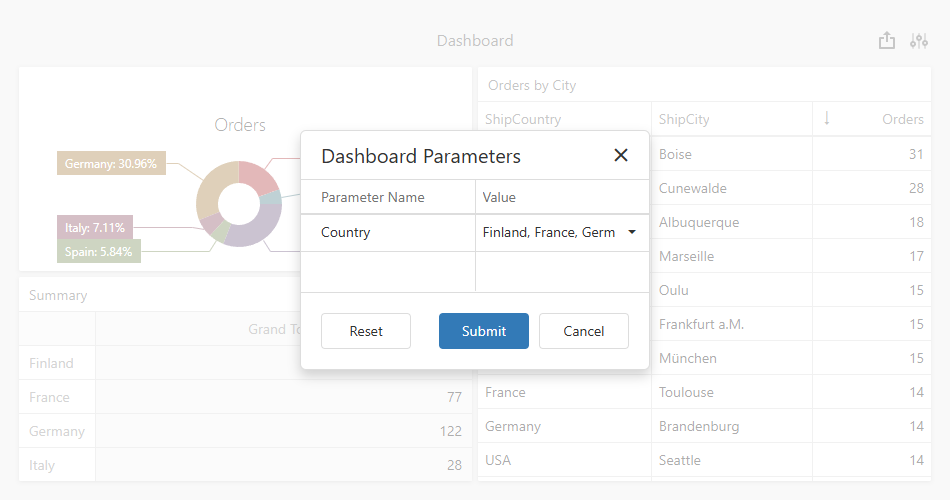
A TdxDashboardParameter object implements an individual parameter within a dashboard Parameters collection.
Main API Members
The following members allow you to configure dashboard parameters:
- AllowNull
- Specifies whether Null can be assigned as the dashboard parameter value.
- DataType
- Returns the parameter data type.
- Description
- Returns the parameter label displayed in the UI.
- IsMultiValueParameter
- Indicates if the parameter has multiple values.
- Name
- Returns the unique parameter identifier.
- Value | Values
- Specify the default parameter value.
- Visible
- Specifies whether the parameter editor is visible in the UI.
Code Examples
List Dashboard Parameters
uses
  dxDashboard.Control,      // Declares the TdxDashboardControl class
  dxDashboard.Parameters,   // Declares the TdxDashboardParameter class
  dxMessageDialog,          // Declares the TdxMessageDialogForm class
  System.StrUtils;          // Provides advanced string management routines

procedure TForm1.cxButton1Click(Sender: TObject);
var
  AList: TStringList;
  AParameter: TdxDashboardParameter;
begin
  // Create a TStringList instance
  AList := TStringList.Create;
  try
    // Iterate through dashboard parameters
    for AParameter in dxDashboardControl1.Parameters do
      AList.Add(Format('- %s', [
        // Use the parameter Name if Description is missing
        IfThen(AParameter.Description <> '', AParameter.Description, AParameter.Name)
      ]));
    // Display the parameter list or a notification message if the list is empty
    if AList.Count > 0 then
      dxShowMessage(AList.Text)
    else
      dxShowMessage('The dashboard has no parameters.');
  finally
    AList.Free;
  end;
end;
Related GitHub-Hosted Example Projects
Direct TdxDashboardParameter Class References
The following public API members reference a TdxDashboardParameter object:
- TdxDashboardParameters.FindParam
- Returns the stored parameter with the specified name.
- TdxDashboardParameters.Items
- Provides indexed access to all parameters stored in the collection.
- TdxDashboardParameters.ParamByName
- Returns the stored parameter with the specified name.
Inheritance
TObject
TPersistent
TCollectionItem
TdxBackendCustomParameter
TdxDashboardParameter
See Also