TdxBackendCustomParameter.Enabled Property
Declaration
property Enabled: Boolean read; write; default True;Property Value
| Type | Default | Description |
|---|---|---|
| Boolean | True |
|
Remarks
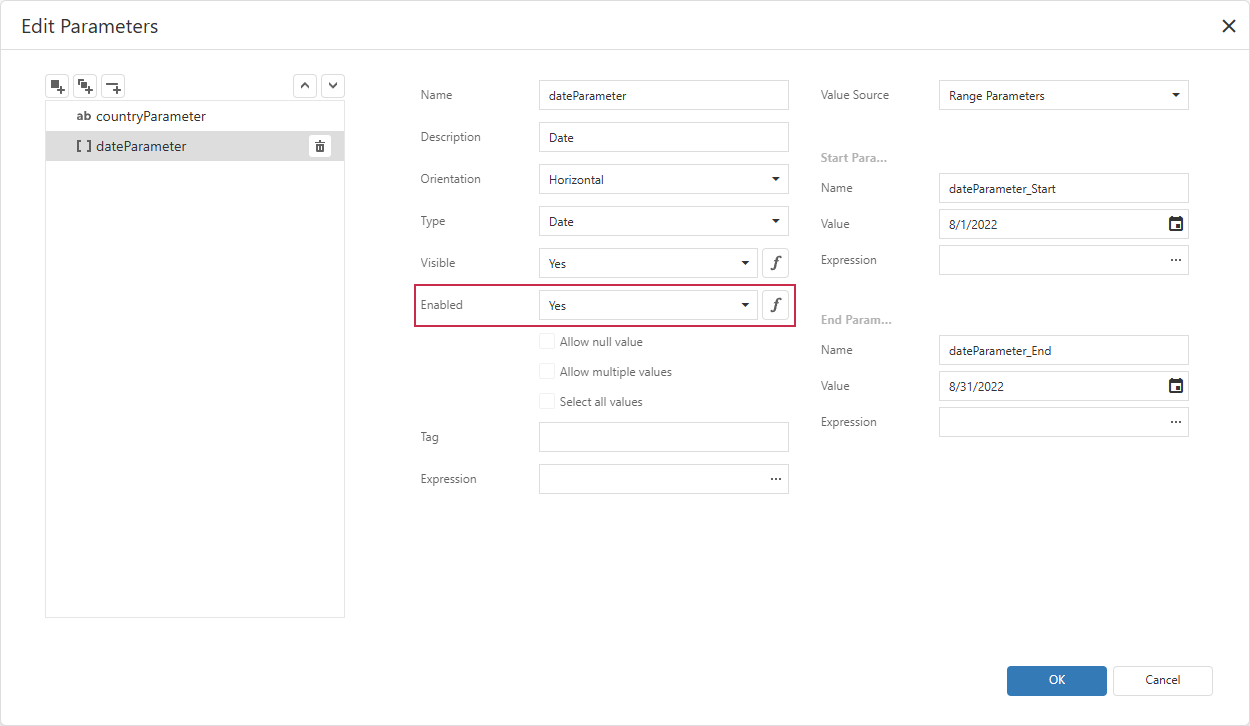
Use the Enabled property to specify if users can change the parameter value in the UI.
This property corresponds to the Enabled combo box in report settings:
Code Example: Disable a Parameter’s Editor
The following code snippet disables the ShowPendingTransactions parameter for closed periods so users cannot change its value in the UI:
uses
  dxReport,              // Declares the TdxReport class
  dxReport.Parameters,   // Declares the TdxReportParameter class
  System.SysUtils;       // Declares the CurrentYear function

procedure TForm1.ShowTransactionsReport(ATransactionsYear: Integer);
var
  AShowPendingTransactionsParameter : TdxReportParameter;
begin
  // Set the reporting period
  dxReport1.Parameters['TransactionsYear'].Value := ATransactionsYear;
  // Access the `ShowPendingTransactions` report parameter
  AShowPendingTransactionsParameter := dxReport1.Parameters['ShowPendingTransactions'];
  if ATransactionsYear < CurrentYear then
  begin
    // Indicate that the period is closed
    AShowPendingTransactionsParameter.Value := False;
    // Prevent users from changing the parameter value in the UI
    AShowPendingTransactionsParameter.Enabled := False;
  end;
  // Open the report
  dxReport1.ShowViewer;
end;
Default Value
The Enabled property’s default value is True.
See Also