TdxBackendCustomParameter.Description Property
Declaration
property Description: string read;Property Value
| Type | Description |
|---|---|
| string | The label displayed in the Parameters panel. |
Remarks
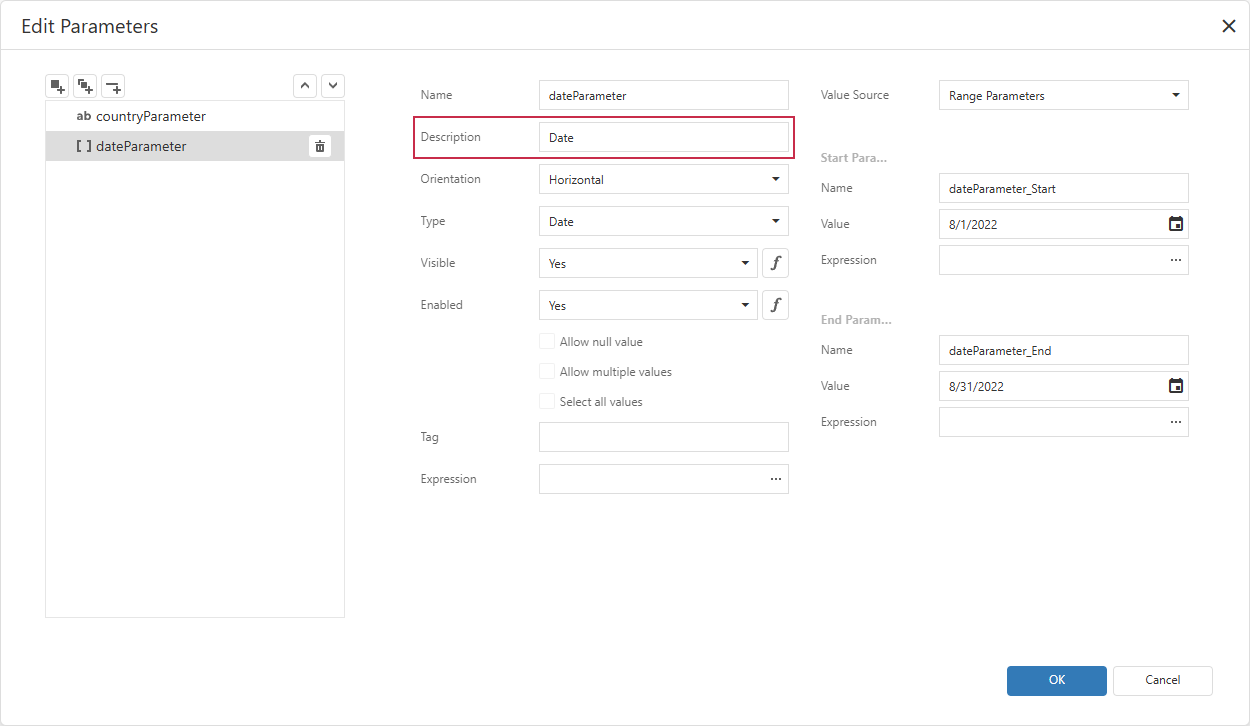
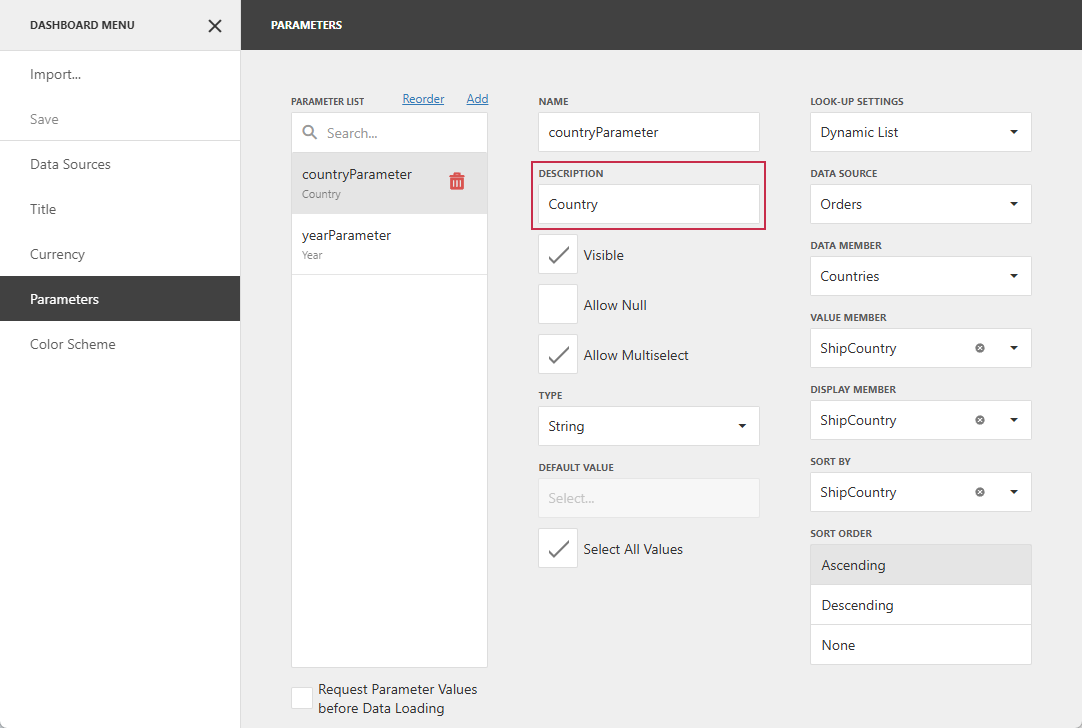
Use the Description property to read a parameter label displayed in the UI.
This property corresponds to the Description field in report / dashboard settings:
Note
If the Description property is unspecified, the Name property value is used as the parameter label.
Localization
If the parameter label is localized, the Description property returns the label based on the culture defined at the parent component level:
- TdxReport
- Use the TdxReport.Language property.
- TdxReportControl
- Use the TdxCustomReportControl.Language property.
- TdxDashboardControl
- Use the TdxCustomDashboardControl.Language property.
- TdxDashboard
- Use the TdxDashboard.Language property.
Code Examples
The following code snippets display all parameter labels or a unique identifier where a label is missing.
Note
The Description property is common to report and dashboard parameters. These examples perform the same operation but use component-specific APIs.
List Report Parameter Labels
uses
  dxReport.Control,      // Declares the TdxReportControl class
  dxReport.Parameters,   // Declares the TdxReportParameter class
  dxMessageDialog,       // Declares the TdxMessageDialogForm class
  System.StrUtils;       // Provides advanced string management routines

procedure TForm1.cxButton1Click(Sender: TObject);
var
  AList: TStringList;
  AParameter: TdxReportParameter;
begin
  // Create a TStringList instance
  AList := TStringList.Create;
  try
    // Iterate through report parameters
    for AParameter in dxReportControl1.Parameters do
      AList.Add(Format('- %s', [
        // Use the parameter Name if Description is missing
        IfThen(AParameter.Description <> '', AParameter.Description, AParameter.Name)
      ]));
    // Display the parameter list or a notification message if the list is empty
    if AList.Count > 0 then
      dxShowMessage(AList.Text)
    else
      dxShowMessage('The report has no parameters.');
  finally
    AList.Free;
  end;
end;
List Dashboard Parameter Labels
uses
  dxDashboard.Control,      // Declares the TdxDashboardControl class
  dxDashboard.Parameters,   // Declares the TdxDashboardParameter class
  dxMessageDialog,          // Declares the TdxMessageDialogForm class
  System.StrUtils;          // Provides advanced string management routines

procedure TForm1.cxButton1Click(Sender: TObject);
var
  AList: TStringList;
  AParameter: TdxDashboardParameter;
begin
  // Create a TStringList instance
  AList := TStringList.Create;
  try
    // Iterate through dashboard parameters
    for AParameter in dxDashboardControl1.Parameters do
      AList.Add(Format('- %s', [
        // Use the parameter Name if Description is missing
        IfThen(AParameter.Description <> '', AParameter.Description, AParameter.Name)
      ]));
    // Display the parameter list or a notification message if the list is empty
    if AList.Count > 0 then
      dxShowMessage(AList.Text)
    else
      dxShowMessage('The dashboard has no parameters.');
  finally
    AList.Free;
  end;
end;
See Also