TdxReportParameter.IsRangeParameter Property
Indicates if the parameter defines a range of date/time values.
Declaration
property IsRangeParameter: Boolean read;Property Value
| Type | Default | Description |
|---|---|---|
| Boolean | False |
|
Remarks
The IsRangeParameter property applies only to Date, Date and Time, and Time parameter types.
This property corresponds to the Range Parameters value of the Value Source combo box in report settings.
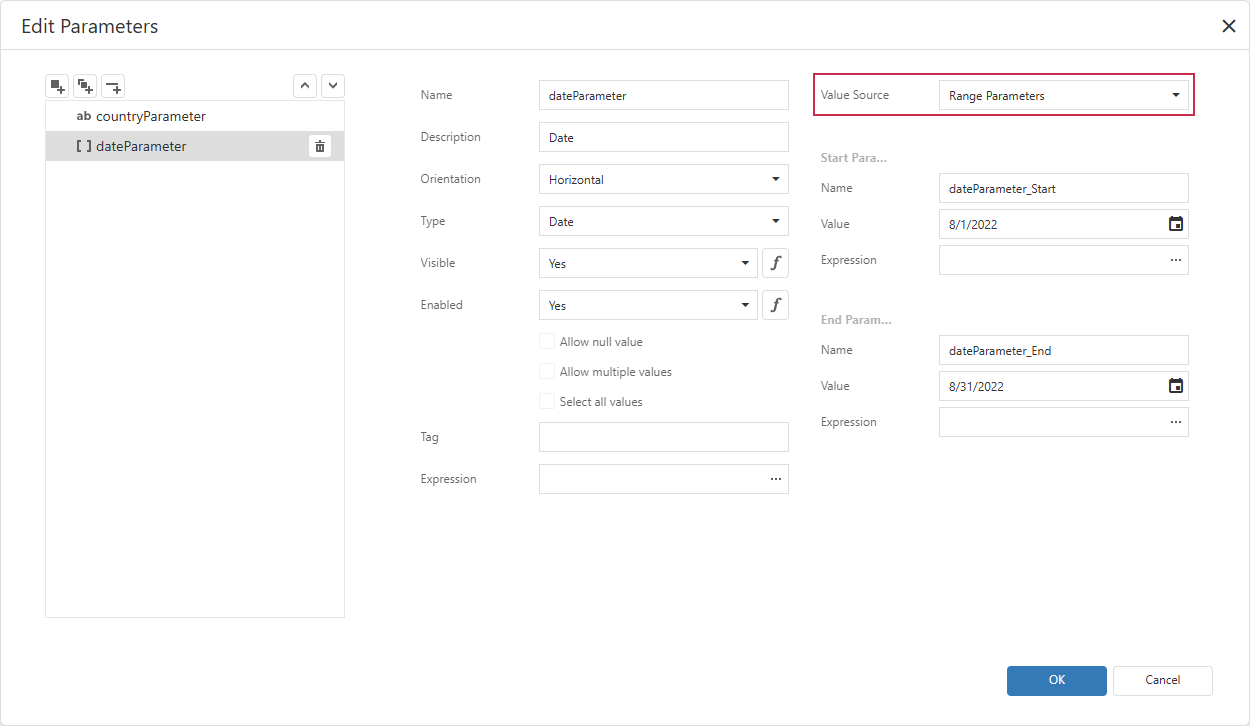
When IsRangeParameter is True, the parameter’s Value and Values properties contain two values: the first identifies the start of the range, and the second identifies the end of the range.
Code Example: Read Date Range Parameter Values
The following code snippet checks if the parameter defines a date range or a single date and retrieves default parameter values:
uses
  dxReport.Control,      // Declares the TdxReportControl class
  dxReport.Parameters,   // Declares the TdxReportParameter class
  dxMessageDialog;       // Declares the TdxMessageDialogForm class

procedure TForm1.cxButton1Click(Sender: TObject);
var
  AParameter: TdxReportParameter;
begin
  // Find the report parameter with the specified name
  AParameter := dxReportControl1.Parameters.ParamByName['dateParameter'];
  // Check if the parameter defines a date range
  if AParameter.IsRangeParameter then
    // Display the date range boundaries
    dxShowMessageFmt('Date range from %s to %s', [AParameter.Values[0].Value, AParameter.Values[1].Value])
  else
    // Display the default date
    dxShowMessageFmt('Single-date parameter: %s', [AParameter.Value])
end;
Default Value
The IsRangeParameter property’s default value is False.
See Also