Report Print Functionality
The DevExpress Report Generator for Delphi and C++Builder (the TdxReport component) has built-in print functionality.
Print-Related Commands
The Report Preview dialog includes Print and Print Page buttons:
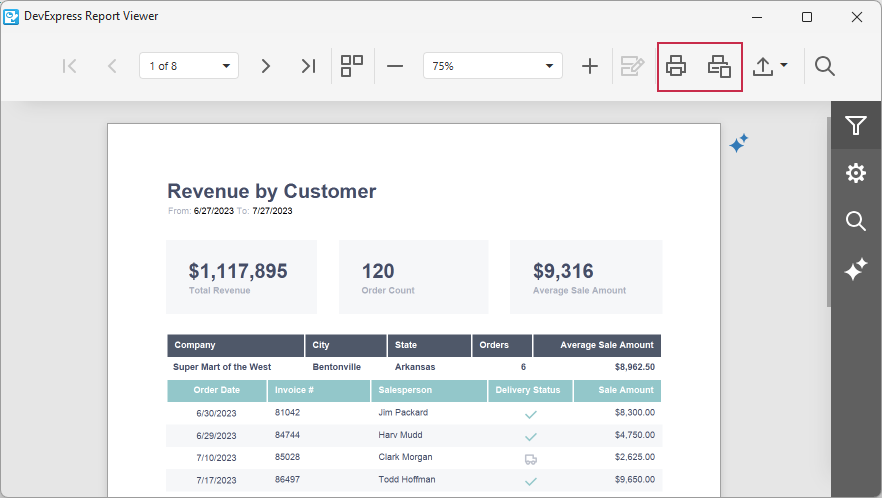
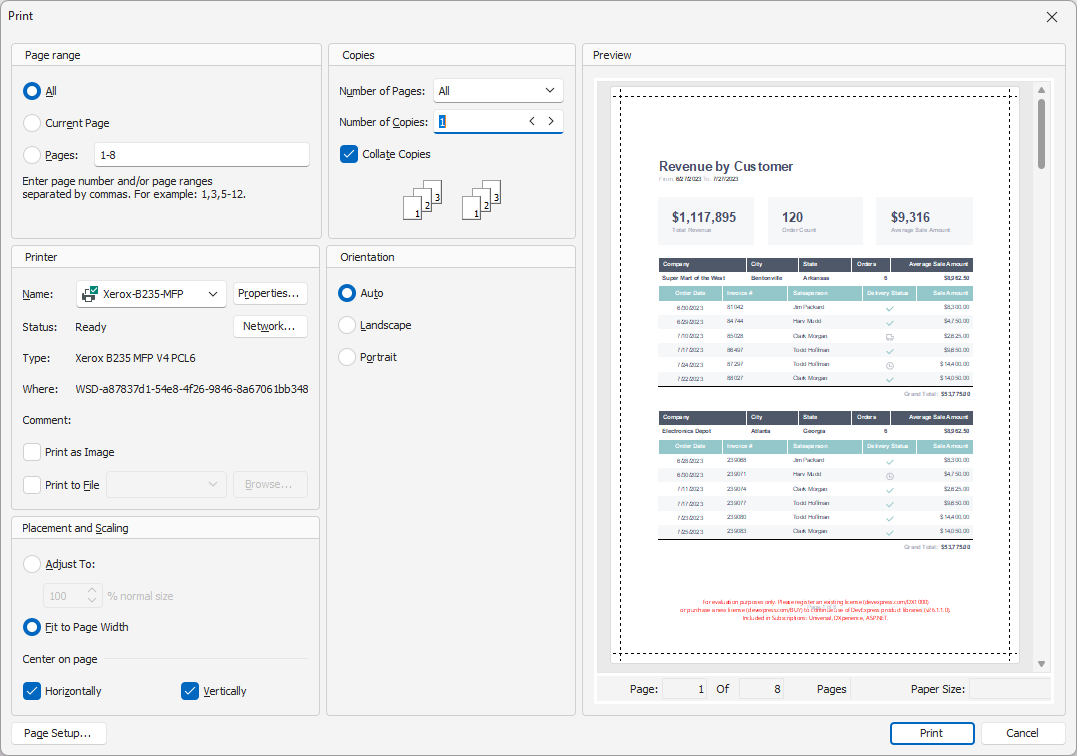
Print and Print Page buttons display the Print dialog for the generated report or its current page, respectively:
Related Compiled Demo
To see the TdxReport print and export functionality in action, run the Report Designer/Viewer demo in the VCL Demo Center installed with compiled DevExpress VCL demos. Click different items in the sidebar on the left to select different demos. Click the Print Preview button to display the Print Preview dialog. Use built-in UI elements to test print functionality.
Compiled DevExpress demos ship with source code installed in the Public Documents folder (%PUBLIC%) for all users (default). You can find all project and source code files for the Report Designer/Viewer demo in the following folder:
%PUBLIC%\Documents\DevExpress VCL Demos\MegaDemos\Product Demos\ExpressReports\
Tip
Project and source code files for all compiled DevExpress VCL Demos are maintained in a public repository hosted on GitHub: