SmartPasteSchedulerBehavior Class
SmartPaste analyzes the content you copy, creates a new appointment, and intelligently assigns the correct values to the appropriate appointment settings.
Namespace: DevExpress.AIIntegration.WinForms
Assembly: DevExpress.AIIntegration.WinForms.v26.1.dll
NuGet Package: DevExpress.AIIntegration.WinForms
Declaration
public sealed class SmartPasteSchedulerBehavior :
Behavior<ISmartPasteSchedulerBehaviorSource>Remarks
SmartPaste allows you to create appointments in the WinForms Scheduler by pasting text content directly from the clipboard. SmartPaste recognizes common appointment-specific data (subject, dates, times, location, agenda) and fills corresponding fields in the Scheduler’s appointment editor.
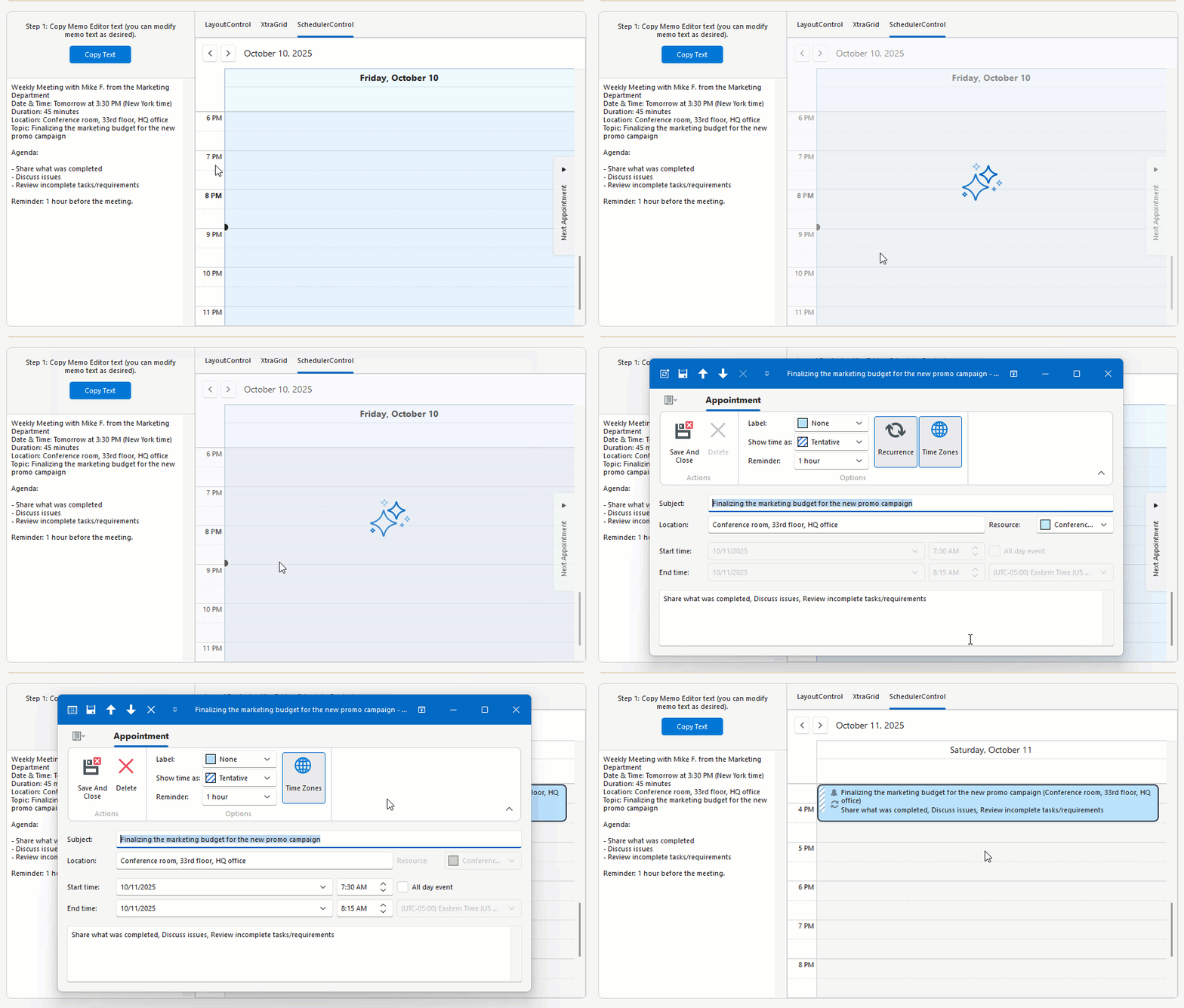
SmartPaste can detect and configure the following settings:
- Recurrence pattern (for example, every Monday at 10 AM until December)
- Time Zone
- Label
- Status
- Resources
public partial class Form1 : RibbonForm {
    public Form1() {
        InitializeComponent();
        schedulerControl.Start = System.DateTime.Now;

        // The behaviorManager1 component must be added to the Form at design time.
        behaviorManager1.Attach<SmartPasteSchedulerBehavior>(schedulerControl, behavior => {
            behavior.Properties.Temperature = 0.3f;
        });
    }
}
See the following help topic for more information and examples: Smart Paste AI-powered Extension.