SmartPasteBehavior Class
SmartPaste analyzes the content you copy (text or image data) and intelligently assigns the right values to the appropriate fields or row cells in grid cells and form fields.
Namespace: DevExpress.AIIntegration.WinForms
Assembly: DevExpress.AIIntegration.WinForms.v26.1.dll
NuGet Package: DevExpress.AIIntegration.WinForms
Declaration
Remarks
“SmartPaste” is an AI-powered feature that transforms the traditional copy-and-paste process into a smarter, more efficient tool. Designed to improve productivity, SmartPaste analyzes the content you copy and intelligently assigns the right values to the appropriate fields or row cells in the DevExpress Data Grid and LayoutControl-driven forms.
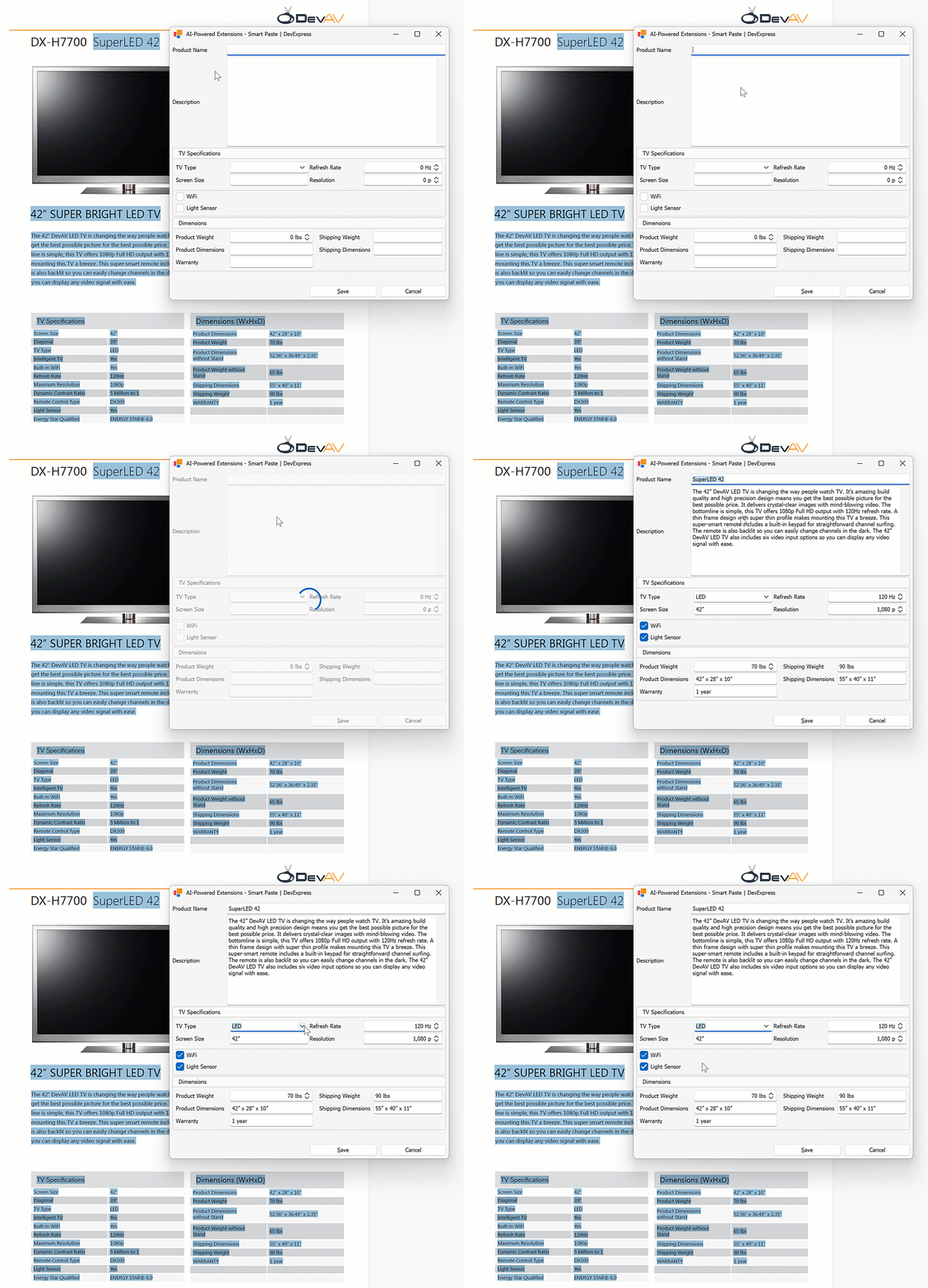
Read the following help topic for additional information and examples: Smart Paste AI-powered Extension.
Example
The following code snippet registers a SmartPasteBehavior and assigns it to an AdvBandedGridView. It uses the AI-powered SmartPaste extension to analyze clipboard content (text or image data) and automatically fill grid columns with structured data. The extension is configured to always return results in English.
public Form1() {
    InitializeComponent();
    behaviorManager1.Attach<SmartPasteBehavior>(advBandedGridView1, behavior => {
        behavior.Properties.PromptAugmentation = "Always translate the result into English.";
        behavior.Properties.ItemDescriptions.AddRange(new List<AIItemDescription>() {
                new AIItemDescription(advBandedGridView1.Columns["ProductName"], "Official name or product name."),
                new AIItemDescription(advBandedGridView1.Columns["ShippingWeight"], "Weight of the product when packaged for shipping (in lbs or kg)."),
                new AIItemDescription(advBandedGridView1.Columns["ProductDimensions"], "Physical size of TV without stand, typically in length, width, and height (in inches or mm)."),
                new AIItemDescription(advBandedGridView1.Columns["ShippingDimensions"], "Physical size of shipping package, typically in length, width, and height (in inches or mm)."),
                new AIItemDescription(advBandedGridView1.Columns["Warranty"], "Information related to the product warranty (in years or months)."),
            }
        );
        behavior.Properties.ExcludedItems.Add(advBandedGridView1.Columns["Notes"]);
        behavior.Properties.ProcessClipboardImage = DevExpress.Utils.DefaultBoolean.True;
    });
}