Printing Templates
In v19.1, we introduced a new set of WYSIWYG printing templates. The resulting reports reflect the Scheduler’s current state and settings: the selected days and resources, whether the visible time is limited to work hours, etc.
The OptionsPrinting property provides access to template settings.
The table below lists the printing templates.
Image | Description |
|---|---|
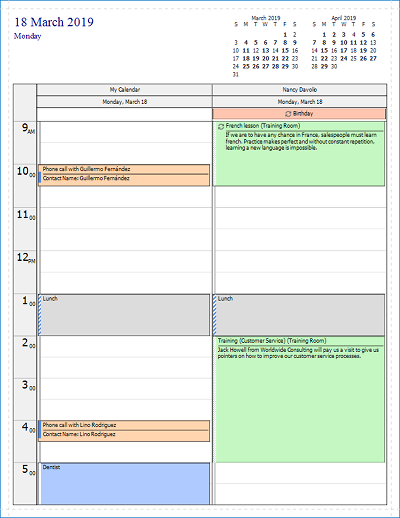
| Daily Style Displays one day per page, grouped by resource. |
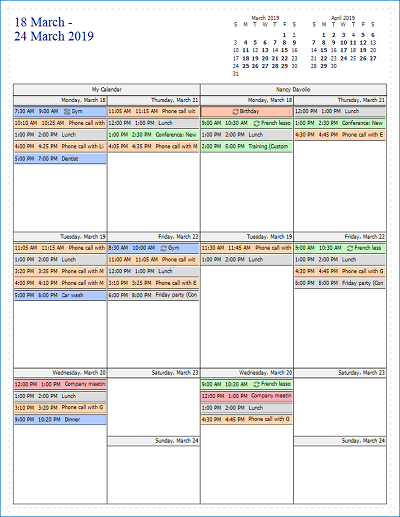
| Weekly Style Displays one week per page, grouped by resource. |
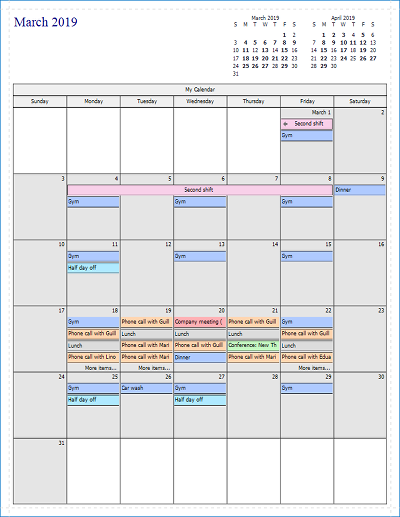
| Monthly Style Displays one month per page, grouped by resource. |
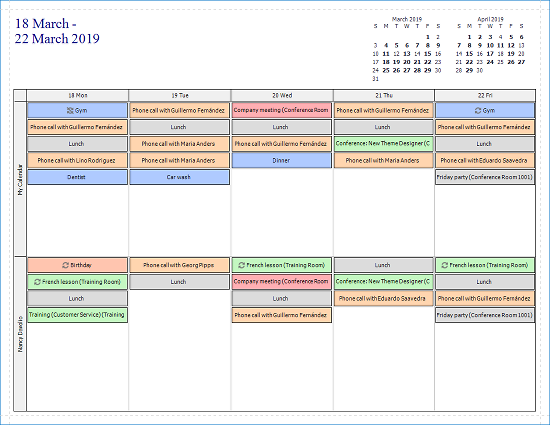
| Timeline Style Displays the visible days, grouped by resource. |
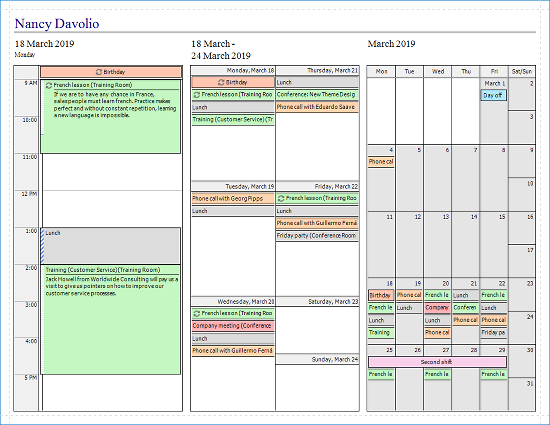
| Trifold Style Displays one day, one week, and a month as three separate sections on a single page for each visible day and resource. |
The SchedulerControl.Print, SchedulerControl.PrintDirect and SchedulerControl.ShowPrintPreview* methods accept a DevExpress.Xpf.Scheduling.ReportTemplate enumerable value as a parameter that specifies the template.