AIChatControl.MessageTemplate Property
Gets or sets the template used to display chat messages. This is a dependency property.
Namespace: DevExpress.AIIntegration.Wpf.Chat
Assembly: DevExpress.AIIntegration.Wpf.Chat.v26.1.dll
NuGet Package: DevExpress.AIIntegration.Wpf.Chat
Declaration
Property Value
| Type | Description |
|---|---|
| RenderFragment<BlazorChatMessage> | The message template. |
Remarks
Use the following properties to customize the chat message container (including paddings and inner content alignment) or message content:
MessageTemplate- MessageContentTemplate
Note
- The
MessageTemplateproperty takes priority over the MessageContentTemplate property if both templates are specified. - The MessageContentTemplate does not support messages when ContentFormat is set to
Markdown. When using MessageContentTemplate, implement markdown rendering logic within your custom template.
Example
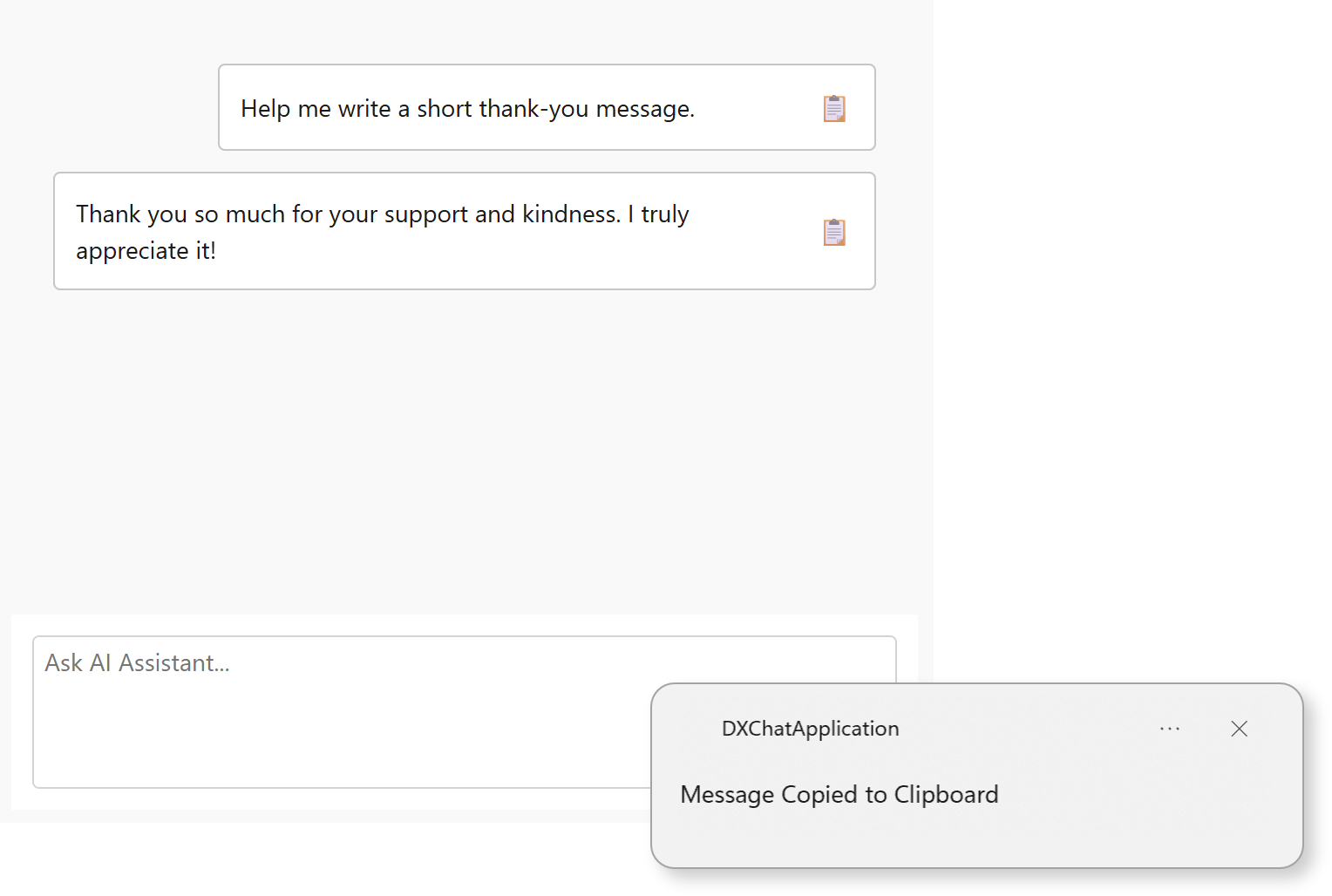
The following example displays a copy icon within chat messages. When a user clicks the icon, the message text is copied to the Clipboard, and a confirmation toast notification is displayed.
using DevExpress.AIIntegration.Blazor.Chat;
using DevExpress.Mvvm.UI;
using Microsoft.AspNetCore.Components;
using System.Windows;

namespace DXChatApplication {
    public partial class MainWindow {
        RenderFragment<BlazorChatMessage> MyMessageTemplate;
        readonly NotificationService notificationService;

        public MainWindow() {
            InitializeComponent();

            // Configure DevExpress NotificationService.
            notificationService = new NotificationService() {
                ApplicationId = "DXChatApplication",
                ApplicationName = "DXChatApplication",
                PredefinedNotificationTemplate = NotificationTemplate.LongText
            };

            MyMessageTemplate = message => builder => {
                builder.OpenComponent<Message>(0);
                builder.AddAttribute(1, "message", message);
                builder.AddAttribute(2, "OnButtonClick", EventCallback.Factory.Create<BlazorChatMessage>(this, CustomButtonClick));
                builder.CloseComponent();
            };

            aiChatControl.MessageTemplate = MyMessageTemplate;
        }

        void CustomButtonClick(BlazorChatMessage message) {
            Dispatcher.Invoke(() => {
                try { Clipboard.SetText(message.Content ?? string.Empty); } catch { }
                var notification = notificationService.CreatePredefinedNotification("Message Copied to Clipboard", message.Content, null);
                _ = notification.ShowAsync();
            });
        }
    }
}
The Message.razor file:
@using Microsoft.AspNetCore.Components.Web
@using DevExpress.AIIntegration.Blazor.Chat

<style>
    .demo-chat-content {
        display: flex;
        justify-content: space-between;
        align-items: center;
        gap: 8px;
        flex-direction: row;
    }

    .copy-icon {
        cursor: pointer;
        font-size: 16px;
        color: #555;
        transition: color 0.2s ease-in-out;
    }
</style>

<div class="@GetMessageClasses(message)">
    @if (message.Typing)
    {
        <span>Loading...</span>
    }
    else
    {
        <div class="demo-chat-content">
            <span>@message.Content</span>
            <span class="copy-icon" title="Copy" @onclick="OnButtonClicked">📋</span>
        </div>
    }
</div>

@code {
    [Parameter]
    public BlazorChatMessage message { get; set; }

    [Parameter]
    public EventCallback<BlazorChatMessage> OnButtonClick { get; set; }

    string GetMessageClasses(BlazorChatMessage message) {
        switch (message.Role) {
            case ChatMessageRole.Assistant:
                return "dxbl-chatui-message dxbl-chatui-message-assistant";
            case ChatMessageRole.User:
                return "dxbl-chatui-message dxbl-chatui-message-user";
            case ChatMessageRole.Error:
                return "dxbl-chatui-message dxbl-chatui-message-error";
            default:
                return "dxbl-chatui-message";
        }
    }

    async Task OnButtonClicked() {
        if (OnButtonClick.HasDelegate)
            await OnButtonClick.InvokeAsync(message);
    }
}
Refer to the following help topic for additional information: AI Chat Control
See Also