AIChatControl.FileUploadEnabled Property
Gets or sets whether users can attach files to messages. This is a dependency property.
Namespace: DevExpress.AIIntegration.Wpf.Chat
Assembly: DevExpress.AIIntegration.Wpf.Chat.v26.1.dll
NuGet Package: DevExpress.AIIntegration.Wpf.Chat
Declaration
Property Value
| Type | Description |
|---|---|
| Boolean |
|
Remarks
Users can attach files directly to their chat messages. AI analyzes document content (such as text files, PDFs, images) and delivers more context-aware responses.
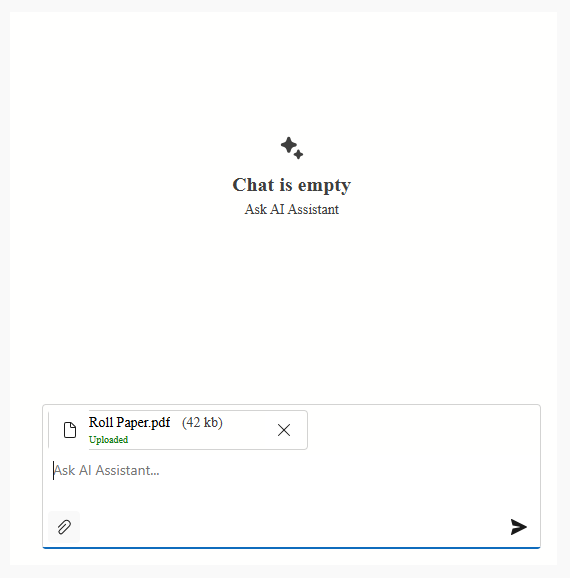
To activate file upload:
- Enable the
FileUploadEnabledproperty. - Configure additional settings based on your project requirements (maximum file size, allowed file types/extensions, maximum number of files that users can attach to a message).
<dxaichat:AIChatControl
    x:Name="aiChatControl"
    FileUploadEnabled="True"
    UseStreaming="True"
    HorizontalAlignment="Stretch"
    VerticalAlignment="Stretch"
    Margin="10">
    <dxaichat:AIChatControl.FileUploadSettings>
        <chat:DxAIChatFileUploadSettings MaxFileSize="5000000" MaxFileCount="5">
            <chat:DxAIChatFileUploadSettings.AllowedFileExtensions>
                <system:String>.png</system:String>
                <system:String>.pdf</system:String>
                <system:String>.txt</system:String>
            </chat:DxAIChatFileUploadSettings.AllowedFileExtensions>
            <chat:DxAIChatFileUploadSettings.FileTypeFilter>
                <system:String>image/png</system:String>
                <system:String>application/pdf</system:String>
                <system:String>text/plain</system:String>
            </chat:DxAIChatFileUploadSettings.FileTypeFilter>
        </chat:DxAIChatFileUploadSettings>
    </dxaichat:AIChatControl.FileUploadSettings>
</dxaichat:AIChatControl>
Tip
See the following article for more information on MIME types (FileTypeFilter): Common Media Types.
Refer to the following help topic for additional information: AI Chat Control
See Also