GridSwipeItem.Command Property
Gets or sets the command executed when a user taps the swipe item. This is a bindable property.
Namespace: DevExpress.Maui.DataGrid
Assembly: DevExpress.Maui.DataGrid.dll
NuGet Package: DevExpress.Maui.DataGrid
Declaration
public ICommand Command { get; set; }Property Value
| Type | Description |
|---|---|
| ICommand | A command that exposes the ICommand interface. |
Remarks
Use the Command property or handle the GridSwipeItem.Tap event to specify which action should be performed when you tap a swipe item.
In DataGridView, the CommandParameter property is hidden and its value is set to a swiped item internally. You can access the item in the command if you define the command with a parameter.
For more information about using commands in MAUI, refer to the following page: Commanding.
Example
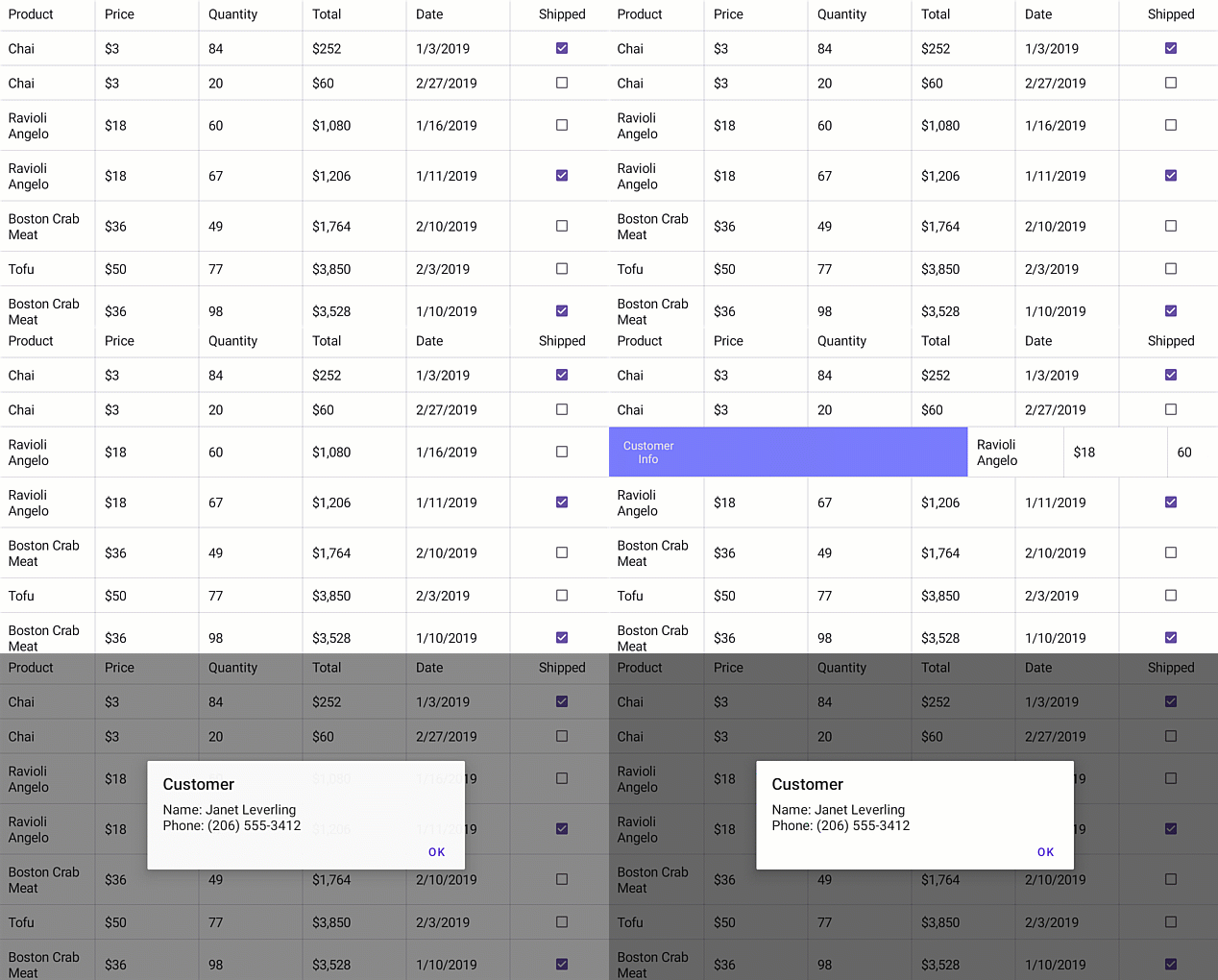
The following example shows how to perform a command when a user swipes a grid row:
<dxg:DataGridView.StartSwipeItems>
    <dxg:GridSwipeItem Caption="Customer Info"
                   FontSize="14"
                   BackgroundColor="#797bff"
                   Command="{Binding SwipeItemCommand}" />
</dxg:DataGridView.StartSwipeItems>
public MainPage() {
    InitializeComponent();
    this.BindingContext = new TestOrderRepository(this);
}
//...
    public class TestOrderRepository : OrderRepository {
        Page page;
        //...
        public ICommand SwipeItemCommand { get; set; }

        public TestOrderRepository(Page page) : base() {
            this.page = page;
            //...
            this.SwipeItemCommand = new Command<Order>(PerformActionOnSwipe);
            //...
        }
        private void PerformActionOnSwipe(Order order) {
            var customer = order.Customer;
            string customerName = customer.Name;
            string customerPhone = customer.Phone;
            page.DisplayAlert("Customer", "Name: " + customerName + "\n" + "Phone: " + customerPhone, "OK");
        }
    }
Note
The example above is based on the Swipe sample but uses a command instead an event to respond user swipe actions.