GridSwipeItem Class
Stores information about an action button shown when a user swipes a data row.
Namespace: DevExpress.Maui.DataGrid
Assembly: DevExpress.Maui.DataGrid.dll
NuGet Package: DevExpress.Maui.DataGrid
Declaration
public class GridSwipeItem :
    VisualElement,
    IAppearanceOwner
Related API Members
The following members return GridSwipeItem objects:
Remarks
Add SwipeItem objects to the DataGridView.StartSwipeItems or DataGridView.EndSwipeItems collections to create swipe buttons in the grid.
Example
This example shows how to extend the grid’s UI with additional elements (buttons) that appear when a user swipes a data row (from left to right or from right to left) and perform custom actions on tap.
Define two swipe actions for rows of the grid bound to the collection of orders:
- Display information on a customer - When a user swipes a data row from left to right, the Customer button appears on the left side of the row.
- Remove an order - When a user swipes a data row from right to left, the Delete button appears on the right side of the row.
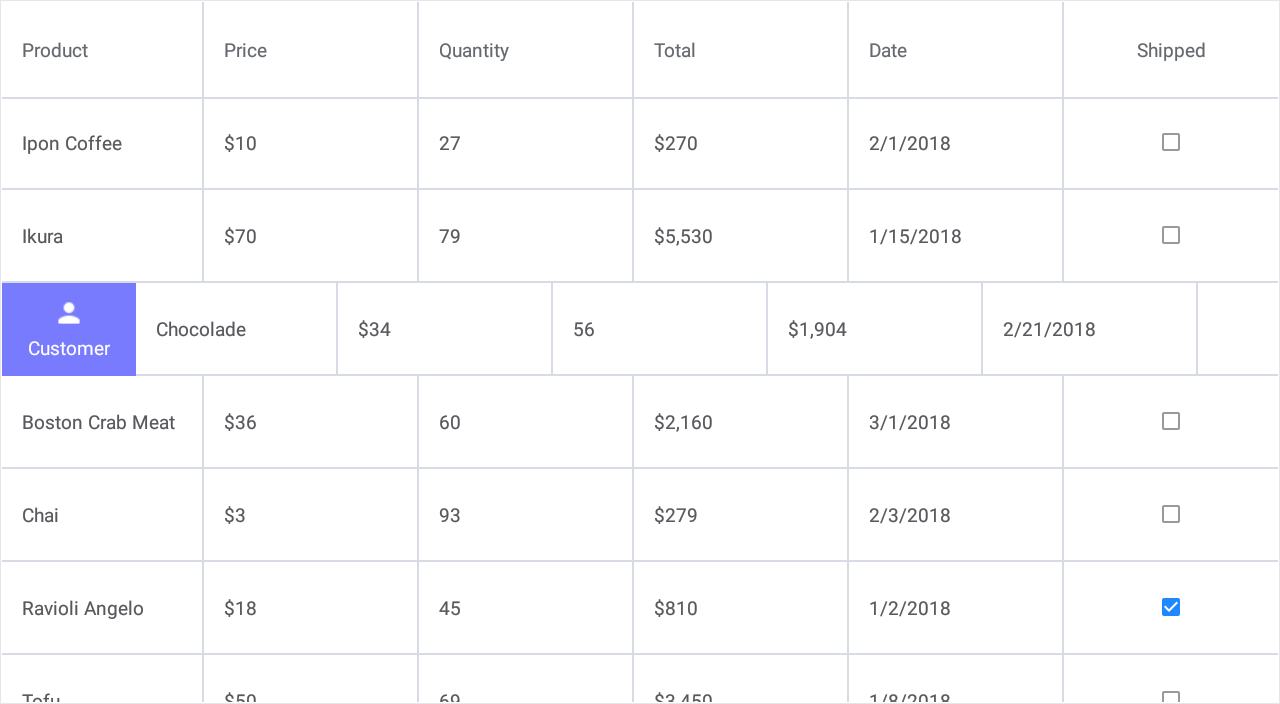
Start Swipe Item
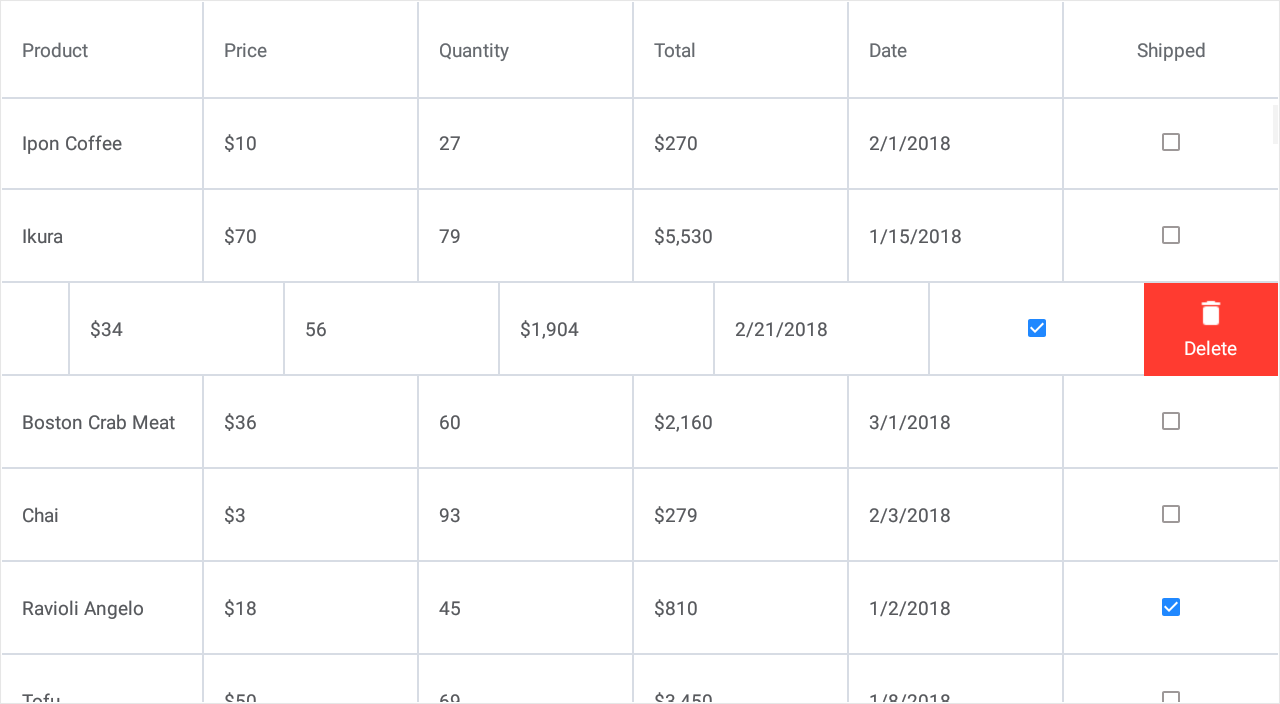
End Swipe Item
Follow the steps below to implement this functionality:
- Add a
GridSwipeItemobject to the DataGridView.StartSwipeItems or DataGridView.EndSwipeItems collection. - Use this object’s Caption, BackgroundColor and Image properties to customize each button appearance.
If you need to apply the same appearance settings to all swipe buttons of the grid, assign a SwipeItemAppearance object with the specified properties to DataGridView.SwipeItemAppearance. In the current example, all buttons have the identical width (SwipeItemAppearance.Width). - Handle the SwipeItem.Tap event to assign a custom action to a button.
Note
The grid performs the first action from its StartSwipeItems collection or last action from EndSwipeItems in response to a full swipe across the row from left to right or from right to left. To change this behavior, use the DataGridView.FullSwipeMode property.
<dxg:DataGridView x:Name="grid" ItemsSource="{Binding Orders}">
    <!-- ... -->
    <dxg:DataGridView.StartSwipeItems>
            <dxg:GridSwipeItem Caption="Customer" BackgroundColor="#797bff" Image="person.png"
                           Tap="Swipe_ShowCustomerInfo" />
    </dxg:DataGridView.StartSwipeItems>
    <dxg:DataGridView.EndSwipeItems>
            <dxg:GridSwipeItem Caption="Delete" BackgroundColor="#ff3b30" Image="delete.png"
                           Tap="Swipe_Delete"/>
    </dxg:DataGridView.EndSwipeItems>

    <dxg:DataGridView.SwipeItemAppearance>
        <dxg:SwipeItemAppearance Width="100"/>
    </dxg:DataGridView.SwipeItemAppearance>
</dxg:DataGridView>