
WizardSettings.EnableObjectDataSource Property
Allows you to hide the Object Data Source option and related pages in the Data Source Wizard.
Namespace: DevExpress.XtraReports.Web.ReportDesigner.DataContracts
Assembly: DevExpress.Data.v26.1.dll
NuGet Package: DevExpress.Data
Declaration
[DataMember(Name = "enableObjectDataSource")]
public bool EnableObjectDataSource { get; set; }Property Value
| Type | Description |
|---|---|
| Boolean |
|
Property Paths
You can access this nested property as listed below:
| Object Type | Path to EnableObjectDataSource |
|---|---|
| ReportDesignerSettingsBase |
|
Remarks
The following image shows how the EnableObjectDataSource option affects the Select data source type wizard page:
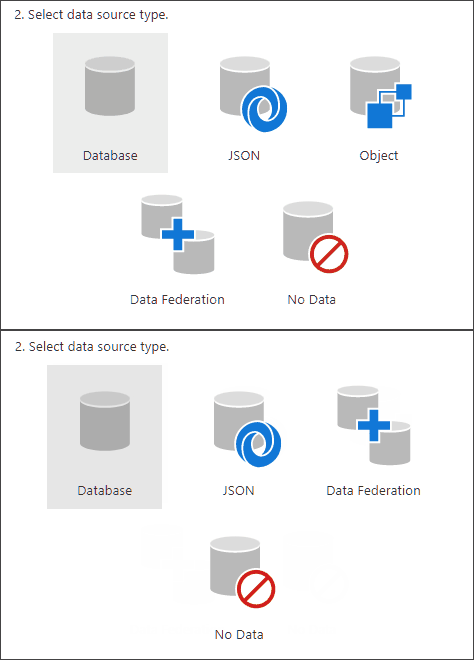
The following code disables the EnableObjectDataSource option:
var designerRender = Html.DevExpress().ReportDesigner("reportDesigner")
            .Height("100%")
            .WizardSettings(s => s.EnableObjectDataSource = false)
            .Bind("TestReport");
@designerRender.RenderHtml()
See Also