EditingFieldExtensionsWin.RegisterImageEditor(String, String, ImageEditorOptions) Method
Registers a custom image editor that you can use to edit the XRPictureBox‘s content in Print Preview.
Namespace: DevExpress.XtraPrinting.Preview
Assembly: DevExpress.XtraPrinting.v26.1.dll
NuGet Package: DevExpress.Win.Printing
Declaration
public virtual bool RegisterImageEditor(
    string name,
    string displayName,
    ImageEditorOptions options
)Parameters
| Name | Type | Description |
|---|---|---|
| name | String | The registered image editor’s unique name. |
| displayName | String | The registered image editor’s display name. |
| options | ImageEditorOptions | An object that provides settings for the registered image editor. |
Returns
| Type | Description |
|---|---|
| Boolean | true if the image editor has been successfully registered; otherwise, false. |
Remarks
You can use one of predefined image editors in Print Preview:
| “Image” | “Signature” | “Image and Signature” |
|---|---|---|
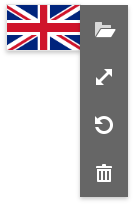 |
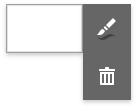 |
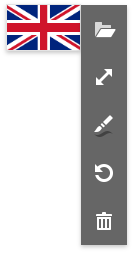 |
Use the RegisterImageEditor method to register an image editor with a custom set of menu items. Pass an object of the ImageEditorOptions type as the method’s options parameter.
using DevExpress.XtraPrinting.Preview;

//...

ImageEditorOptions imageEditorOptions = new ImageEditorOptions() {
    AllowLoadImage = false,
    AllowChangeSizeOptions = false,
    AllowDraw = true,
    AllowClear = false
};
EditingFieldExtensionsWin.Instance.RegisterImageEditor("DamageDiagram", "Damage Diagram", imageEditorOptions);
Note
The  menu item resets the editor’s content. This item is available only when the Picture Box control has an original image (see ImageSource).
You can also add the  item to the image editor’s menu. This item allows end users to choose one of the predefined images and load it to the editor. Use the PredefinedImages property to specify the predefined image collection.

To use the registered editor in Print Preview, set a XRPictureBox control’s EditOptions | Enabled property to true and the EditOptions | EditorName property - to the registered editor’s name.
The following sample demonstrates how to do this in code.
using DevExpress.XtraReports.UI;

//...

XtraReport1 report = new XtraReport1();
XRPictureBox pictureBox = report.Bands["ReportHeader"].FindControl("xrPictureBox1", true) as XRPictureBox;
pictureBox.EditOptions.Enabled = true;
pictureBox.EditOptions.EditorName = "DamageDiagram";
An end user can set the registered image editor in the End-User Report Designer’s Property Grid.

The following image demonstrates the registered image editor that allows end users to draw only.
