JavaScript-based Document Viewer
- 4 minutes to read
The JavaScript-based Document Viewer for Blazor allows you to display reports in your Blazor apps. The viewer allows users to specify data parameters, navigate the report, and print or export the resulting document.
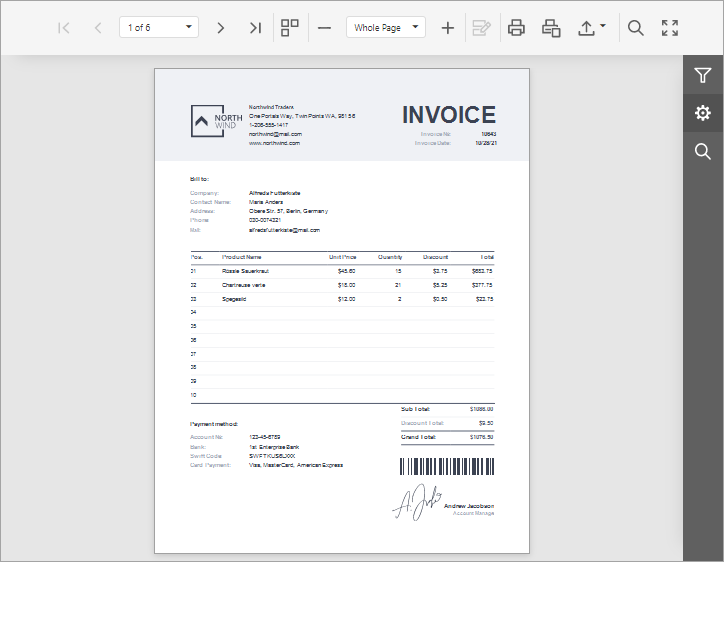
Depending on your application type and requirements, use one of the following components:
| Component | Communication Mechanism | Requires an ASP.NET Core Backend |
|---|---|---|
| DxDocumentViewer | SignalR | No |
| DxWasmDocumentViewer | fetch | Yes |
For a more comprehensive overview of DevExpress Blazor Reporting components, refer to the following topic: Blazor Reporting Components Overview.
AI-assisted Development
Use the following AI-coding assistant extensions to develop applications with DevExpress Reports more efficiently:
- DevExpress MCP Server
- Connects GitHub Copilot and other AI assistants to DevExpress documentation for accurate code generation without leaving the IDE.
- DevExpress AI Skills
- Provides reusable AI skills for component integration and customization in Blazor applications.
Get Started
The following topics show how to create a Blazor application with the JavaScript-based Document Viewer using DevExpress and Microsoft templates:
- Use DevExpress Templates to Create a Blazor Application with a JavaScript-based Document Viewer
- Add a JavaScript-Based Document Viewer to a Blazor Web App (Interactive Server)
- Add a JavaScript-Based Document Viewer to a Blazor WebAssembly Standalone App (Visual Studio)
- Add a JavaScript-Based Document Viewer to a Blazor Web App (Interactive WebAssembly) with an ASP.NET Core Backend
Demos and Examples
Visit our online demos and learn about key features and capabilities of our JavaScript-based Document Viewer:
Search sample projects and learn how to use and customize the DevExpress Blazor Reporting components:
End-User Documentation
For end-user documentation for the JavaScript-based Document Viewer, refer to the following topics:
Nested Components
Use the following nested components to customize the Document Viewer UI and behavior:
- DxDocumentViewerExportSettings
- Contains settings for print and export operations.
- DxDocumentViewerProgressBarSettings
- Contains the progress bar’s settings. The progress bar indicates the progress of a document generation.
- DxDocumentViewerSearchSettings
- Contains settings that apply to the Web Document Viewer’s search operations.
- DxDocumentViewerTabPanelSettings
- A nested component that allows you to customize the Document Viewer’s tab panel.
- DxDocumentViewerCallbacks
- Specifies client-side event handler functions for the Web Document Viewer. See DxDocumentViewerCallbacks Members for the complete list of events.
- DxDocumentViewerRequestOptions
- A nested component that allows you to specify where to send requests from the Document Viewer.
- DxWasmDocumentViewerRequestOptions
- A nested component that allows you to specify where to send requests from the Document Viewer.
Load Reports and Restore Data Connections
The following guides explain how to display a data-aware report in the Document Viewer:
Report Parameters
Report Parameters allow you to filter report data dynamically. Learn how you can specify parameter values in the JavaScript-based Document Viewer in the following topic: Specify Parameter Values.
Customize the UI
Learn how you can customize the Document Viewer UI:
- Handle Client-Side Events
- Customize Parameter Editors
- Customize the Document Viewer Tab Panel
- Customize the Document Viewer Toolbar
AI-powered Extensions
You can integrate the following AI-powered commands into the Document Viewer: Summarize, Translate, and Translate Inline.
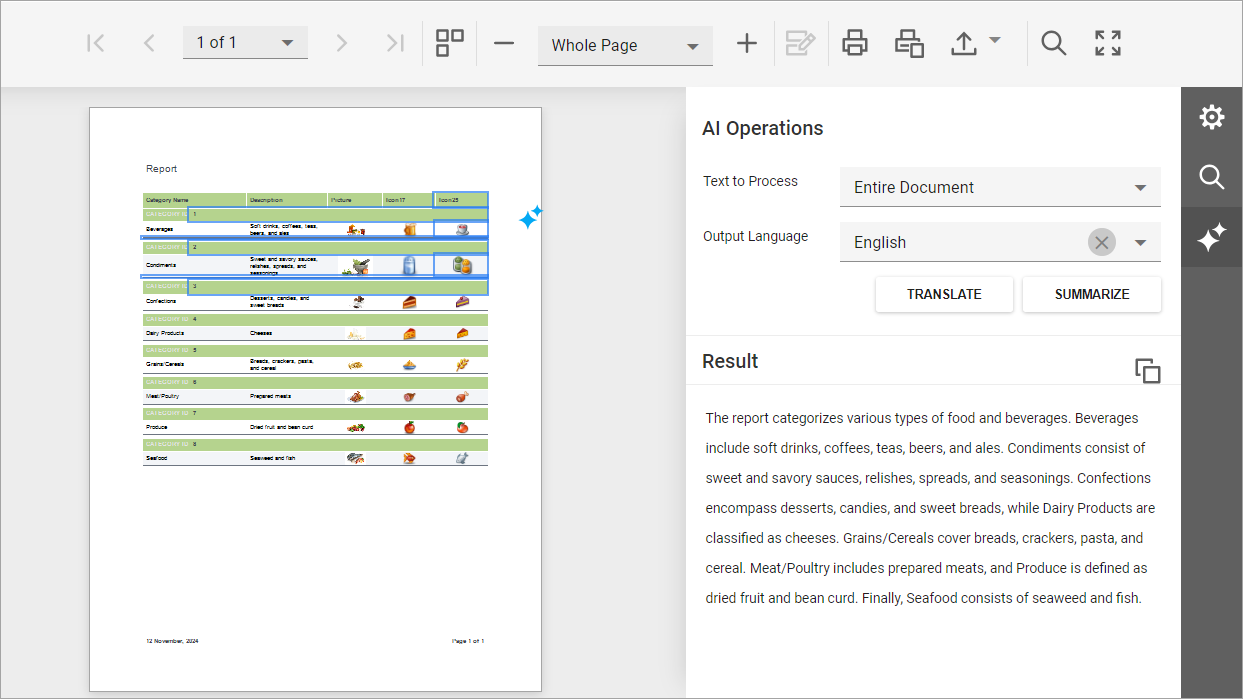
For integration details, refer to the following help topic: Summarize and Translate Reports in the Web Document Viewer.
Localization
Learn how to localize the Document Viewer UI:
Use the CustomizeLocalization event to change specific strings in the Document Viewer UI.
Accessibility
Accessibility is one of our team’s top priorities. We continuously test our UI controls against accessibility guidelines such as WCAG 2.2 (Level AA), Section 508, and EN 301 549. For additional information about accessibility support in the DevExpress JavaScript-based Document Viewer, refer to the following help topic: Accessibility for Web Document Viewer.
To enable accessibility mode, set the AccessibilityCompliant property to true:
<DxDocumentViewer ReportName="TestReport" Height="1000px" Width="100%" AccessibilityCompliant="true" />
For information on keyboard navigation, refer to the following help topic: Keyboard Shortcuts in Web Document Viewer.
WebAssembly Deployment Specifics (no ASP.NET Core Backend)
When you run an application with the Document Viewer in a WebAssembly (WASM) environment, keep the following limitations in mind:
- Data Sources
- Only JSON and Object data sources are currently supported.
- Rendering Engine (Skia)
- The Report Viewer uses a Skia-based engine to render content in the browser. Make sure your project references
DevExpress.Drawing.Skia. - Font Management
- WASM applications cannot rely on system fonts. Use DXFontRepository to explicitly load and register all required fonts.
To ensure that a Blazor WebAssembly application runs properly, set the MSBuild WasmBuildNative setting to true.
Troubleshooting
The following help topic lists common issues that can occur in a Web Reporting application and describes solutions: Troubleshooting.
For information on how to identify the cause of an issue, refer to the following topic: Reporting Application Diagnostics.