Document Viewer
The Web Document Viewer displays an interactive preview of a document generated from a report. The Document Viewer allows users to view, print, and export the report document.
The Viewer toolbar contains commands to navigate, print, and export the document. The Tab Panel on the right provides access to the Parameters Panel to specify report parameters, the Export Options Panel to configure format-specific export settings, the Search Panel to search for text in the document, and the Document Map Panel to navigate bookmarks.
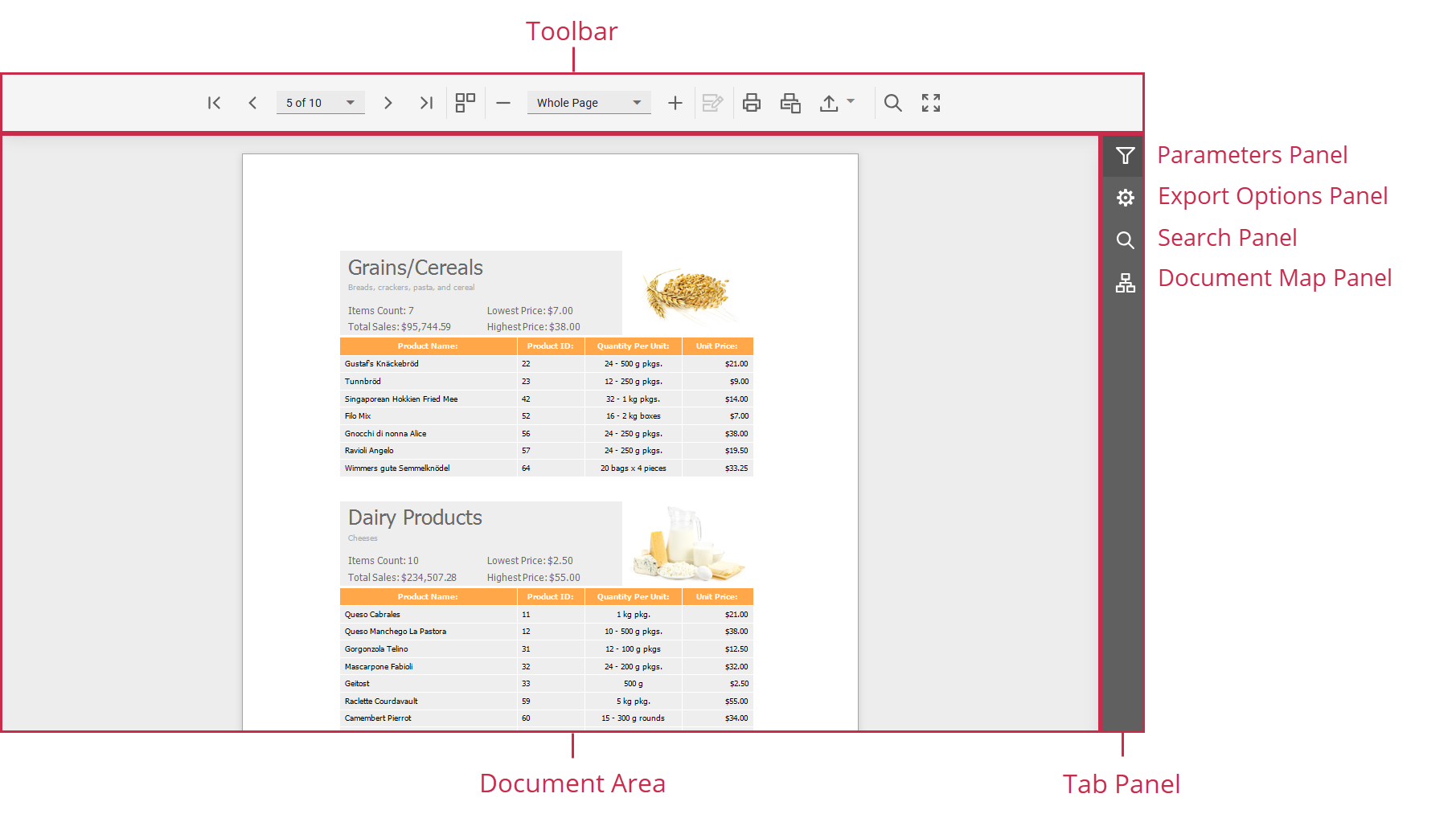
Refer to the following topics for details on how to use the Web Document Viewer:
View and Navigate
- Navigate Between Pages
- Navigate Using Bookmarks
- Search for a Specific Text
- Switch Multipage Mode
- Zoom