Splash Screen Manager
- 2 minutes to read
The SplashScreenManager component allows you to create and display splash forms and images. The main features include:
- Manually show and hide splash screens.
- Automatically display and hide splash screens on the main form’s startup.
- Customize splash screens at design-time.
- Show splash forms in a separate thread.
- Splash screens can display interactive UI elements.
Note
Not all splash forms support all of these features. See below for more information.
Tip
DevExpress AI Skills help your AI assistant generate code that uses Splash Screen API in accordance with DevExpress best practices:
Skin Splash Screen
A skin-aware splash screen.
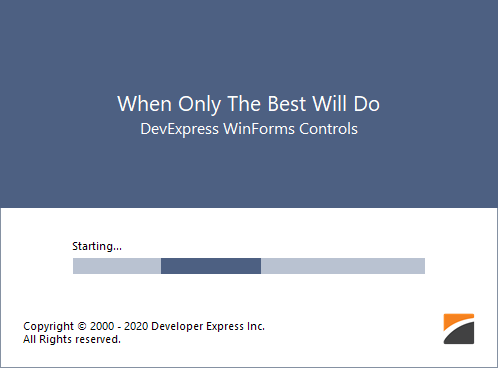
- The color and font settings are skin dependent.
- You can customize and show this splash screen in code.
See Skin Splash Screen.
Fluent Splash Screen
A Windows 10-inspired splash screen.

- Features an Acrylic material effect — a partially transparent texture.
- You can create and customize this splash screen in code.
See Fluent Splash Screen.
Default Splash Screen

- Non-skin dependent appearance.
- Supports design-time customization.
- Can be automatically shown and closed at main form startup.
See Splash Screen.
Splash Image
Displays any image as a splash screen.
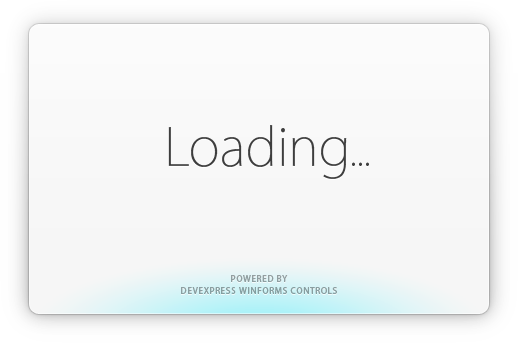
- Image transparency is supported, so splash images may be of an irregular form and may contain shadows.
- Supports design-time customization.
- Can be automatically shown and closed at main form startup.
See Splash Image.
Overlay Form
A semi-transparent splash screen that overlays its parent control or form.

- Overlaps the parent form/control.
- Prevents users from accessing the parent form/control while the Overlay Form is visible.
- The wait indicator type and colors depend on the control’s skin.
See Overlay Form.
Wait Form
A skin-aware form designed to indicate progress of time-consuming operations.

- Contains an animated image and two labels.
- Can be used to indicate the progress of operations during your application run.
See Wait Form.
Examples
- How to: Dynamically Update Wait Form’s Caption or Description
- How to: Dynamically Update Custom Controls Added to Splash Forms
- How to: Show an Image as a Splash Screen and Draw Custom Information Over this Image
- How to: Display a Custom Button on an Overlay Form
- How to: Display a Loading Panel During a Time-Consuming Operation
- How to: Dynamically Change Wait Form Labels
- How to: Cancel a Time-Consuming Operation (Wait Form)
- How to: Display a Splash Image with Custom Information
- How to: Interact with the Splash Screen by Sending Commands
- WinForms Overlay Form - Display a Custom Button