DevExpress Documentation MCP Server
- 3 minutes to read
The DevExpress Documentation MCP Server allows AI coding assistants to access information and code examples from DevExpress documentation. This topic focuses on VCL-specific workflows and API guidance.
Connectivity
To get the latest DevExpress help topics, use the following HTTPS endpoint: https://api.devexpress.com/mcp/docs.
Tip
Use https://api.devexpress.com/mcp/docs?v={version number} endpoint to get documentation for a specific DevExpress VCL version.
For example: https://api.devexpress.com/mcp/docs?v=25.2.
Our MCP Server exposes the following tools:
| MCP Tool | Purpose |
|---|---|
devexpress_docs_search |
Searches across DevExpress documentation for relevant help topics. |
devexpress_docs_get_content |
Retrieves a complete help topic by URL, including API syntax and code examples. |
The server operates over the Streamable HTTP transport.
Integration with Embarcadero Kai for RAD Studio
Embarcadero Kai transforms RAD Studio into an agentic development environment that combines code suggestions with an AI agent that can generate, build, fix, and evolve your applications.
To integrate Embarcadero Kai with the DevExpress Documentation MCP Server:
Open RAD Studio settings (Tools → Options…) and expand the Kai section.
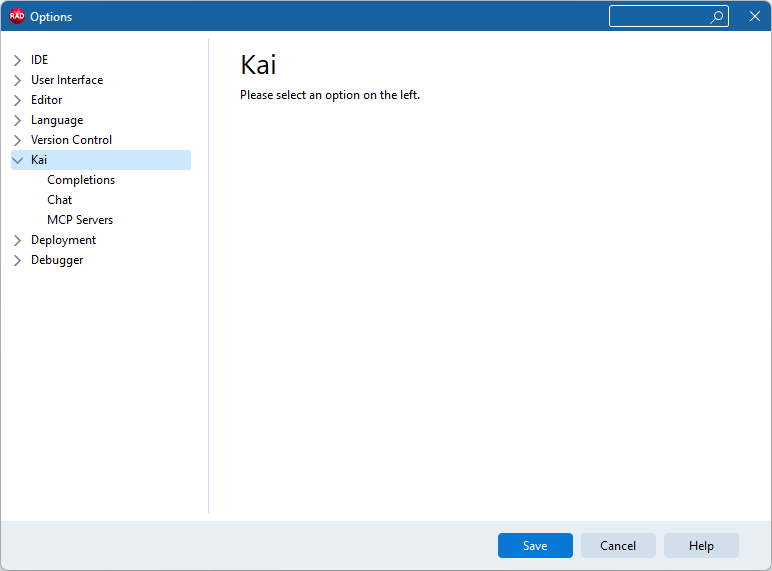
Switch to MCP Servers.
Click the Add icon on top of the Servers list and specify the following properties:
- Name: A unique name that identifies this MCP server in the list (for example, DevExpress Documentation)
- Type: Remote
URL:
https://api.devexpress.com/mcp/docsTools:
devexpress_docs_searchdevexpress_docs_get_content
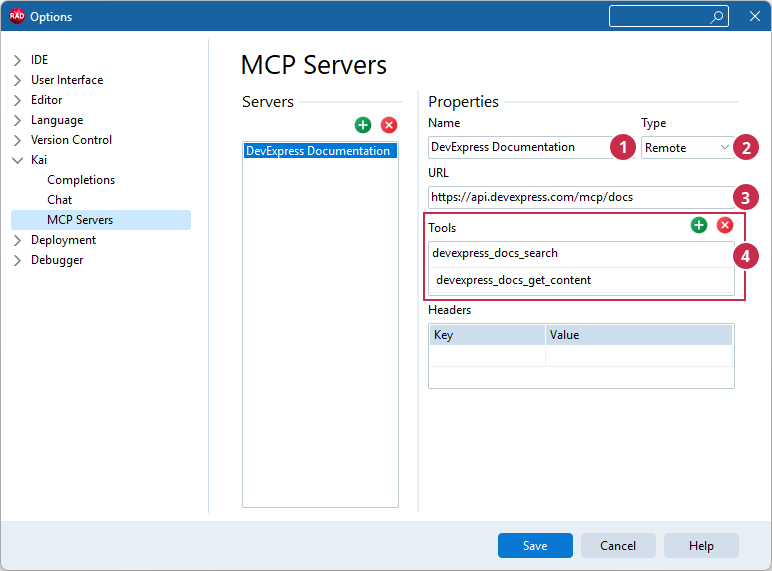
Click the Save button.
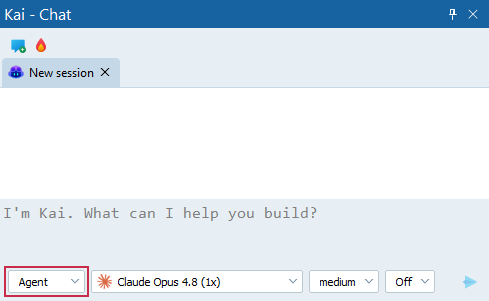
Switch Kai chat to Agent mode.
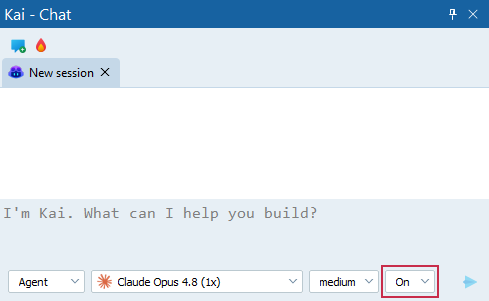
To skip approval for MCP tool requests, turn on automatic approval mode:
Run the following prompt to check whether the DevExpress MCP Server is configured and accessible:
Check DevExpress MCP Server availability
Clarify Chat Context
Embarcadero Kai relies on your prompt to establish the chat context. AI assistants may not invoke MCP tools automatically unless your prompt explicitly requests documentation lookup. Instead of asking "Insert a Tree View on the form and populate it with countries and cities.", explicitly prompt:
Use the registered DevExpress MCP server to look up the definition of DevExpress
VCL components, API members, and specific implementation patterns. Do NOT rely on
search summary alone, always retrieve and analyze complete help topics.
Do not proceed with implementation until the full interface declarations and
required uses clauses are confirmed.

**TASK:**
Insert a DevExpress VCL Tree View component on the form and populate it with countries and cities.
This prompt forces a “verify-first, code-second” discipline and prevents signature guessing.
To avoid repeating this instruction in every prompt, create a minimal AI agent skill under %USERPROFILE%\.agents\skills:
- Create a folder devexpress-mcp-vcl.
In this folder, create a SKILL.md file with the following instructions:
---
name: devexpress-mcp-vcl
description: Mandatory documentation lookup for DevExpress VCL development.
---
# DevExpress VCL Protocol

## 1. Mandatory Trigger

Invoke this skill and the Documentation MCP immediately if the user mentions any
DevExpress VCL component (Tcx*, Tdx*), property, or unit (cx*, dx*).

## 2. Required Workflow

1. **Search** DevExpress documentation for relevant help topics by calling
   `devexpress_docs_search` tool with `"technologies": ["VCL"]`.
2. **Fetch** complete help topics with `devexpress_docs_get_content` tool.
   Search summaries are insufficient; full content analysis is mandatory.

## 3. Extraction Checklist

Before generating code or providing advice, verify:

- **Unit Name:** Exact unit(s) for the `uses` clause.
- **Interface Declaration:** Exact headers (procedure/function), parameter
  modifiers (var/const/out), and return types.
- **Inheritance:** Check ancestor classes if the member is not in the immediate
  class.

## 4. Constraints

- **Sequence:** Documentation lookup -> Fact extraction -> Implementation.
- **No Hallucinations:** If MCP lookup yields no results, report it.
  Never invent properties or methods.
- **Strictness:** Bypassing this lookup is a protocol violation.
Create a new Kai chat to re-read all skills, then run your prompt again.